
Google Meet Captions Capture Chrome 插件, crx 扩展下载
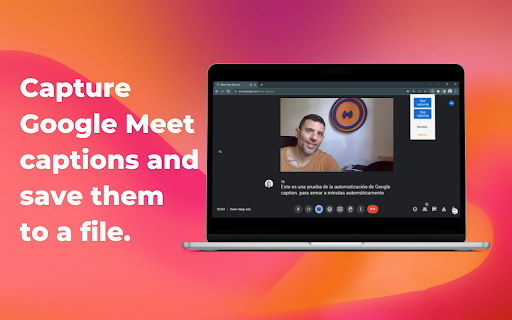
Capture Google Meet captions and save them to a file.
This plugin works with Google Meet captions. It grabs all the subtitles during a google meeting and allows you to download them. This way, you can summarize them using ChatGPT, BARD, or any other LLM chat tool.
For getting this app working you MUST OPEN GOOGLE MEET AND ENABLE CAPTIONS AT FIRST
| 分类 | 📝工作流程与规划 |
| 插件标识 | efldnnloljnpfjdonmnnhbnckmdmmaip |
| 平台 | Chrome |
| 评分 |
★★★☆☆
3.8
|
| 评分人数 | 73 |
| 插件主页 | https://chromewebstore.google.com/detail/google-meet-captions-capt/efldnnloljnpfjdonmnnhbnckmdmmaip |
| 版本号 | 1.3 |
| 大小 | 1.05MiB |
| 官网下载次数 | 1000 |
| 下载地址 | |
| 更新时间 | 2023-05-29 00:00:00 |
CRX扩展文件安装方法
第1步: 打开Chrome浏览器的扩展程序
第2步:
在地址栏输入: chrome://extensions/
第3步: 开启右上角的【开发者模式】
第4步: 重启Chrome浏览器 (重要操作)
第5步: 重新打开扩展程序管理界面
第6步: 将下载的crx文件直接拖入页面完成安装
注意:请确保使用最新版本的Chrome浏览器
同类插件推荐
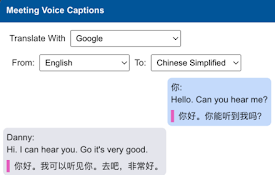
Meeting Voice Captions Translate
Google Meet Voice Captoins Translate, Microsoft Te

CaptionSaver Pro for Google Meet
Save live caption transcripts from Google MeetCapt
Google Meet Captions Capture
Capture Google Meet captions and save them to a fi

MeetGPT - ChatGPT for Google Meet
An automated tool for taking notes during Google M

Meet Recorder
An extensin to save your google meet captions to f

Auto Meeting Log for Google Meet
Automatically turns on Google Meet captions and sa
Meet Transcript
Record Google Meet captions, chat messages, and sc

Tactiq: ChatGPT 会议总结
在Google Meet、Zoom和MS Teams上体验超准确的ChatGPT会议摘要和转录。再也

Google Meet Transcripts & AI Summary
Google Meet Transcription, AI Summary and Insight.

Live Captions
Multi-Language Captions and Transcription for Pres

Record, Transcribe & ChatGPT for Google Meet
Automatically record & transcribe Google Meet

Felo字幕: ChatGPT跨语言翻译实时字幕
利用ChatGPT为会议和YouTube直播提供实时双语字幕;利用 OpenAI 转录并翻译Zoom

Slides Captions
Make Google Slides Captions Multi LineSlides Capti