
Play from Spotify Chrome 插件, crx 扩展下载
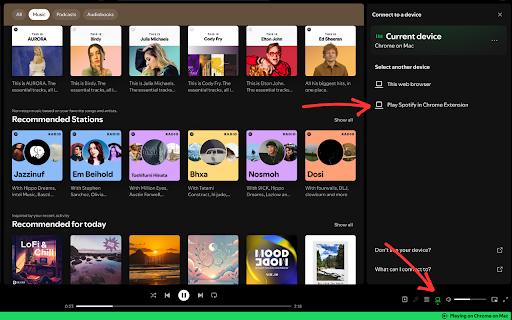
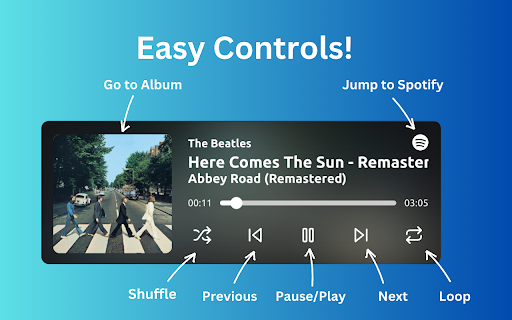
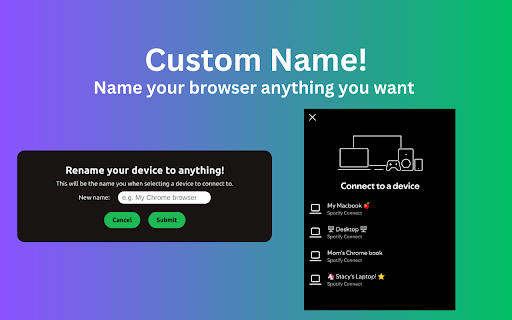

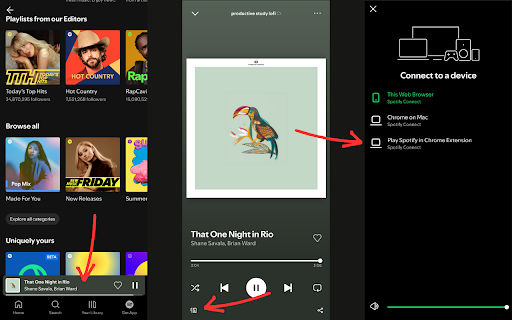
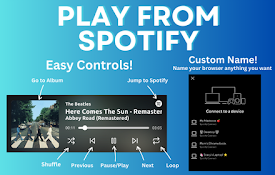
Cast your Spotify directly to your browser for seamless, personalized music control anywhere in the world!
⚠️ NOTE: You must have Spotify Premium for this to work.
Ditch the tab juggling and fragmented listening! This extension lets you:
- ?️ Control your browser's Spotify player from any window. No more app switching or minimized windows. Enjoy seamless music without ever leaving your workflow.
- ? Cast from anywhere: Whether you are in a different room or a different continent, easily control your browser's music player from your phone or another computer!
- ✏️ Custom device name: Give your browser your own custom name and add as many as you like! (e.g. My Laptop, Desktop #1, Mom's computer etc.)
? Ready to break free from the desktop app? Install now and experience music like never before!
| 分类 | 🎬娱乐 |
| 插件标识 | eifkladeefiljgoaioeleigfcbdggkbm |
| 平台 | Chrome |
| 评分 |
★★★★☆
4.2
|
| 评分人数 | 5 |
| 插件主页 | https://chromewebstore.google.com/detail/play-from-spotify/eifkladeefiljgoaioeleigfcbdggkbm |
| 版本号 | 1.0.4 |
| 大小 | 3.72MiB |
| 官网下载次数 | 221 |
| 下载地址 | |
| 更新时间 | 2024-09-06 00:00:00 |
CRX扩展文件安装方法
第1步: 打开Chrome浏览器的扩展程序
第2步:
在地址栏输入: chrome://extensions/
第3步: 开启右上角的【开发者模式】
第4步: 重启Chrome浏览器 (重要操作)
第5步: 重新打开扩展程序管理界面
第6步: 将下载的crx文件直接拖入页面完成安装
注意:请确保使用最新版本的Chrome浏览器
同类插件推荐

Spotify Web Player Hotkeys
Add keyboard shortcuts to control playback in Spot

Paradify - Youtube to Spotify
The easiest way to get a song from YouTube to Spot

点播播放器
获取 Spotify 网络播放器非官方扩展来享受音乐Spotify Web Player allow
Play from Spotify
Cast your Spotify directly to your browser for sea