
Bikub Save As Pdf Chrome 插件, crx 扩展下载
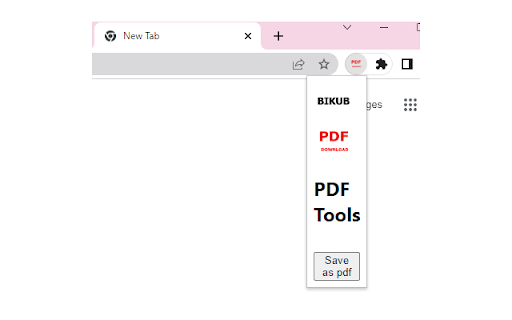
Convert current page in pdf format
With the Bikub Save as Pdf chrome extension, you can download any web page as a pdf document.
You just need to install the plugin.
Then just click on the "save as pdf" button when you want to transform the content of the site into pdf.
| 分类 | 📝工作流程与规划 |
| 插件标识 | eldeeeggkeeecjahpebkhjgmhfinjlil |
| 平台 | Chrome |
| 评分 |
★★★☆☆
3.4
|
| 评分人数 | 180 |
| 插件主页 | https://chromewebstore.google.com/detail/bikub-save-as-pdf/eldeeeggkeeecjahpebkhjgmhfinjlil |
| 版本号 | 0.0.0.2 |
| 大小 | 67.21KiB |
| 官网下载次数 | 24 |
| 下载地址 | |
| 更新时间 | 2023-03-23 00:00:00 |
CRX扩展文件安装方法
第1步: 打开Chrome浏览器的扩展程序
第2步:
在地址栏输入: chrome://extensions/
第3步: 开启右上角的【开发者模式】
第4步: 重启Chrome浏览器 (重要操作)
第5步: 重新打开扩展程序管理界面
第6步: 将下载的crx文件直接拖入页面完成安装
注意:请确保使用最新版本的Chrome浏览器
同类插件推荐

Reddit Save as PDF
A handy Chrome extension to save a Reddit comment
Bikub Save As Pdf
Convert current page in pdf formatWith the Bikub S

Easy Save
Download web pages as PDF uses Easy Save extension

Friendly PDF
Save the web page as book-like PDF with outlinesSa

MultCloud Save - Save Webpage as PDF
Save webpages in Chrome as PDF or images and save

Right PDF
将网页转换为PDFRight PDF是一个能转换网页为PDF的小工具。 * 此插件只有在安装文电通

将网页转换为PDF
让将网页转换为PDF简化您的工作流程!我们的工具可以将网页转换为PDF并保持其原始外观。这个简单而强

Website to PDF
Convert entire website to PDF fileYou are able to

Web to PDF - 网页转PDF
使用网页转PDF转换器将互联网页面保存为PDF并立即下载。非常适合离线阅读和分享。? 寻找一种快速可

网页到PDF转换器
Install webpage to PDF converter & capture ent

Just-One-Page-PDF: An awesome web page to PDF tool
Use Just-One-Page-PDF in just a few clicks. Easily

Save Webpage As PDF
【Ultimate】Convert webpage to pdf in one click. Sav

Save as PDF
Download web pages as PDF in one click.This add-on