
Easy Save Chrome 插件, crx 扩展下载
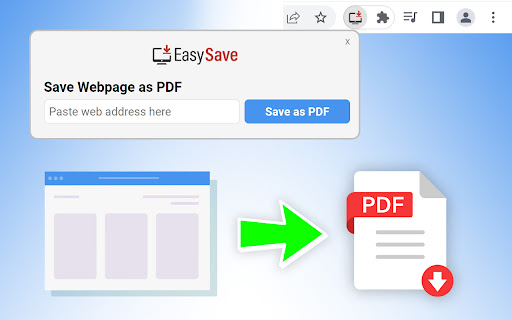
Download web pages as PDF uses Easy Save extension.
Save Web pages as PDF format. Click on the Extension icon in your browser to convert and download the active tab as PDF file.
This extension allows you to save Web pages in PDF format.
How to use Easy Save Extension
1. Install the Easy Save extension for Chrome.
2. Pin the extension for quick access.
3. Click on the extension icon to save active page AS PDF Format
By installing this extension, you agree to the Terms of Service (https://easysave.app/terms-of-service/) and Privacy Policy (https://easysave.app/privacy-policy/)
| 分类 | 📝工作流程与规划 |
| 插件标识 | hkhbnngpkfdgdnhebbnmpoekflkpeeib |
| 平台 | Chrome |
| 评分 |
★★☆☆☆
2.2
|
| 评分人数 | 39 |
| 插件主页 | https://chromewebstore.google.com/detail/easy-save/hkhbnngpkfdgdnhebbnmpoekflkpeeib |
| 版本号 | 1.24.517 |
| 大小 | 404KiB |
| 官网下载次数 | 45 |
| 下载地址 | |
| 更新时间 | 2024-05-19 00:00:00 |
CRX扩展文件安装方法
第1步: 打开Chrome浏览器的扩展程序
第2步:
在地址栏输入: chrome://extensions/
第3步: 开启右上角的【开发者模式】
第4步: 重启Chrome浏览器 (重要操作)
第5步: 重新打开扩展程序管理界面
第6步: 将下载的crx文件直接拖入页面完成安装
注意:请确保使用最新版本的Chrome浏览器
同类插件推荐

Bikub Save As Pdf
Convert current page in pdf formatWith the Bikub S

OmniSearch
Get fast access to search results each time you op

Easy Save
Download web pages as PDF uses Easy Save extension

Freshy Search
Set Freshy Search as a Default Search provider.Thi

Horoscope
Access horoscopes readings for today, weekly, and

LinkedIn notes
LinkedIn® Notes is a Chrome Extension for the New

Easy Print
Easy Print extension provides a way to print and m

Webseite in PDF, JPG, PNG umwandeln
Ganze Webseiten (oder Ausschnitte) einfach in PDF,

Friendly PDF
Save the web page as book-like PDF with outlinesSa

Fin9d
Fin9d search your result to new tab for user conve
Daily Quiz Tab
Quizzes and Daily Trivia offered by MyQuizDaily.co

Just-One-Page-PDF: An awesome web page to PDF tool
Use Just-One-Page-PDF in just a few clicks. Easily

Save Webpage As PDF
【Ultimate】Convert webpage to pdf in one click. Sav