
My personal dictionary Chrome 插件, crx 扩展下载

Translate Finnish words to English and add them to your personal dictionary and train.
My Personal Dictionary
Description
An extension that allows users to translate selected words and add them to a personal dictionary. Extension supports Finnish, English and Russian languages. The extension also provides options for viewing, editing, deleting, and practicing with saved words.
Main Features
- Completely free, no registration or subscriptions required.
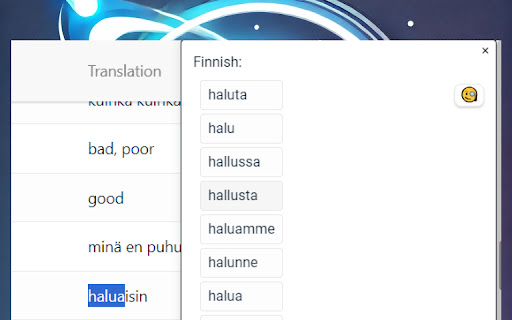
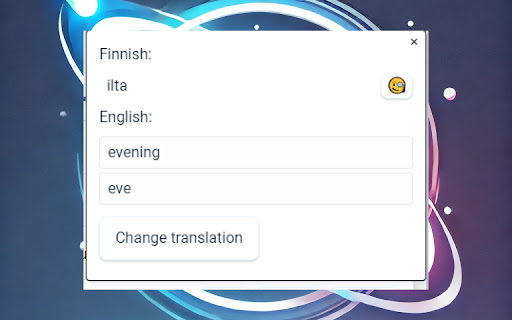
- Translate and Save Words: Highlight a word on any web page to translate it and save it to your dictionary.
- Supports Finnish, English and Russian languages
- Search for Word Suggestions: Receive word suggestions when highlighting a word.
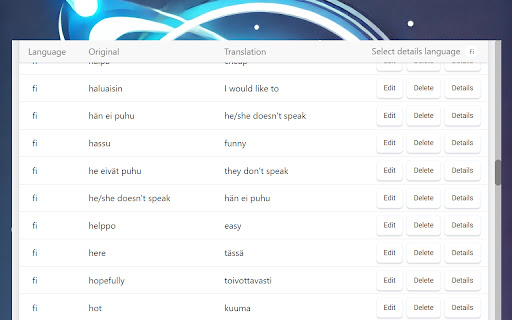
- View Dictionary: Access your dictionary to view saved words.
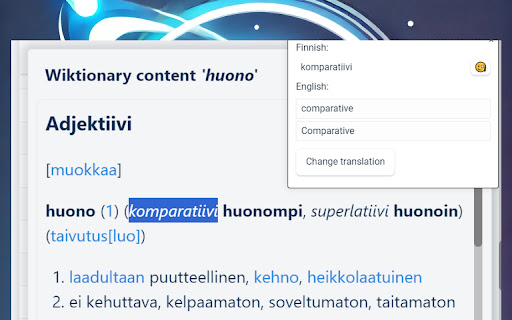
- View Wiktionary Content: Search for any word in Wiktionary.
- Edit or Delete Words: Modify or remove words in your dictionary.
- Export Dictionary: Export your dictionary to a file. The format is compatible with Anki cards.
- Train Words: Test your knowledge by practicing with the words.
- Sync Across Devices: Your dictionary syncs across devices using chrome.storage.
How to Use:
- Translate and Save Words: Highlight a word on any web page, and a popup with translation options will appear. You can click "Save to Dictionary" to add the word to your dictionary, change the provided translation, or search for a similar word in the Wiktionary database.
- View Dictionary: Click the extension icon and select "My Dictionary" to view and manage saved words. Click "Details" to search Wiktionary content for any word.
- Export Words: Click the "Export" button to download your dictionary in .txt format. Words are separated by tabs.
- Practice Words: Click the extension icon and select "Train Words" to start a practice session.
| 分类 | 📚教育 |
| 插件标识 | emhbabjelpapfkflfcdfodndpclhcloe |
| 平台 | Chrome |
| 评分 |
☆☆☆☆☆
0
|
| 评分人数 | 39 |
| 插件主页 | https://chromewebstore.google.com/detail/my-personal-dictionary/emhbabjelpapfkflfcdfodndpclhcloe |
| 版本号 | 1.8.9 |
| 大小 | 241KiB |
| 官网下载次数 | 36 |
| 下载地址 | |
| 更新时间 | 2024-12-03 00:00:00 |
CRX扩展文件安装方法
第1步: 打开Chrome浏览器的扩展程序
第2步:
在地址栏输入: chrome://extensions/
第3步: 开启右上角的【开发者模式】
第4步: 重启Chrome浏览器 (重要操作)
第5步: 重新打开扩展程序管理界面
第6步: 将下载的crx文件直接拖入页面完成安装
注意:请确保使用最新版本的Chrome浏览器
同类插件推荐

Inline Wiktionary Viewer
View wiktionary in frame! Note: pdfs are not suppo

Auto Cookie Deleter
Automatically deletes cookies when tabs are closed

Yet Another Jenkins Notifier
This extension notifies you on Jenkins build resul
My personal dictionary
Translate Finnish words to English and add them to
Custom Dictionary
Store words and their definitions, and highlight t

Personal Dictionary
A personal dictionary for your work termsEsta exte

Quick Search Wiktionary
Provides quick access to Wiktionary from any page.

Bulk URL Opener
Browser addon to open multiple urls with one click

WordUp
It helps you to complete your WordUp knowledge map

Dictionariez: Your Dictionary, Your Language
Learn a language with your favorite dictionary and

Definer - 弹出词典和翻译器
您选择或键入的单词和短语的即时定义、翻译和搜索结果Double-click a word or hi

Domain Notes
Maintain sticky notes for each domain you visit.?

Word Replacer Max
Seamlessly replace text on any web page.⚡️ Smart T