
Quick WebSocket Client with Socket.IO Chrome 插件, crx 扩展下载
Construct custom Web Socket requests and handle responses to directly test your Web Socket services,Includes Socket.IO support.
## Features
v0.0.2.1 Release for Socket.IO support.
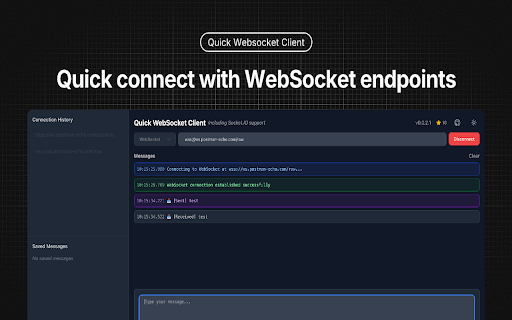
- ? Easy WebSocket Connection Management
- Quick connect/disconnect with WebSocket endpoints
- Connection status monitoring
- Detailed connection state logging
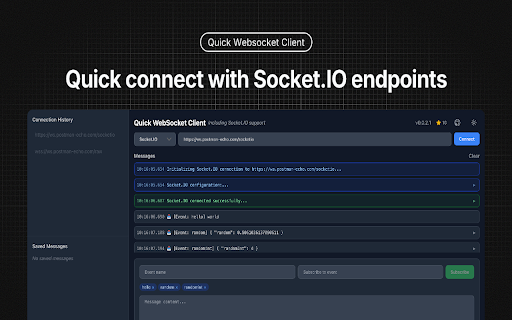
- ? Support Socket.IO Connection
- Quick connect/disconnect with Socket.IO endpoints
- Support for both event subscription
- Support event and message
- ? Advanced Message Handling
- Support for both text and binary messages
- Built-in JSON formatting and validation
- Message history with timestamp and direction
- Save frequently used messages for quick access
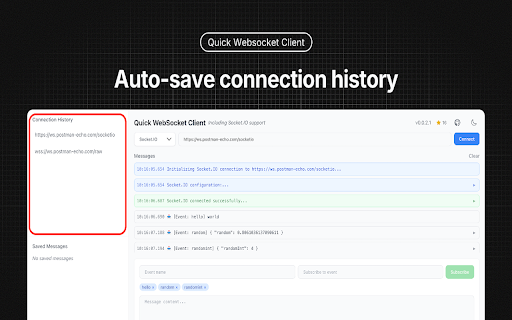
- ? Persistent Storage
- Auto-save connection history
- Save favorite messages for reuse
- Quick access to recent connections
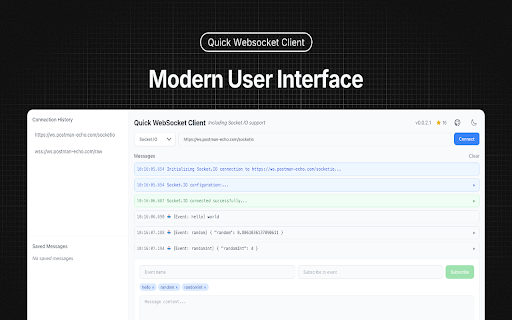
- ? Modern User Interface
- Clean and intuitive design
- Real-time message updates
- Compact message display
- Dark/Light theme support
## Perfect for
- Web developers testing WebSocket APIs
- Backend developers debugging WebSocket services
- QA engineers validating WebSocket implementations
- Anyone working with WebSocket-based applications
## How to Use
1. Enter your WebSocket URL (e.g., ws://localhost:8080)
2. Click "Connect" to establish connection
3. Send text or binary messages
4. View real-time responses
5. Save frequently used messages for quick access
6. Monitor connection status and history
## Technical Details
- Built with React and TypeScript
- Uses native WebSocket API
- Supports all modern browsers
- Zero external dependencies for core functionality
- Secure local storage for saved data
Perfect for developers who need a reliable, feature-rich WebSocket testing tool right in their browser.
## Test Server
- Web Socket: wss://ws.postman-echo.com/raw
- Socket.IO https://ws.postman-echo.com/socketio
| 分类 | 💻开发者工具 |
| 插件标识 | enmpedlkjjjnhoehlkkghdjiloebecpn |
| 平台 | Chrome |
| 评分 |
☆☆☆☆☆
0
|
| 评分人数 | 1 |
| 插件主页 | https://chromewebstore.google.com/detail/quick-websocket-client-wi/enmpedlkjjjnhoehlkkghdjiloebecpn |
| 版本号 | 0.0.2.1 |
| 大小 | 291KiB |
| 官网下载次数 | 314 |
| 下载地址 | |
| 更新时间 | 2025-01-27 00:00:00 |
CRX扩展文件安装方法
第1步: 打开Chrome浏览器的扩展程序
第2步:
在地址栏输入: chrome://extensions/
第3步: 开启右上角的【开发者模式】
第4步: 重启Chrome浏览器 (重要操作)
第5步: 重新打开扩展程序管理界面
第6步: 将下载的crx文件直接拖入页面完成安装
注意:请确保使用最新版本的Chrome浏览器
同类插件推荐

Quick WebSocket Client with Socket.IO
Construct custom Web Socket requests and handle re

Placeholder into value
Convert a placeholder to a value.The placeholder i

Tagg
Personal Curated ShoppingGet clothing recommendati

CrecenTech Utilities
CrecenTech UtilitiesIt's a simple chrome exten

BPM RunWalkYou Ext
BPM running (walking) on YouTube video----------

Smartlink Health
Smartlink Heatlh is a software used to extract app

Congree Web Interface
Write according to your company's Style GuideT

YouTube Bookmarker
Bookmark your YouTube video timestampsKeep track o

Michael's Upgrade for TrakED
Upgraded features for TrakED in the THS. (This ext

Linqbase - LinkedIn CRM & Outreach
Effortlessly collect, organize, and export detaile

The Big Gift List
Easily add items to your 'The Big Gift List