
Liquidware Browser Monitor Chrome 插件, crx 扩展下载
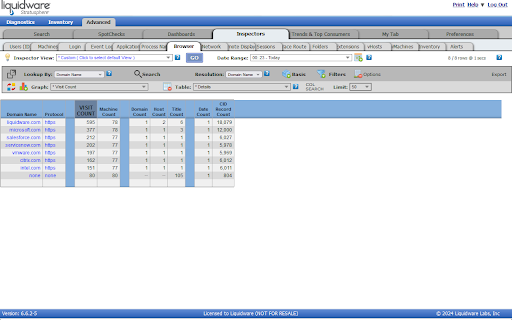
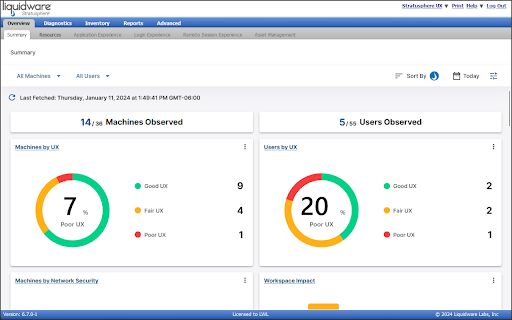
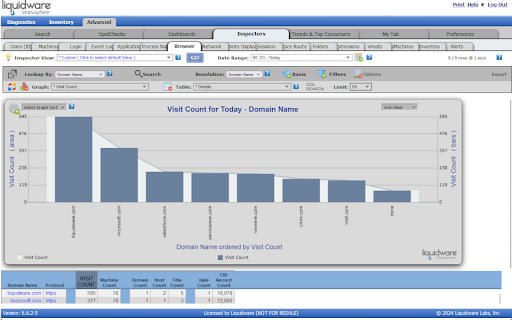
Liquidware's Stratusphere™ UX browser monitor
This add-on is for use with Liquidware's Stratusphere™ UX product, which helps companies manage, monitor, and optimize their digital workspaces. The Liquidware Browser Monitor for Firefox collects browser metrics, such as a user's current open tabs or the full list of add-ons installed in the browser, and uploads the data to the company's Stratusphere™ hub.
For a guide on how to use this extension in conjunction with Liquidware's Stratusphere™ UX product, please click the following link: https://docs.liquidware.com/stratusphere/en-us/670/installation-guide/capturing-browser-metrics.htm
| 分类 | 📝工作流程与规划 |
| 插件标识 | fcdgffmdaoiofonjahbdpglcdodgkaii |
| 平台 | Chrome |
| 评分 |
★★★★☆
4.6
|
| 评分人数 | 9 |
| 插件主页 | https://chromewebstore.google.com/detail/liquidware-browser-monito/fcdgffmdaoiofonjahbdpglcdodgkaii |
| 版本号 | 1.3.2 |
| 大小 | 47.57KiB |
| 官网下载次数 | 200000 |
| 下载地址 | |
| 更新时间 | 2024-04-22 00:00:00 |
CRX扩展文件安装方法
第1步: 打开Chrome浏览器的扩展程序
第2步:
在地址栏输入: chrome://extensions/
第3步: 开启右上角的【开发者模式】
第4步: 重启Chrome浏览器 (重要操作)
第5步: 重新打开扩展程序管理界面
第6步: 将下载的crx文件直接拖入页面完成安装
注意:请确保使用最新版本的Chrome浏览器
同类插件推荐

UptimeRobot Monitor
This allows you to use the UptimeRobot 'monito

beautiflag
chrome://flags is pretty now!The chrome://flags pa

DevCamp Video Player Enhancer
Improves upon the default video player that is bui

Deredactie.be video expander
Expands the flash video window to a bigger size an
Liquidware Browser Monitor
Liquidware's Stratusphere™ UX browser monitorT

API Monitor
Show active intervals, scheduled timeouts, animati

Your notifier
Helps to monitor changes on different web-pages, n

Policy Control - JavaScript and Flash blocker
Block third-party or all resources of style, scrip

Page Monitor
驻留后台并监控网页变化。With the free Pagemonitor Pro you can

AskBlocker
Blocks overly-eager permission requests for notifi

Wide audio players
Make audio players 100% wide.Makes the audio playe

Side Browser
A Browser extension for Chrome and Firefox that al

Local Cache
Cache ajax requests to your local machine, making