
Geniuslink | Intelligent Link Creator Chrome 插件, crx 扩展下载
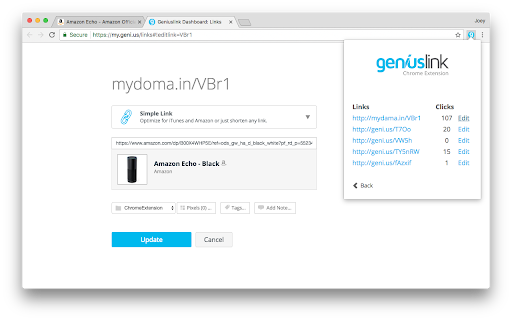
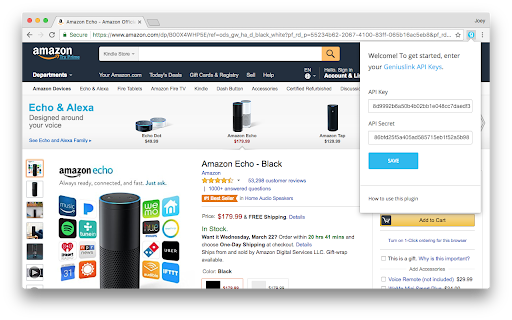
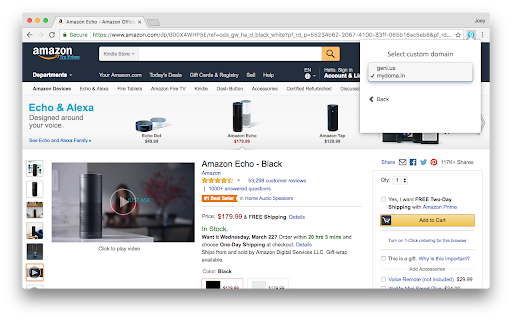
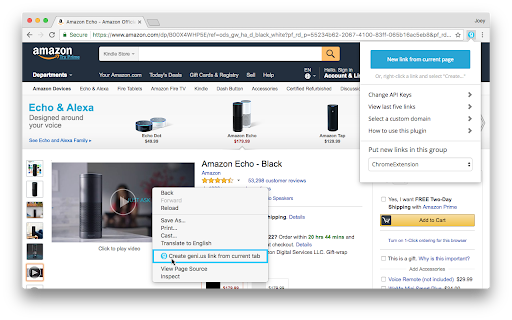
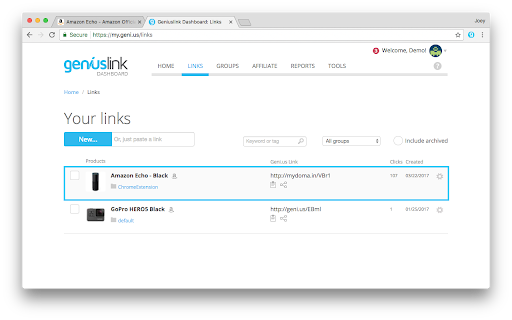
Easily build geni.us links with the click of a button!
The Geniuslink Chrome extension is the easiest way to create the world's smartest short links to products or content across the web. This extension is fully integrated with your Geniuslink account, allowing you to instantly create geni.us links with the click of a button.
Once installed and activated, simply click the “New link from Current page” button, or right click and select "Create geni.us link," and voilà, your new geni.us link will instantly be copied to your clipboard and added to your Geniuslink account.
Want to customize your links further? No Problem! Add a custom domain to your Geniuslink account to create custom branded links. You can also edit your existing links directly from within your Geniuslink account to add advanced targeting rules, retargeting pixels, user choice landing pages and more, in order to create the most powerful links on the web.
Please note: This extension is only available for our Geniuslink customers. You MUST have a paid Geniuslink account in order to build and edit your links.
NEW:
* Brand each of your links by using your own custom domain.
* Easily build links from within the Chrome extension menu.
* View stats and edit your links directly from the Chrome extension.
* UI cleanup and improvements.
* Bug fixes for Linux users.
* Bug fix for Ratings Prompt blocking "Create link" button.
Have Questions or need help? Please feel free to send an email to [email protected], and our dedicated support team will make sure to get you taken care of.
| 分类 | 📝工作流程与规划 |
| 插件标识 | fgoilnlnleemcedbmhoalpmhkefdppbm |
| 平台 | Chrome |
| 评分 |
★★★★☆
4.4
|
| 评分人数 | 8 |
| 插件主页 | https://chromewebstore.google.com/detail/geniuslink-intelligent-li/fgoilnlnleemcedbmhoalpmhkefdppbm |
| 版本号 | 1.0.6 |
| 大小 | 726KiB |
| 官网下载次数 | 3000 |
| 下载地址 | |
| 更新时间 | 2024-06-12 00:00:00 |
CRX扩展文件安装方法
第1步: 打开Chrome浏览器的扩展程序
第2步:
在地址栏输入: chrome://extensions/
第3步: 开启右上角的【开发者模式】
第4步: 重启Chrome浏览器 (重要操作)
第5步: 重新打开扩展程序管理界面
第6步: 将下载的crx文件直接拖入页面完成安装
注意:请确保使用最新版本的Chrome浏览器
同类插件推荐

EZ-Link B&H Photo Affiliate Tools
Get trackable links for B&H Affiliate Program
Fluencer Fruit for Influencers
Optimize product research selection and management

Deep Link URL Shortener: LinkTw.in
Create deep link short URLs that open mobile apps

Amazon Publisher Studio Extension Beta
This is the official Amazon Associates extension f

Walmart Creator Toolbar
Make Money. Live Better.Walmart Creator gives you
Geniuslink | Intelligent Link Creator
Easily build geni.us links with the click of a but

Skimlinks Editor tool
SL Editor extension.Skimlinks Editor Toolbar The

Mavely Link Creator
Easily create shoppable links to your favorite bra

Sovrn Commerce
Instantly create and share monetized links to over

Amazon Affiliates Link Maker
Quickly create Amazon Affiliate links while browsi

SortioX
Maximize Productivity for Amazon InfluencersIntrod