
Custom Fields for Google Calendar™ Chrome 插件, crx 扩展下载

Create Custom Fields in Google calendar™
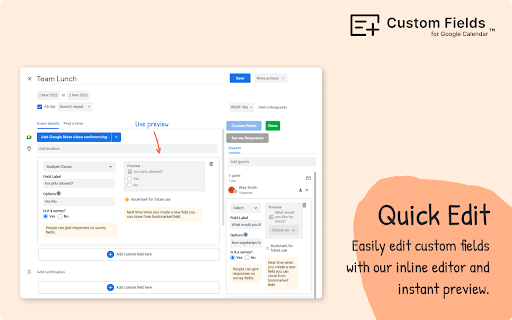
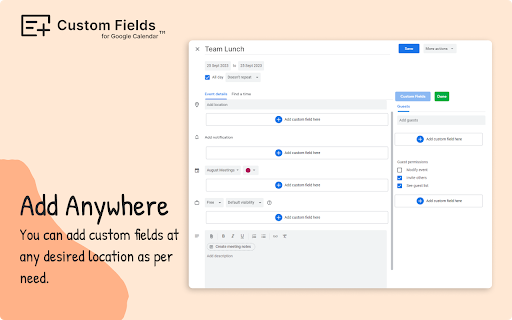
▶ Using Custom Fields for Google Calendar™ add-on you can create and manage custom fields that doesn't exist in the regular Calendar interface.
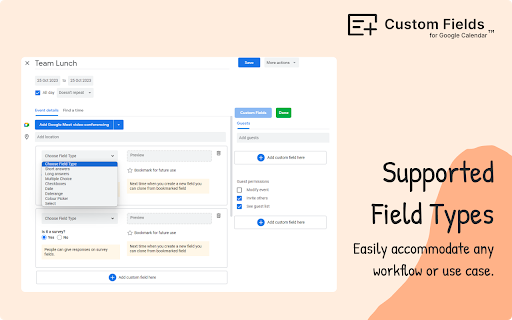
▶ It supports a range of field types including Dropdown menus, Date Pickers, Color Pickers, Checkboxes, Multiple Choice options, and Long/Short Text entries.
▶ Role based access: Only users with edit access for the event are able to create or update the custom fields, while others will have view-only access, just like other standard fields.
▶ A simple user interface to manage the fields. Admin can quickly add or remove fields from an event.
Need Help ?
--------------------
Email: [email protected]
Website: https://tabgraf.com
Release Notes
--------------------
03 Mar 2024 - Enhanced version with additional features released. Guests can now access and view the fields even without the add-on installed.
| 分类 | 📝工作流程与规划 |
| 插件标识 | fgomfahnlnkadfcbnlbfddbdfhckbamm |
| 平台 | Chrome |
| 评分 |
★★★★☆
4.8
|
| 评分人数 | 21 |
| 插件主页 | https://chromewebstore.google.com/detail/custom-fields-for-google/fgomfahnlnkadfcbnlbfddbdfhckbamm |
| 版本号 | 5.4 |
| 大小 | 879KiB |
| 官网下载次数 | 595 |
| 下载地址 | |
| 更新时间 | 2025-01-28 00:00:00 |
CRX扩展文件安装方法
第1步: 打开Chrome浏览器的扩展程序
第2步:
在地址栏输入: chrome://extensions/
第3步: 开启右上角的【开发者模式】
第4步: 重启Chrome浏览器 (重要操作)
第5步: 重新打开扩展程序管理界面
第6步: 将下载的crx文件直接拖入页面完成安装
注意:请确保使用最新版本的Chrome浏览器
同类插件推荐
Custom Fields for Google Calendar™
Create Custom Fields in Google calendar™▶ Using Cu

自定义Google Keep™的标签
Customize Tabs for Google Keep™您是否经常使用Google Keep™

Google Calendar Weekend Highlighter
Custom Colour for Weekends in Google Calendar>&

Shade Custom Hours for Google Calendar
Easily shade specific time blocks in Google Calend