
Google Chat Replyer Chrome 插件, crx 扩展下载
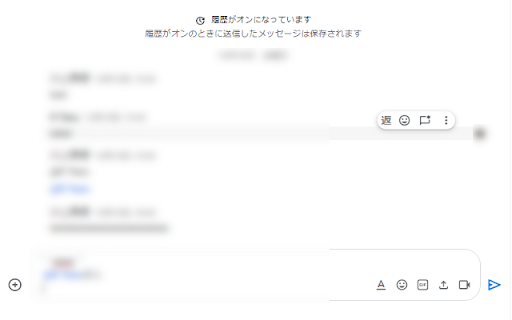
Reply add-on for Google Chat
GoogleChat用の返信アドオンです。
・返信したいメッセージに返信アイコンが表示されます
・メッセージを引用して返信を行う事が出来ます
・範囲選択後、返信アイコンをクリックすると、選択範囲を引用して返信を行う事が出来ます
・返信元に自動メンションされます
・引用返信部分の表示を旧バージョン形式で表示します
--------------------------
This is a reply add-on for GoogleChat.
・A reply icon will be displayed on the message you want to reply to.
・You can quote and reply to messages.
・After selecting the range, click the reply icon to quote the selected range and reply.
・Mentions are automatically added to replies.
・Displays the `quote reply` part in the old version format.
v1.6.0
Added in-thread reply function.
v1.5.3
-Return the display of the `quote reply` part to the previous version.
v1.5.2
- Bug fixes for threaded spaces
- Fixed the ability to move the cursor to the end of the text area
| 分类 | 📝工作流程与规划 |
| 插件标识 | fhceckbcdngkffcmheindcaeekdnckog |
| 平台 | Chrome |
| 评分 |
★★★★☆
4.2
|
| 评分人数 | 53 |
| 插件主页 | https://chromewebstore.google.com/detail/google-chat-replyer/fhceckbcdngkffcmheindcaeekdnckog |
| 版本号 | 1.6.0 |
| 大小 | 12.13KiB |
| 官网下载次数 | 233 |
| 下载地址 | |
| 更新时间 | 2024-09-04 00:00:00 |
CRX扩展文件安装方法
第1步: 打开Chrome浏览器的扩展程序
第2步:
在地址栏输入: chrome://extensions/
第3步: 开启右上角的【开发者模式】
第4步: 重启Chrome浏览器 (重要操作)
第5步: 重新打开扩展程序管理界面
第6步: 将下载的crx文件直接拖入页面完成安装
注意:请确保使用最新版本的Chrome浏览器
同类插件推荐
Google Chat Replyer
Reply add-on for Google ChatGoogleChat用の返信アドオンです。

YouChat AI for Google
Display YouChat AI response alongside Google Searc

ChatGPT for Google cloudHQ
在谷歌搜索结果旁边生成ChatGPT回复这个扩展可以让你在谷歌搜索引擎结果旁边得到ChatGPT的查

ChatGPT for Google
Display ChatGPT response alongside search engine r