
PS! Chrome Sync Chrome 插件, crx 扩展下载
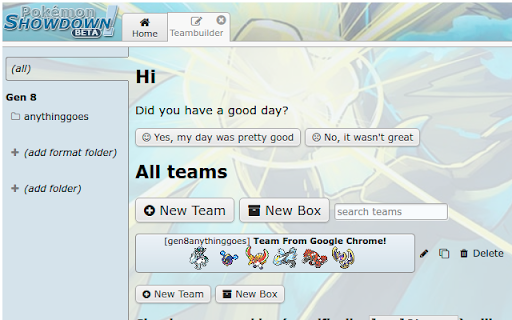
Chrome sync compatibility for Pokemon Showdown teams
Uses Google Chrome's sync storage to save your Pokemon Showdown teams in your Google Account. Synchronizes teams across all instances of Google Chrome, so you can use your teams wherever you use Chrome.
Periodically saves Pokemon Showdown's local storage to Chrome's sync storage and reads the sync storage to update your team list whenever PS! loads.
WARNING: On first use, the extension will save all of your teams to the Chrome sync storage. Any teams stored locally on other devices will be initially lost, then all devices will be kept synced.
| 分类 | 🎉趣味休闲 |
| 插件标识 | fjfipggakoeeckhcppngmklgnggjjejk |
| 平台 | Chrome |
| 评分 |
☆☆☆☆☆
0
|
| 评分人数 | 58 |
| 插件主页 | https://chromewebstore.google.com/detail/ps-chrome-sync/fjfipggakoeeckhcppngmklgnggjjejk |
| 版本号 | 0.0.1 |
| 大小 | 33.71KiB |
| 官网下载次数 | 229 |
| 下载地址 | |
| 更新时间 | 2022-01-21 00:00:00 |
CRX扩展文件安装方法
第1步: 打开Chrome浏览器的扩展程序
第2步:
在地址栏输入: chrome://extensions/
第3步: 开启右上角的【开发者模式】
第4步: 重启Chrome浏览器 (重要操作)
第5步: 重新打开扩展程序管理界面
第6步: 将下载的crx文件直接拖入页面完成安装
注意:请确保使用最新版本的Chrome浏览器
同类插件推荐

Three Island
A Chrome extension for Pokémon Showdown that offer

SetDeli
SetDeli creates a new dropdown menu on the import

Showdex
Pokémon Showdown extension that harnesses the powe
PS! Chrome Sync
Chrome sync compatibility for Pokemon Showdown tea

Showdown Randbats Tooltip
Enhanced tooltip functionality for Showdown's
Showdown Team Backup
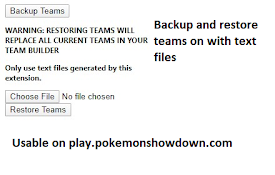
Backup and restore Pokemon Showdown! teams using t

Pokémon Showdown Randbats Tooltip
Enhanced tooltip functionality for Pokémon Showdow

Pokémon Showdown Enhanced Tooltips
Enhanced tooltips for Pokémon ShowdownSee more inf

Teambuilder Analytics (Pokémon Showdown)
Use real-time statistics to help build optimized t

Showdown Extra Buttons
Adds buttons to pokemon-showdown to show your clou

PS! 3D sprites
Missing SV 3D pokemon sprites/models for Pokemon S

Pokemon Showdown Calculator EV Optimizer
Extension that allows user to input ev benchmarks

Showdown Format Selector
Automatically selects your last played format when