
CloudCodes for G Suite Code51qa Chrome 插件, crx 扩展下载
An extension for CloudCodes for G Suite provided by CloudCodes Software.
CloudCodes for G Suite code51qa chrome extension are developed for CloudCodes for G Suite web application which provides cloud app security. This extension provides the following feature which works according to CloudCodes For G-Suite policy configuration.
Consumer Gmail Block
Session Timeout
Domain Whitelisting
Third Party Apps Block
Consumer Gmail Block :
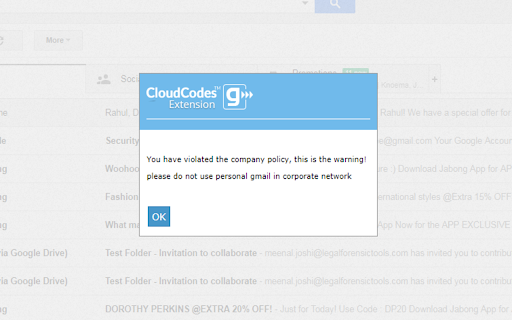
This extension blocks access to personal gmail accounts and sends violation mail to the CloudCodes For G Suite admin only when If admin set the consumer gmail block policy on the user.
Third Party Apps Block :
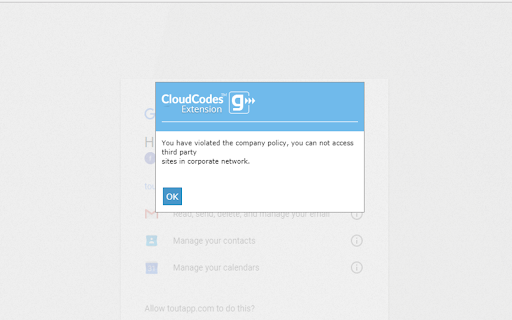
If admin set the third party apps block policy for users, then this extension does not allow users to access third party apps using their corporate email id
Session Timeout :
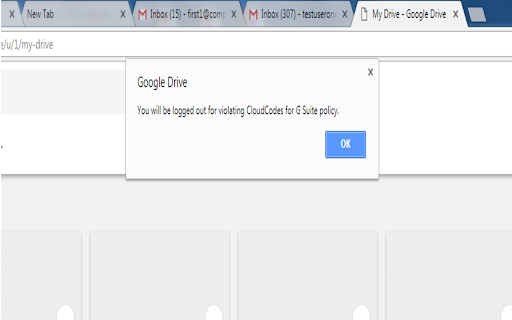
This feature used to logout the user from his current session of G Suite account according to configured session timeout policy in cloudcodes for g suite application.
Domain Whitelisting :
It allows login to the g suite account only for whitelisted domain that are configured in the policy by admin in the cloudcodes for g suite application
| 分类 | ♿无障碍访问 |
| 插件标识 | fogkppbeakkdmndljfmfaggijgnakfed |
| 平台 | Chrome |
| 评分 |
☆☆☆☆☆
0
|
| 评分人数 | 8 |
| 插件主页 | https://chromewebstore.google.com/detail/cloudcodes-for-g-suite-co/fogkppbeakkdmndljfmfaggijgnakfed |
| 版本号 | 4.5 |
| 大小 | 215KiB |
| 官网下载次数 | 24 |
| 下载地址 | |
| 更新时间 | 2022-09-05 00:00:00 |
CRX扩展文件安装方法
第1步: 打开Chrome浏览器的扩展程序
第2步:
在地址栏输入: chrome://extensions/
第3步: 开启右上角的【开发者模式】
第4步: 重启Chrome浏览器 (重要操作)
第5步: 重新打开扩展程序管理界面
第6步: 将下载的crx文件直接拖入页面完成安装
注意:请确保使用最新版本的Chrome浏览器
同类插件推荐

GSuite Custom Toolbar
This extension being used to easily access Google

ServerHealers SysAdmin Tools
Chrome Extension for Web Hosting Support Staffs, C

miniOrange GSuite Enterprise Login
Restrict Personal Gmail accounts in Business netwo
CloudCodes for G Suite Code51qa
An extension for CloudCodes for G Suite provided b

Quicklink Chrome Extension
Speed up navigations by automatically prefetching

CloudCodes gControl 2.0 extension
An extension for CloudCodes for G Suite provided b

CloudCodes Extension gControl-2
An extension for CloudCodes for G Suite provided b
rawkit
Open the node.js devtools from the command-line; n

DOM-JSON Tree Matcher
The tool matches DOM-JSONs detecting available and

CloudCodes For Business
CloudCodes For Business extension provided by clou

WebAPI Blocker
Easily block (nullify) undesired Web API(s) and im

Origin Requests Only (Firewall)
Origin Requests Only block all requests that isn&#

Not my department
Adds an 'Open as...' context menu with con