
SVG - printer Chrome 插件, crx 扩展下载
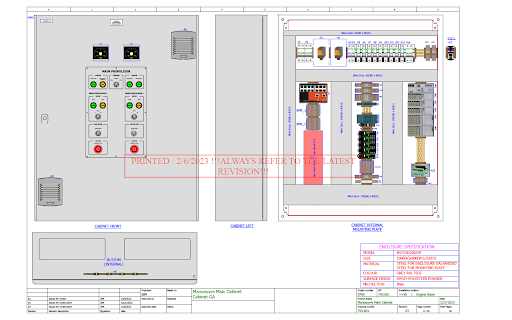
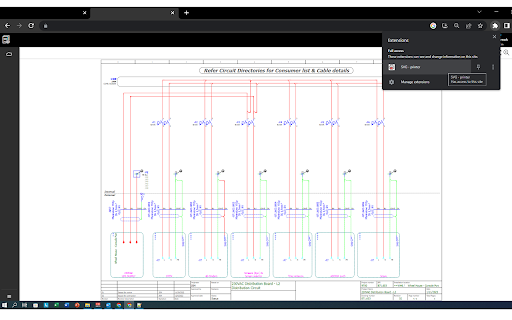
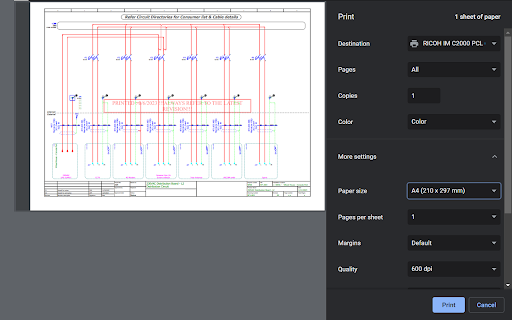
The extension will provide allows user printing SVG (vector-based graphics) schematics directly from websites.
SVG - Printer Chrome Extension is an extremely useful and unique tool for anyone who needs to print SVG (vector-based graphics) schematics directly from websites. This extension makes the process of printing these schematics quick and easy, and automatically adds a watermark with the date of the print to ensure that users always have access to the latest revision.
One of the key benefits of using our extension is that it eliminates the need for manual intervention, saving you time and hassle. With just a click of a button, you can print your SVG schematic with a clear and concise watermark, making it easy to track changes over time.
In addition to its ease of use, our extension is also highly versatile. It works seamlessly with the latest version of Google Chrome, and can be used on any website that contains an SVG schematic. This makes it an ideal solution for individuals in a variety of industries, from engineering and manufacturing to graphic design and architecture.
| 分类 | 📝工作流程与规划 |
| 插件标识 | gchgendkiadepmgcdbpljpojhhbiabdm |
| 平台 | Chrome |
| 评分 |
★★★★★
5
|
| 评分人数 | 2 |
| 插件主页 | https://chromewebstore.google.com/detail/svg-printer/gchgendkiadepmgcdbpljpojhhbiabdm |
| 版本号 | 0.2 |
| 大小 | 10.78KiB |
| 官网下载次数 | 85 |
| 下载地址 | |
| 更新时间 | 2023-11-10 00:00:00 |
CRX扩展文件安装方法
第1步: 打开Chrome浏览器的扩展程序
第2步:
在地址栏输入: chrome://extensions/
第3步: 开启右上角的【开发者模式】
第4步: 重启Chrome浏览器 (重要操作)
第5步: 重新打开扩展程序管理界面
第6步: 将下载的crx文件直接拖入页面完成安装
注意:请确保使用最新版本的Chrome浏览器
同类插件推荐

SVGOMG
Use instantly SVGOMG (Web GUI for SVGO which is an

SVG to Base64
Convert SVG to Base64.A simple tool to convert SVG
SVG - printer
The extension will provide allows user printing SV

SVG Exporter
A tool for downloading SVG elements by CTRL+ left-

SVG Fetcher
Fetch all the SVG from the webJust click on the ad

适用于Google Chrome™的免费SVG
自由!此扩展程序可以快速预览并从网页获取所有svg内容。是否要从网站下载SVG图标? 立即下载并安

Vector Ink
The Vector Ink Chrome ExtensionVector Ink is a res
svg 转换器
简单有效的 svg 转换器,适合日常使用。拖动文件并使用按钮即可将 svg 转换为 png 和 sv

Explorer Svg
View svg file in your computerExplorer svg lets yo

Export SVG with Style
Adds a SVG export button to the browser, which spi

SVG downloader
download svg from any websiteSVG Downloader - Down

SVG Gobbler
Find, optimize, organize, edit, and export your SV