
MeasureMinds GTM tool Chrome 插件, crx 扩展下载
Export GTM versions to csv or to Google Sheets
Overview
Why did we create this extension? - Unfortunately Google Tag Manager doesn’t allow users to export version history data using an API. This data can include information about authors or dates that the version was created and published.
But for our clients' reports, we provide version summaries which include this data and therefore decided to automate this process and share the tool with the GTM/GA community. We are planning to add more features so any feedback and suggestions are welcomed.
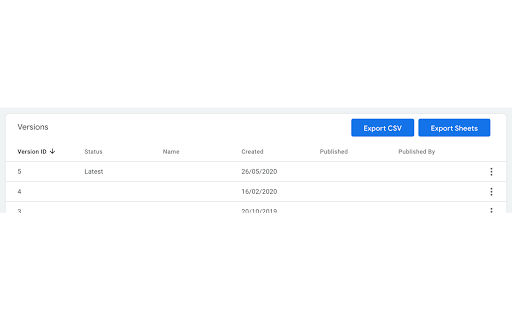
The extension adds two buttons to the GTM versions page.
Export to csv - exported all versions to .tsv file. We use tab separated format as Status or Name column can contain commas.
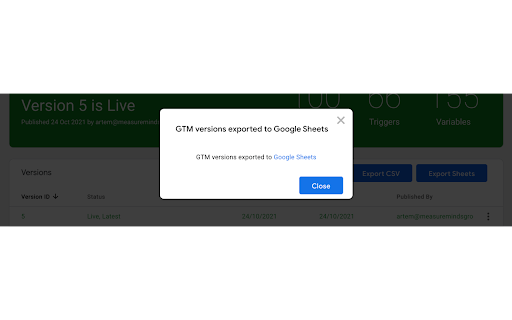
Export to Google Sheets - create new Spreadsheet and copy all versions to this file. Before exporting you should grant permission to access Google Sheets. But the extension will have access only to create new spreadsheets and will have access to already existing documents and tables.
Export logic: before exporting extension select to show all versions and if GTM container has deleted versions the tool checks select deleted versions, so result contains information about deleted versions too.
| 分类 | 💻开发者工具 |
| 插件标识 | gcnigdofomcplomnpbafganhkijklfaf |
| 平台 | Chrome |
| 评分 |
★★★★☆
4.1
|
| 评分人数 | 53 |
| 插件主页 | https://chromewebstore.google.com/detail/measureminds-gtm-tool/gcnigdofomcplomnpbafganhkijklfaf |
| 版本号 | 1.0.7 |
| 大小 | 79.19KiB |
| 官网下载次数 | 376 |
| 下载地址 | |
| 更新时间 | 2022-02-27 00:00:00 |
CRX扩展文件安装方法
第1步: 打开Chrome浏览器的扩展程序
第2步:
在地址栏输入: chrome://extensions/
第3步: 开启右上角的【开发者模式】
第4步: 重启Chrome浏览器 (重要操作)
第5步: 重新打开扩展程序管理界面
第6步: 将下载的crx文件直接拖入页面完成安装
注意:请确保使用最新版本的Chrome浏览器
同类插件推荐
MeasureMinds GTM tool
Export GTM versions to csv or to Google SheetsOver
Looker Studio Companion
Boosting Looker Studio (formerly Google Data Studi

GTM Plus
GTM Plus enables hotkeys and the utility features

GTM Variable Builder
From Chrome Developer Console, highlight elements

ObservePoint Debugger
Troubleshoot analytics tags, variables, events, co

Datalayer Checker
The easiest way to debug and check the dataLayer i

TagHound - Analytics/GTM/Pixel Debugger
Debug Google Analytics, Google Tag Manager dataLay

Da Vinci Tools
The Supermetrics Google Marketing Platform power t

GTM Sonar
Debug your page template to see if it works with G

UET Tag Helper (by Microsoft Advertising)
This extension helps to identify issues in Microso

WASP.inspector: Analytics Solution Profiler
Digital analytics quality made easy▶ WASP.inspecto

GTM Copy Paste
Copy your Tags, Triggers and Variables and Paste t

Analytics Debugger
Your Single Source of Truth (SSOT) for debugging a