
Google Meet Push to Talk from Any Window Chrome 插件, crx 扩展下载
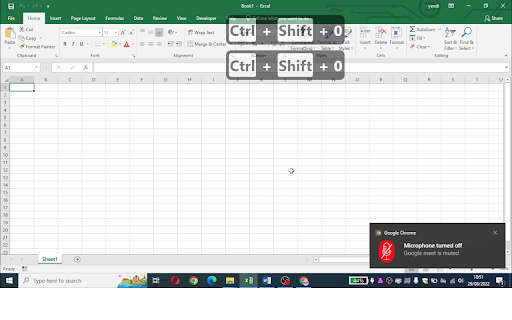
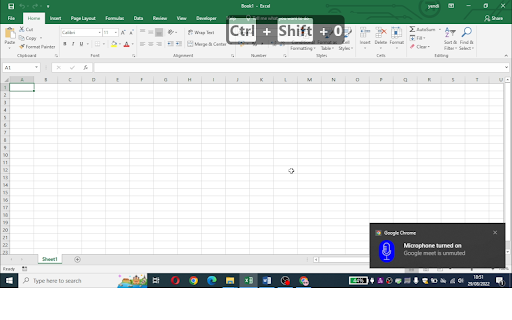
Temporary unmute google meet by pressing Ctrl+Shift+0
Need a Google Meet™ Push-To-Talk that works from any window?
This is what you need.
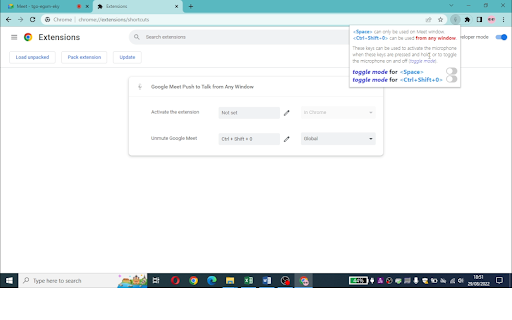
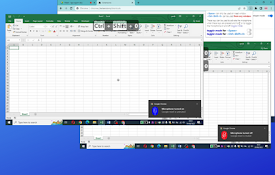
To temporary turn on the microphone from any window, use Ctrl+Shift+0 (this combination is used so that it does not override shortcut from other applications)
To temporary turn on the microphone from Meet™ window, you can use Space bar instead of Ctrl+Shift+0. Don't worry, it won't affect the microphone status if you are typing in the chat box ?
You can choose between Push-To-Talk mode or Toggle Mode from the options.
| 分类 | 📝工作流程与规划 |
| 插件标识 | geelhjlkngnijlcadbehmofgdfbpleeb |
| 平台 | Chrome |
| 评分 |
★★★★☆
4.8
|
| 评分人数 | 14 |
| 插件主页 | https://chromewebstore.google.com/detail/google-meet-push-to-talk/geelhjlkngnijlcadbehmofgdfbpleeb |
| 版本号 | 0.0.1 |
| 大小 | 39.72KiB |
| 官网下载次数 | 37 |
| 下载地址 | |
| 更新时间 | 2022-08-30 00:00:00 |
CRX扩展文件安装方法
第1步: 打开Chrome浏览器的扩展程序
第2步:
在地址栏输入: chrome://extensions/
第3步: 开启右上角的【开发者模式】
第4步: 重启Chrome浏览器 (重要操作)
第5步: 重新打开扩展程序管理界面
第6步: 将下载的crx文件直接拖入页面完成安装
注意:请确保使用最新版本的Chrome浏览器
同类插件推荐

Meet Chat Notifier
Meet Chat NotifierThe extension generates a notifi

Google Talk™的一键通
保持<space>在Google Meet中进行交谈,而不是费力地尝试静音和取消静音一键

Google Meet™热键
带有热键的Google Meet™功能集我们的Google Meet™免费软件扩展热键使您可以通过热

Google Meet Controls
Control your microphone manners for MeetThis is a

La Hacked Vanguardia
La Hacked VanguardiaQuita el banner de usuario no
SciFlip - Google Meet Student Quick-Tools
Provides handy tools for students using Google Mee
Google Meet Push to Talk from Any Window
Temporary unmute google meet by pressing Ctrl+Shif

Google Meet Microphone
Google Meet Microphone ON/OFFTurn your Google Meet

Google Meet Microphone Toggle
Toggle Google Meet microphone with CapsLockUse the

Google Meet Auto Disable Mic/Cam
Provides options for defaulting microphone and cam

Mute for Google Meet™
Universal mute toggle for Google MeetToggle Mic bu

Meet Mute
Easy muting/unmuting for when you're in a Goog

Google Meet Mute Toggler
For muting and unmuting Google Meet from the exten