
Meet Chat Notifier Chrome 插件, crx 扩展下载

Meet Chat Notifier
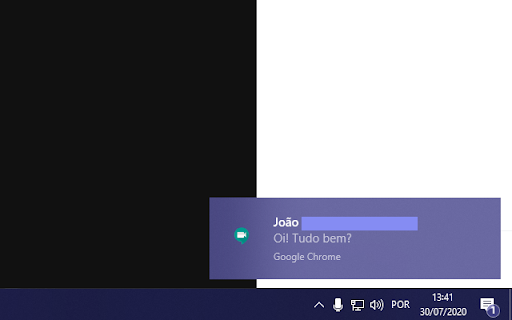
The extension generates a notification of Google Meet chat messages.
You can browse other screens, and if you receive a chat message, it will appear as a notification on your operating system.
Are you a teacher? see students' questions while teaching!.
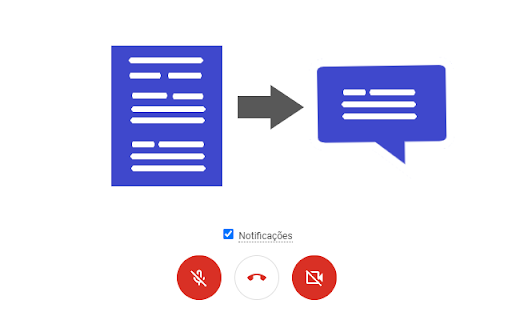
While using Google Meet, you can disable notifications and re-enable them at any time.
* Extension tested on Windows 10, macOS, PopOS.
* Make sure notifications are enabled on your computer.
* In Windows 10 for notifications to appear in full screen, turn off the focus assistant.
Tutorial: https://sites.google.com/view/meet-chat-notifier/perguntas-frequentes
(Beta extension translation)
| 分类 | ♿无障碍访问 |
| 插件标识 | iojeepncopmmkklnmefdogcboiebpljo |
| 平台 | Chrome |
| 评分 |
★★★☆☆
3.5
|
| 评分人数 | 144 |
| 插件主页 | https://chromewebstore.google.com/detail/meet-chat-notifier/iojeepncopmmkklnmefdogcboiebpljo |
| 版本号 | 0.0.8 |
| 大小 | 31.95KiB |
| 官网下载次数 | 3000 |
| 下载地址 | |
| 更新时间 | 2023-05-06 00:00:00 |
CRX扩展文件安装方法
第1步: 打开Chrome浏览器的扩展程序
第2步:
在地址栏输入: chrome://extensions/
第3步: 开启右上角的【开发者模式】
第4步: 重启Chrome浏览器 (重要操作)
第5步: 重新打开扩展程序管理界面
第6步: 将下载的crx文件直接拖入页面完成安装
注意:请确保使用最新版本的Chrome浏览器
同类插件推荐

Google Meet Portal
Allows to see the participants in a Google Meet ca

Presença Meet: Google Meet Attendance
Crie listas de presença de forma automática no Goo

Meet Chat Transcribe
Transcribe Google Meet Chats to a Google Doc.Trans
Meet Chat Notifier
Meet Chat NotifierThe extension generates a notifi

Easy Mute for Google Meet
A simple extension for mute/unmute Google Meet cal

Google Meet™的网格视图
添加一个按钮以在Google Meet™中使用网格布局。Google Meet™的网格视图 此扩展

Meet Plus for Google Meet
Breakout rooms,attendance,dark mode,chat,emojis,re

Google Meet Tweak (Emojis, Text, Cam Effects)
Send emojis, Text Overlay, Cam Effects and layout

Google Meet 增强套件
Google Meet 有 40 项新功能,例如全部静音、全部移除、自动承认、表情符号、镜像视频、背

Google Meet 分组 by 胡浩洋
只有老师需要安装。完全免费,并且您的数据是私密的。集成 Google Classroom、滑块控制、

Google Meet Push-To-Talk
Hold <space> in Google Meet to talk instead
Google Meet Attendees & Breakout Rooms
Easily get everyone attending a Google Meet and co

Dualless
Dualless - For those who don't have dual monit