
Visited Chrome 插件, crx 扩展下载


Customize visited link's color
Visited: Customize Your Web Navigation
Visited is a browser extension that enhances your browsing experience by allowing you to personalize the color of visited links. This simple yet powerful tool helps you distinguish between new and previously viewed content effortlessly.
Key Features
- Automatically sets visited link colors to energetic and emotional Crimson Red upon installation
- Offers easy customization with predefined colors or a color picker
How to Use
1. Install Visited from your browser's extension store
2. Click the Visited icon in your toolbar to customize colors
3. Choose a color and save to see instant results across all web pages
Visited is the perfect tool for anyone looking to streamline their web exploration. Try it today and transform how you navigate the internet!
| 分类 | 🛠️工具 |
| 插件标识 | geodgckkcjhcndhnfkpbolfjjmdhibgd |
| 平台 | Chrome |
| 评分 |
★★★★★
5
|
| 评分人数 | 3 |
| 插件主页 | https://chromewebstore.google.com/detail/visited/geodgckkcjhcndhnfkpbolfjjmdhibgd |
| 版本号 | 1.0.0 |
| 大小 | 20.57KiB |
| 官网下载次数 | 109 |
| 下载地址 | |
| 更新时间 | 2024-09-08 00:00:00 |
CRX扩展文件安装方法
第1步: 打开Chrome浏览器的扩展程序
第2步:
在地址栏输入: chrome://extensions/
第3步: 开启右上角的【开发者模式】
第4步: 重启Chrome浏览器 (重要操作)
第5步: 重新打开扩展程序管理界面
第6步: 将下载的crx文件直接拖入页面完成安装
注意:请确保使用最新版本的Chrome浏览器
同类插件推荐

Visited
Make the websites you visited easier to viewVisite

Site Visits
Shows you if you have previously visited the URL i

Seen Before: Track your visited job webpages with ease
Seen Before tells if you have visited a webpage (e

Visited
Customize visited link's colorVisited: Customi
Clickable Links
Turns unclickable URLs and email addresses into cl
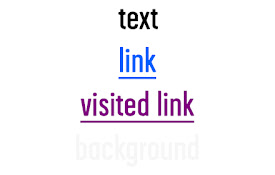
Link Text Color
Changes link color to blue, visited link to purple

Visited
Change the color of visited linksThis rather-minim
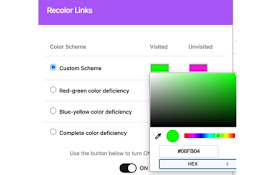
Recolor Links
Elevate web accessibility by changing the color of

Have I visited this page before?
Searching for a Chrome extension that shows if pag

Link Control
Link Control - Adjust the color of your previously

Color Changer
Change a page's text, background, and link col
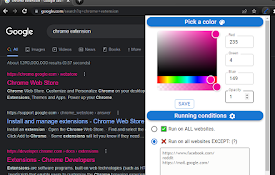
Visited Links Marker
Keep track of visited links from your history and

Markers
Add mark as seen buttons to your favorite websites