
Happy color For PC Chrome 插件, crx 扩展下载
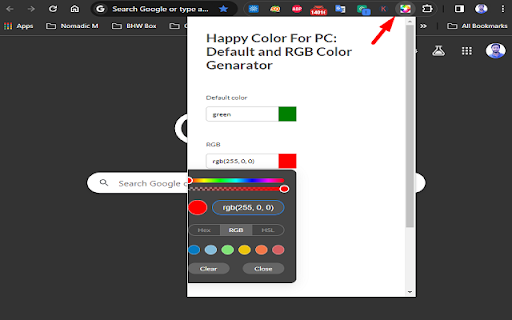
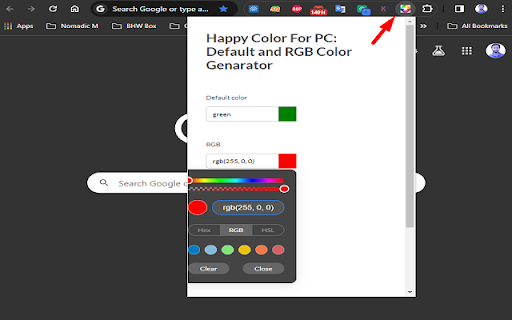
Input color names and get their RGB codes & default Codes.
Allows you to pick colors from any webpage.
Happy Color for PC Extension helps you obtain pixel codes, default colors, RGB, etc.
Find the exact RGB value of any color, including hex color picker, HSL color picker, etc.
# Features of the Happy Color for PC Extension Color Picker #
Find the exact RGB value of any color, including hex, HSL, default, etc.
Input color names and get their RGB codes & default Codes
Most user-friendly color picker
Our software extension will give you the specific RGB color for the pixel you clicked on.
How to Use:
First install the extension and Click on our extension at the top right corner to Use the extension. and Happy to find the color codes for any pixel today.
| 分类 | 🛠️工具 |
| 插件标识 | ggplhehbmhiphgphjnaomamffmlmjemm |
| 平台 | Chrome |
| 评分 |
☆☆☆☆☆
0
|
| 评分人数 | 2 |
| 插件主页 | https://chromewebstore.google.com/detail/happy-color-for-pc/ggplhehbmhiphgphjnaomamffmlmjemm |
| 版本号 | 1.0 |
| 大小 | 50.04KiB |
| 官网下载次数 | 87 |
| 下载地址 | |
| 更新时间 | 2024-02-28 00:00:00 |
CRX扩展文件安装方法
第1步: 打开Chrome浏览器的扩展程序
第2步:
在地址栏输入: chrome://extensions/
第3步: 开启右上角的【开发者模式】
第4步: 重启Chrome浏览器 (重要操作)
第5步: 重新打开扩展程序管理界面
第6步: 将下载的crx文件直接拖入页面完成安装
注意:请确保使用最新版本的Chrome浏览器
同类插件推荐
Happy color For PC
Input color names and get their RGB codes & de
Nomics - Odysee/LBRY Analytics
Displays Odysee/LBRY analytics on the Odysee and Y

pile
pilepile is a material design-ish chrome extension

Swiftly: Email Summarizer & Task Creator
Summarize your emails and turn them into tasks.A t

CopyMore
Copy multiple items at once: Save time and increas

metaview
Bookmark web pages to Scrapbox with thumbnail, des

NovuloTraceFormatter
Enables collapsing and expanding of rows in a Novu

TimeCrunch Tennis Browser Extension
TimeCrunch uses AI to remove all non-playing time

HUB Network Connector
Find the right connections, at the right time, and

GimmeThat - Universal Wishlist for Shopping
Simplify shopping with a universal wishlist. Save

Simple QR Code Generator
Generates a QR code based off on what website are

News Storyline
News StorylineIntroducing Timeline Tracker: Unveil

Follows You GitHub
Adds a "follows you" label on a GitHub f