
Tandem - Meet and Collaborate Chrome 插件, crx 扩展下载
Schedule meetings, get on the same page, and collaborate with your team on Tandem.chat.
Thank you for using the Tandem Chrome Extension! This extension powers up your team collaboration experience. Note that an account on Tandem is required to use this extension.
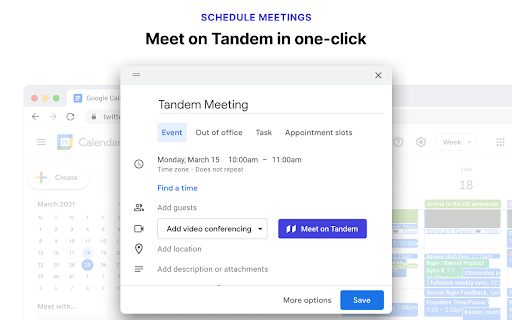
Meet in Tandem
On Google Calendar, when creating new events and editing existing events, you can now create Tandem meeting links to meet with your team or anyone outside your company. These meeting links only allow access to the meeting, not your entire Tandem team.
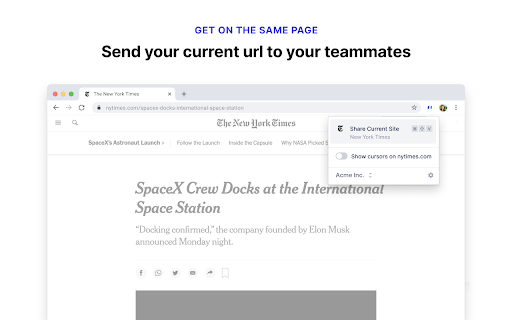
Get on the same page
You can also send the current tab you are viewing to your teammates with a click. Just click the Tandem button in the Extensions area next to your browser's URL bar to get started.
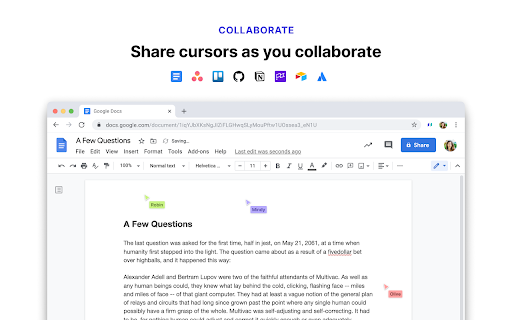
Collaborate fluidly
You'll be able to see your teammates cursors (helpful to indicate things while talking) if you join them from a call and both of you have the Chrome Extension. You can turn on cursor sharing any time from the popup menu.
Finally, on Linux, this extension adds the URL of the page you are viewing to the tab title so that Tandem can share work app statuses.
| 分类 | 📝工作流程与规划 |
| 插件标识 | ghodibcinehbgcjlmpnjnfonpflflihk |
| 平台 | Chrome |
| 评分 |
★★★★★
5
|
| 评分人数 | 38 |
| 插件主页 | https://chromewebstore.google.com/detail/tandem-meet-and-collabora/ghodibcinehbgcjlmpnjnfonpflflihk |
| 版本号 | 3.0.0 |
| 大小 | 275KiB |
| 官网下载次数 | 941 |
| 下载地址 | |
| 更新时间 | 2025-01-04 00:00:00 |
CRX扩展文件安装方法
第1步: 打开Chrome浏览器的扩展程序
第2步:
在地址栏输入: chrome://extensions/
第3步: 开启右上角的【开发者模式】
第4步: 重启Chrome浏览器 (重要操作)
第5步: 重新打开扩展程序管理界面
第6步: 将下载的crx文件直接拖入页面完成安装
注意:请确保使用最新版本的Chrome浏览器
同类插件推荐
Tandem - Meet and Collaborate
Schedule meetings, get on the same page, and colla
Cabal
Cabal extensionThe easy button for intros. Warm i

DocSend Extension
Quickly insert links to any of your DocSend docume

Bubbles - AI Meeting Notes & Screen Recorder
Bubbles is a free screen recorder and AI meeting n

Coda Browser Extension
Coda Browser ExtensionCoda for Google Chrome provi
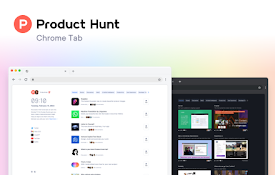
Product Hunt
Product Hunt brings you the best new technology pr
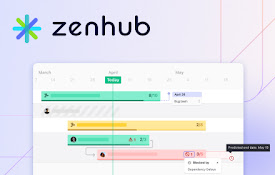
ZenHub for GitHub
Zenhub – Project Management Inside GitHubZenhub is

Clockwise: AI-Powered Scheduling Assistant
The #1 AI calendar assistant for Google CalendarCl

Mixmax: AI-Powered Sales Engagement, Email Tracking and Meeting Scheduling
Make sales outreach feel effortless—not endless—wi

Dex for Chrome - Personal CRM and Rolodex
Be better at relationships with Dex. Visualize, un

mymind — An extension for your mind
Add images, bookmarks, notes, quotes or text highl

Matter
Save articles to your Matter accountMatter: Save,

eesel: ChatGPT document search
ChatGPT powered new tab search for Google Docs, No