
Jira RTL Fixer Chrome 插件, crx 扩展下载
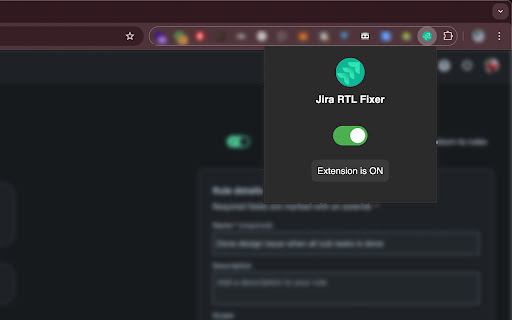
Automatically fixes RTL issue in Jira Cloud descriptions, comments, and summaries for Persian language.
Jira RTL Fixer is a lightweight browser extension designed to improve the user experience for teams using right-to-left (RTL) languages like Farsi in Jira. The extension automatically detects RTL text in issue descriptions, comments, and summaries, and applies appropriate text direction and styling to ensure better readability and alignment.
Features:
Automatically fixes RTL issues in Jira's interface, including issue descriptions, comments, and summaries.
Seamlessly applies text direction and styling without requiring manual adjustments.
Supports both light and dark themes, adapting to your browser's theme settings.
Toggle the extension on or off with a simple switch, allowing flexible control.
Lightweight and easy to use — no additional setup required.
Enhance your Jira experience when working with RTL content by ensuring proper text alignment and appearance!
| 分类 | ⚙️功能性 |
| 插件标识 | gjmfefccdjgcgfdechehjlbbaolcnmfc |
| 平台 | Chrome |
| 评分 |
★★★★☆
4.6
|
| 评分人数 | 17 |
| 插件主页 | https://chromewebstore.google.com/detail/jira-rtl-fixer/gjmfefccdjgcgfdechehjlbbaolcnmfc |
| 版本号 | 0.0.5 |
| 大小 | 46.44KiB |
| 官网下载次数 | 57 |
| 下载地址 | |
| 更新时间 | 2024-10-13 00:00:00 |
CRX扩展文件安装方法
第1步: 打开Chrome浏览器的扩展程序
第2步:
在地址栏输入: chrome://extensions/
第3步: 开启右上角的【开发者模式】
第4步: 重启Chrome浏览器 (重要操作)
第5步: 重新打开扩展程序管理界面
第6步: 将下载的crx文件直接拖入页面完成安装
注意:请确保使用最新版本的Chrome浏览器
同类插件推荐
Jira RTL Fixer
Automatically fixes RTL issue in Jira Cloud descri
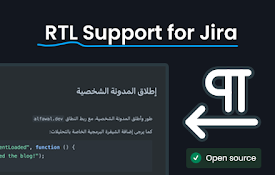
RTL Jira
Right-to-Left Support for Atlassian products like

Jira Cloud RTL
Enhance Jira Cloud with effortless RTL support. Si
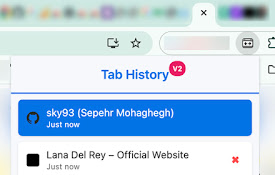
Tab Switch Extension
Navigate between recently active tabs using custom

ChatGPT RTL
Easily switch your conversation from LTR to RTL an

ChatGPT RTL Support
Have ChatGPT Support RTL languagesChatGPT RTL Supp

RTL toggle
rtl-toggle detects and toggles the language direct

RtL Fixer
Fix the RTL languages sentences when mixed with LT

LTR-RTL
This extension allows you to change web page text

RTL ALL
Flip web pages to right-to-left for Arabic display
Fontiran
Improve font style for Persian users with premium

ChatGPT RTL (Persian/Farsi): ChatGPT,DeepSeek,Claude,Copilot,...
راستچین کردن ابزار های هوش مصنوعی بصورت هوشمند و ا

Dastyar Personal Assistant in your newtab
Everything you need to be productive and focused,