
Crunchyroll - Anime Score from MyAnimeList Chrome 插件, crx 扩展下载
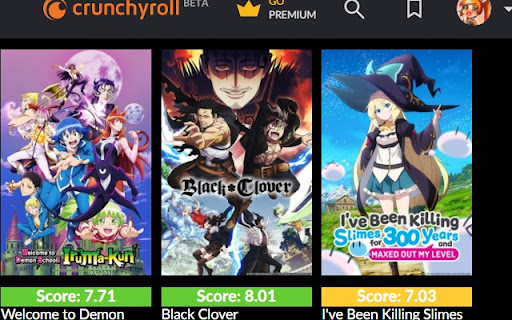
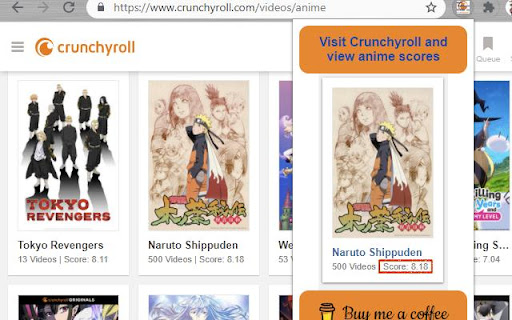
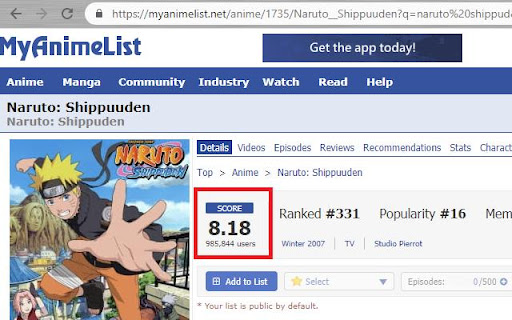
Go to Crunchyroll.com, explore anime and pick one based on the score provided by the community of MyAnimeList.net
1) Visit Crunchyroll.com
2) Browse Anime / Shows
3) Thanks to this extension you will be able to see the score of each Anime
4) The score is requested to MyAnimeList.net -it will be cached-
5) Pick an Anime and enjoy it!
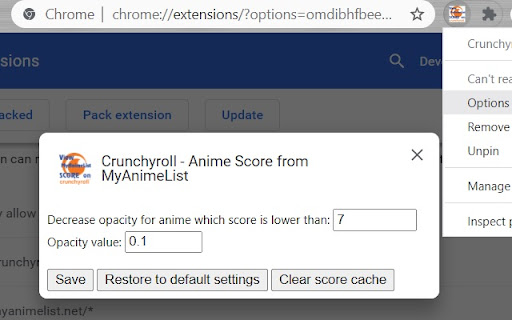
Right click on the extension icon to access the Options:
- Fade low score Anime
- Clear Anime score cache
New in version 2.0: Crunchyroll beta support
| 分类 | 🎉趣味休闲 |
| 插件标识 | gmbngnmhdghglmgofmeikkaeipbeoknh |
| 平台 | Chrome |
| 评分 |
★★★☆☆
3.9
|
| 评分人数 | 31 |
| 插件主页 | https://chromewebstore.google.com/detail/crunchyroll-anime-score-f/gmbngnmhdghglmgofmeikkaeipbeoknh |
| 版本号 | 2.0.2 |
| 大小 | 95.89KiB |
| 官网下载次数 | 213 |
| 下载地址 | |
| 更新时间 | 2024-05-08 00:00:00 |
CRX扩展文件安装方法
第1步: 打开Chrome浏览器的扩展程序
第2步:
在地址栏输入: chrome://extensions/
第3步: 开启右上角的【开发者模式】
第4步: 重启Chrome浏览器 (重要操作)
第5步: 重新打开扩展程序管理界面
第6步: 将下载的crx文件直接拖入页面完成安装
注意:请确保使用最新版本的Chrome浏览器
同类插件推荐
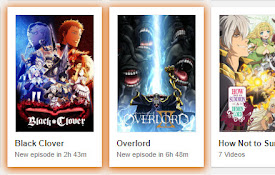
Crunchyroll New Episode Highlighter
Highlights shows that have a new episode released

Crunchyroll Timestamp Helper
This extension will allow you to click on timestam

Crunchyroll Filler Labeler
Watch anime on Crunchyroll while knowing which epi

Crunchyroll With Better Seasons
Instead of having multiple seasons as DUBS, change

CrunchyScore - MAL & Ani Score on Crunchyroll
Adds MyAnimeList and AniList scores to Crunchyroll

BetterCrunchyroll
Makes Crunchyroll better by adding a few features:
Crunchyroll - Anime Score from MyAnimeList
Go to Crunchyroll.com, explore anime and pick one

Myanimelist Redesign
A redesigned user interface for Myanimelist with m

Crunchyroll Queue
This Extension create a external queue for one acc

Crunchyroll Intro Skipper
Allows intros to be skipped through a skip button
Trim: IMDB Ratings on Netflix and Prime Video
Show IMDB and Rotten Tomatoes ratings on Netflix,

Improve Crunchyroll
Enhance Crunchyroll: theater mode, skip intros/out

Enhancer for Netflix, Crunchyroll, etc
Show trailers, IMDb/Simkl ratings, secret categori