
Touclip - A new way to bookmark Chrome 插件, crx 扩展下载


A new way to bookmark.
*Use command/control C to copy snippets into Touclip*
? Please make use of the support tab for any suggestions, questions, or problems you may have.
Touclip revolutionises your Chrome clipboard experience, allowing you to store, search, and organise text snippets effortlessly. With intuitive search, bookmarking, and direct source website links, Touclip empowers you to reclaim control over your clipboard and supercharge your productivity. Say goodbye to scattered information and hello to seamless snippet management with Touclip.
Key Features:
? Clipboard History: Touclip automatically stores all the text you copy, creating a timeline of snippets for easy reference.
? Search and Filter: Quickly find specific snippets using the search functionality, making information retrieval a breeze.
? Bookmark Snippets: Mark important snippets as bookmarks for quick access to frequently used or critical information.
? Export Snippets: Export your snippets and source URLs to a txt file, allowing you to create backups or share them with others.
? Save to Chrome Storage: Securely save your snippets to Chrome local storage.
?️ Clear All Snippets: Start fresh by clearing all stored snippets with a single click, providing a clean slate for new content.
? Storage Limit: Store up to 250 snippets.
☝️ Storage Counter: Track your snippet count with the storage counter, always aware of how many slots you have used.
? Badge Display: Receive a badge notification on the Touclip icon when your storage reaches 100% capacity, prompting you to manage your snippets efficiently.
? Copy Snippet to Clipboard: Copy snippets to your clipboard with a simple click, streamlining your workflow.
❌ Delete Single Snippet: Remove individual snippets when they are no longer needed, keeping your collection organised and clutter-free.
? Source Website Button: Each snippet includes a convenient button that takes you directly to the source website. Clicking on the button opens the original webpage, allowing you to revisit the context and gather more information.
| 分类 | 📝工作流程与规划 |
| 插件标识 | gmlmjmfonjbpjgbnkimflomfhbdeggem |
| 平台 | Chrome |
| 评分 |
★★★★☆
4.5
|
| 评分人数 | 6 |
| 插件主页 | https://chromewebstore.google.com/detail/touclip-a-new-way-to-book/gmlmjmfonjbpjgbnkimflomfhbdeggem |
| 版本号 | 1.6 |
| 大小 | 26.17KiB |
| 官网下载次数 | 62 |
| 下载地址 | |
| 更新时间 | 2024-04-18 00:00:00 |
CRX扩展文件安装方法
第1步: 打开Chrome浏览器的扩展程序
第2步:
在地址栏输入: chrome://extensions/
第3步: 开启右上角的【开发者模式】
第4步: 重启Chrome浏览器 (重要操作)
第5步: 重新打开扩展程序管理界面
第6步: 将下载的crx文件直接拖入页面完成安装
注意:请确保使用最新版本的Chrome浏览器
同类插件推荐

YouTab
YouTab is a brand new personalized tab featuring c

FavBox
Clear and modern bookmarking tool.FavBox is a brow
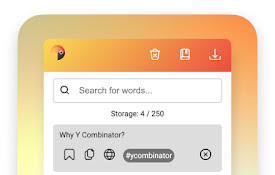
Touclip - A new way to bookmark
A new way to bookmark.*Use command/control C to co

Chrome Clipboard - Type less, browse faster.
Save your frequently used info and never type them

Xtra clipboard
A clipboard utlity tool for productivityXtra Clipb
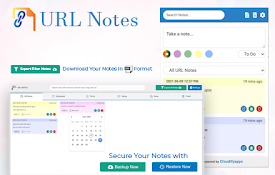
URL Notes: Best Tool to Take, Manage, and Export Notes While Browsing
Stay focused and organized with URL Notes! Effortl
Outline: quick notes
An extension that let you save you quick notes whi

Pau | Bookmark Manager
Organize your bookmarks fast and easy with Pau boo

Stash
A tiny browser extension that saves and syncs your

Pondr: Tab Manager & Bookmark Reminder
The extension that manages bookmarks and finds the

Allclues - AI 赋能的收藏、管理和学习工具
将链接、文本、图片和笔记快速保存到 AllcluesAllclues Chrome 扩展专为阅读者、

Markoob - 书签启动器
根据使用习惯推荐书签并支持完善的书签管理功能的书签启动器Markoob是一款书签启动器/新标签页,为

myReach Web Clipper
Save the things that matter on the web in an inter