
Download Kinemaster for PC, Windows, Mac Chrome 插件, crx 扩展下载
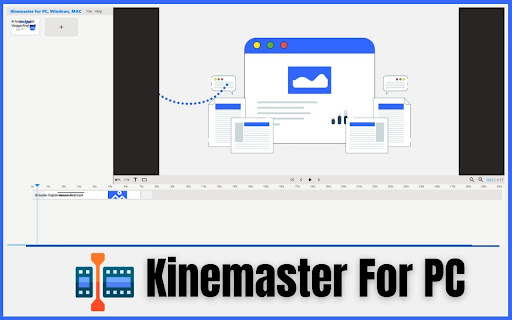
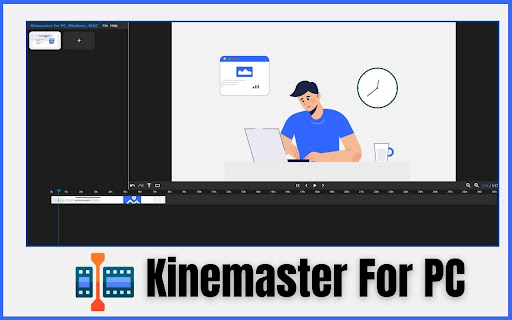
Get Kinemaster for PC, Windows, and Mac extension to bring an amazing video editor with just one click.
Get the Power of KineMaster on PC, Windows, and Mac. Now, you can access KineMaster's video editing magic on your PC, Windows, and Mac computers with our easy-to-use extension. Whether you're a beginner or a pro, editing videos has never been this straightforward. Enjoy the simplicity of editing right from your web browser. Explore KineMaster for PC, Windows, and Mac today and make your videos shine.
✔️Kinemaster Extension Features:
- Video Editor Panel
- Rotation Option
- Video Duplicate
- Split Option
- Delete Option
- Volumn
- Opacity
- Triming Option
- Save Option
- Expot Option
- Video Settings
✔️Keyboard Shortcuts:
These commands can be used as shortcuts for specific functions.
Play/Pause: Spacebar
Zoom In: = or + (if your keyboard has such a key)
Zoom Out: -
Undo: Ctrl + Z
Redo: Ctrl + Shift + Z or Ctrl + Y
Delete Selected Keys: Delete
Close Modal: Esc
Seeking:
Left Arrow: Go back a second
Right Arrow: Go forward
Holding Shift while using arrows: Jump by 10 seconds
Holding Alt while using arrows: Jump by 0.1 seconds
Additional Points:
Previous Point: Ctrl + Left Arrow
Next Point: Ctrl + Right Arrow
Beginning: Ctrl + Shift + Left Arrow
End: Ctrl + Shift + Right Arrow
✔️How to Use:
Step 1: Add the KineMaster for PC, Windows, and Mac extension to your Google Chrome browser.
Step 2: Click on the extension icon, and you will see the KineMaster Video Editor in your browser.
Step 3: Click the Plus (+) icon to add your video, then drag the video to the Video Timeline.
Step 4: You can use options like Split, Duplicate, and Delete video from the timeline. In the "File" menu, you can save and export the edited video. You can also adjust Video Settings from this menu. Click on the timeline video name to access options like video rotation, opacity, volume, and more.
Step 5: Enjoy!
KineMaster for PC, Windows, and Mac is your straightforward solution for hassle-free video editing. With this extension, you can easily access KineMaster's features from your web browser. Whether you're a newbie or a pro, it simplifies video editing, letting you create impressive videos effortlessly. Elevate your video projects by giving KineMaster a try on your desktop or laptop today!
Disclaimer:
Please note that "KineMaster for PC, Windows, and Mac" Chrome Extension is an independent product and is not associated, affiliated, or endorsed by the PicsArt Android app or its developers. We respect intellectual property rights and make no claim to any copyrights associated with the KineMaster Android app.
| 分类 | 🛠️工具 |
| 插件标识 | hbhpmkpkbhplmjbnkdpfehieedljphed |
| 平台 | Chrome |
| 评分 |
★★★★☆
4.5
|
| 评分人数 | 2 |
| 插件主页 | https://chromewebstore.google.com/detail/download-kinemaster-for-p/hbhpmkpkbhplmjbnkdpfehieedljphed |
| 版本号 | 1.0.0 |
| 大小 | 326KiB |
| 官网下载次数 | 20000 |
| 下载地址 | |
| 更新时间 | 2023-10-07 00:00:00 |
CRX扩展文件安装方法
第1步: 打开Chrome浏览器的扩展程序
第2步:
在地址栏输入: chrome://extensions/
第3步: 开启右上角的【开发者模式】
第4步: 重启Chrome浏览器 (重要操作)
第5步: 重新打开扩展程序管理界面
第6步: 将下载的crx文件直接拖入页面完成安装
注意:请确保使用最新版本的Chrome浏览器
同类插件推荐
Download Kinemaster for PC, Windows, Mac
Get Kinemaster for PC, Windows, and Mac extension

kinemaster mod apk - Download For Smartphones
kinemaster mod apk, create and edit awesome video

Extension KineMaster for Chrome
Extension KineMasterGet Extension KineMaster and e

Cap-Cut Video Editor
CapCut is an easy-to-use video editor that is perf

CapCut - Video Editor
CapCut is a free, all-in-one video editing tool..C

PowerDirector for Chrome
PowerDirector for PC/Mac editor, easy to use for C

VidMix - Online Video Editor
Video editor in your browser.Free and easy-to-use

Vidmate for PC - Windows and Mac
The Extension provide Vidmate Features and Updates

Filmora for Chrome | Photo & V Editor
Filmora AI-based video editor & movie maker, f

Kdenlive - 视频编辑器
使用多轨视频编辑和任何音频/视频格式创建和编辑视频此扩展允许用户使用 Kdenlive 视频编辑器。

AI视频编辑器 - 文本转视频
使用我们基于 AI 的文本转视频工具根据文本提示生成视频。我们的人工智能视频编辑器使每个人都可以创建

Material You NewTab
A Simple New Tab (browser's home page) inspire

AB Download Manager Browser Integration
Download files with AB Download Manager appWith th