
将图像转换为Excel表 Chrome 插件, crx 扩展下载
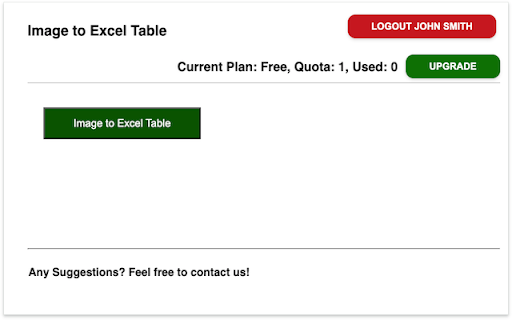
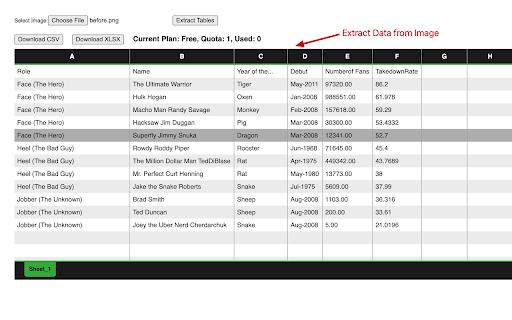
从图像文件中提取表格并导出为CSV/Excel。
Overview:
This tool enables you to extract tables from Image Files and export the results to a CSV or Excel file with a single click.
Features:
✅ Extracts Tables from Image Files.
✅ Support PNG/JPG/JPEG/Gif format.
✅ Extract multiple tables from images.
✅ Export tables to CSV and Excel XLSX.
Is it Free?
Yes, it's completely free! You can access basic functionalities or upgrade for more features.
Feedback and Support:
If you have any questions or need support, please contact us here: https://forms.gle/7EYBSJjRm1zbhSps8
Privacy and Security:
We take your privacy seriously. We do not keep any data extracted.
| 分类 | 🛠️工具 |
| 插件标识 | hbpaapdhoadmplllndkheehaffipgcfp |
| 平台 | Chrome |
| 评分 |
★★★★☆
4.9
|
| 评分人数 | 5339 |
| 插件主页 | https://chromewebstore.google.com/detail/将图像转换为excel表/hbpaapdhoadmplllndkheehaffipgcfp |
| 版本号 | 1.1.0 |
| 大小 | 5.49MiB |
| 官网下载次数 | 1000 |
| 下载地址 | |
| 更新时间 | 2024-04-15 00:00:00 |
CRX扩展文件安装方法
第1步: 打开Chrome浏览器的扩展程序
第2步:
在地址栏输入: chrome://extensions/
第3步: 开启右上角的【开发者模式】
第4步: 重启Chrome浏览器 (重要操作)
第5步: 重新打开扩展程序管理界面
第6步: 将下载的crx文件直接拖入页面完成安装
注意:请确保使用最新版本的Chrome浏览器
同类插件推荐

将图像转换为Excel表
从图像文件中提取表格并导出为CSV/Excel。Overview: This tool enable

Download table as CSV
Download HTML tables in MS Excel style CSV format.

Table Capture
将 HTML 表格复制到剪贴板或导出到 Microsoft Excel、CSV、Google She
表捕获 - 表格数据到电子表格
捕获网站上的表格数据。 导出到 Microsoft Excel、Google Sheets、CSV