
Notepad Chrome 插件, crx 扩展下载
A simple yet powerful notepad with HTML5 support and more
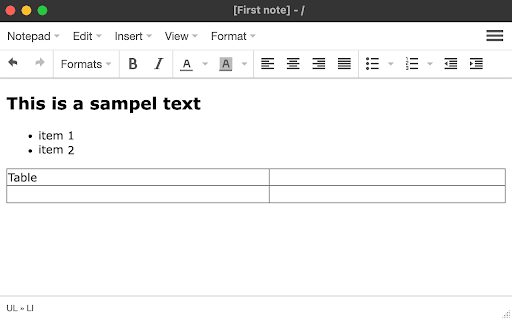
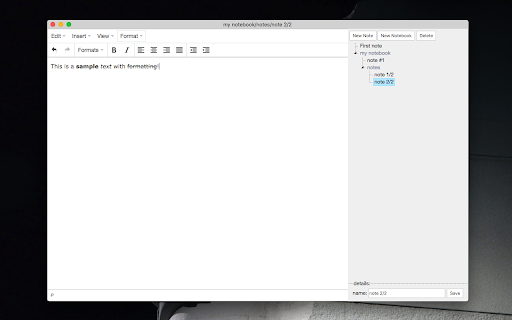
This extension offers a full-featured WYSIWYG HTML editor with a wide range of formatting options, similar to those found in modern editors. It allows you to create and organize multiple notes in different directories, called notebooks. The extension automatically saves your changes, so you don't have to manually save your notes. It is also integrated into the right-click context menu, allowing you to append the currently selected text to a note without opening the editor. The extension's user interface (UI) can be displayed in a browser tab or as a separate window. To switch between these modes, use the right-click options on the action button.
Features:
* Automatically save notes
* Supports notebooks
* Supports exporting text from webpages to all notepads
* Uses local storage and works completely offline
* Supports common formatting options
| 分类 | 📝工作流程与规划 |
| 插件标识 | hchcbafooaphheofgpijpfgklcmmmpff |
| 平台 | Chrome |
| 评分 |
★★★★☆
4.3
|
| 评分人数 | 6 |
| 插件主页 | https://chromewebstore.google.com/detail/notepad/hchcbafooaphheofgpijpfgklcmmmpff |
| 版本号 | 0.2.0.1 |
| 大小 | 671KiB |
| 官网下载次数 | 10000 |
| 下载地址 | |
| 更新时间 | 2022-12-22 00:00:00 |
CRX扩展文件安装方法
第1步: 打开Chrome浏览器的扩展程序
第2步:
在地址栏输入: chrome://extensions/
第3步: 开启右上角的【开发者模式】
第4步: 重启Chrome浏览器 (重要操作)
第5步: 重新打开扩展程序管理界面
第6步: 将下载的crx文件直接拖入页面完成安装
注意:请确保使用最新版本的Chrome浏览器
同类插件推荐

Easy Notes
Create and edit notes from any website. Ever nee

Notepad
A simple yet powerful notepad with HTML5 support a

Edit with Notepad++
Edit content of text area elements, or inner and o

Notepad
A very simple notepad for Chrome with sync functio

Advanced Notepad
Simple Notepad yet filled with rich features. Form

Web Notepad
Free Chrome extention notepad?Web Notepad is a sim

Notepad Online
A simple online notepad that can sync between devi

TxtPad
Quick Notes from Anywhere!TxtPad for Google Chrome

Notepad
Simple notebook which helps you to save/manage you

Simple NotePad Sync
Extremely simple notepad. Just write or paste tex

Easy NotePad
Simple Note making extension, Make, save and have

Synotepad
Instant saving notepadDo you often want to write i

EasyNotePad
Notepad that saves what you writeEver had a piece