
Technology Lookup - cmlabs SEO Tools Chrome 插件, crx 扩展下载
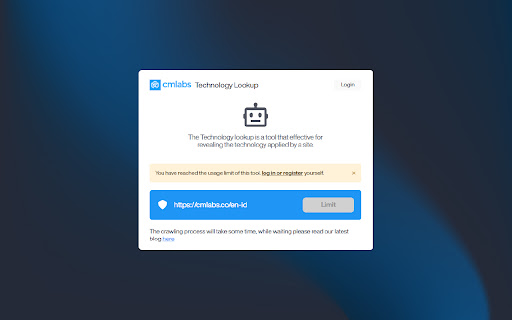

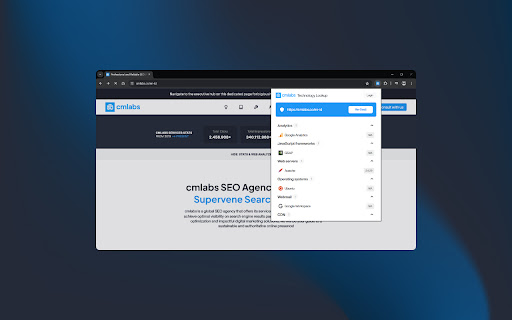
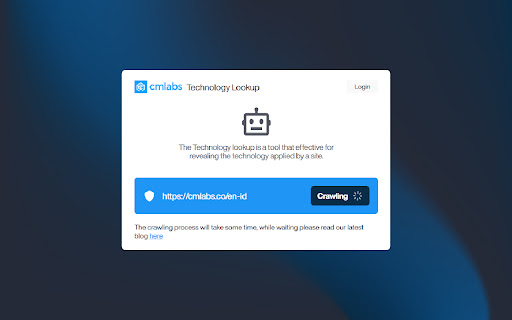
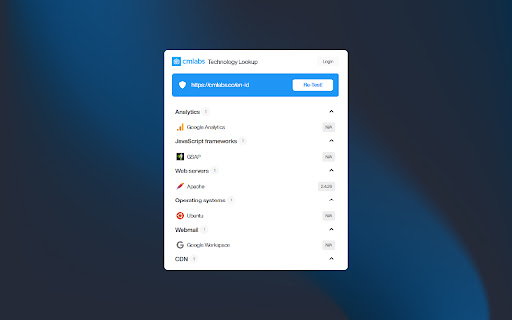
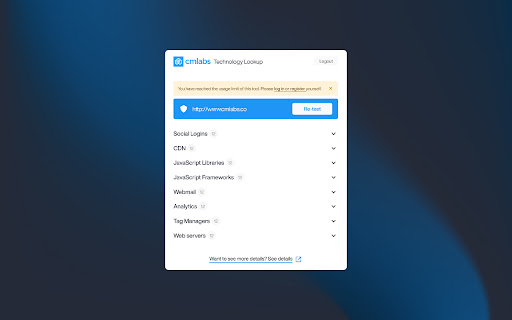
Technology Lookup is a tool that you can use to identify what technology was used to build a website by simply entering its URL.
Introducing Technology Lookup, a comprehensive and complimentary tool developed by cmlabs, designed to assist you in identifying the underlying technologies utilized in constructing a website.
With Technology Lookup, you gain insight into the intricate details of a website's architecture, including the operating system, web server, widgets, and access to the full version details of the technologies integrated into the site. Download and try now!
Features & Benefits
- Here are some of the tool’s benefits you should know about:
- This tool is available for free.
- Identify Technology On Your Website: You can use this tool to do research and identify the technology used on your website and make some technology upgrades if necessary.
- Technology Analysis on Competitor Websites: This tool can also help you analyze the technology used by your competitors. This will later give you an idea of the advantages of your competitors, what technology they use, and what kind of technology is most appropriate for your business.
- Website Monitoring: Monitor the technology of a website to take security or surveillance measures.
How to Use
1. Open the Technology Lookup
On that page, you can add the URL you want to see the technology for, identify the technology on the website being tracked, and view the history of Technology Lookup usage.
2. Enter Website URL
In order to identify the technology on a website, you must enter the website URL in the field provided. Make sure you have entered the URL in the correct format (e.g. https://example.com). Then, click the "LOOKUP URL" button to give the command to this tool to start checking the technology on the website.
3. Identify Technology Stacks on Websites
After a while, you can see the stack of technology used on the website in the Technology section. The Technology Lookup tool allows you to view widgets, operating systems, javascript libraries, and web servers, and identify the full version of the technology a site uses.
4. Monitor Technology Lookup Usage History
Finally, you can also view a list of Technology Lookup usage history. In the list, you will see a list of website URLs that you have monitored through the Technology Lookup from cmlabs.
Help & Support
We value your feedback! If you have any suggestions for improving the Technology Lookup or encounter any issues while using the tool, please don't hesitate to let us know. Our support team is here to help. Reach us by email at:
[email protected]
[email protected]
| 分类 | 💻开发者工具 |
| 插件标识 | hhknkhcgnkdkkafiaicdfpiplbigodmj |
| 平台 | Chrome |
| 评分 |
★★★★★
5
|
| 评分人数 | 197 |
| 插件主页 | https://chromewebstore.google.com/detail/technology-lookup-cmlabs/hhknkhcgnkdkkafiaicdfpiplbigodmj |
| 版本号 | 1.0.1 |
| 大小 | 3.55MiB |
| 官网下载次数 | 142 |
| 下载地址 | |
| 更新时间 | 2024-05-16 00:00:00 |
CRX扩展文件安装方法
第1步: 打开Chrome浏览器的扩展程序
第2步:
在地址栏输入: chrome://extensions/
第3步: 开启右上角的【开发者模式】
第4步: 重启Chrome浏览器 (重要操作)
第5步: 重新打开扩展程序管理界面
第6步: 将下载的crx文件直接拖入页面完成安装
注意:请确保使用最新版本的Chrome浏览器
同类插件推荐
Technology Lookup - cmlabs SEO Tools
Technology Lookup is a tool that you can use to id

The Tech SEO - Quick Click Website Audit
Quick website audit tool for technical SEO analysi

SEO Review Tools for Chrome!
This extension will help you to analyze an URL usi

Meta Explorer - SEO Meta and On-Page SEO tools
Meta Tag Explorer is the best SEO tool to find SEO