
GIF Player Chrome 插件, crx 扩展下载
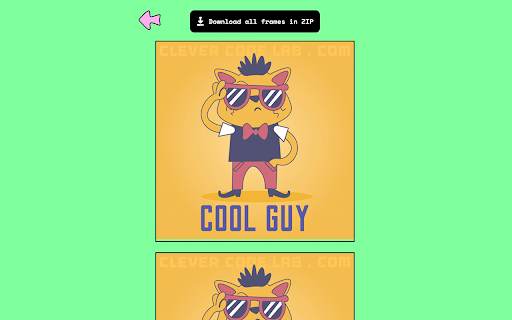

GIF Player allows you to upload and control the speed of your GIFs, saving any frame for the perfect reaction, meme or share.
Introducing the GIF Player - the ultimate tool for viewing and controlling your GIFs. With this extension, you can upload a GIF file and take a closer look at each individual frame. Say goodbye to fast-paced GIFs that make it hard to catch the action. With GIF Player, you can adjust the speed to your liking and slow it down or speed it up as needed.
Not only can you control the speed, but you can also save any frame you like, giving you the perfect image to use as a reaction, meme, or simply to share with friends.
With a simple and intuitive interface, GIF Player makes it easy to upload and view your GIFs. Whether you're a fan of funny memes or enjoy watching short animations, this extension is a must-have for any GIF enthusiast.
Get your hands on the GIF Player today and start exploring your GIFs like never before!
===
HOW IT WORKS:
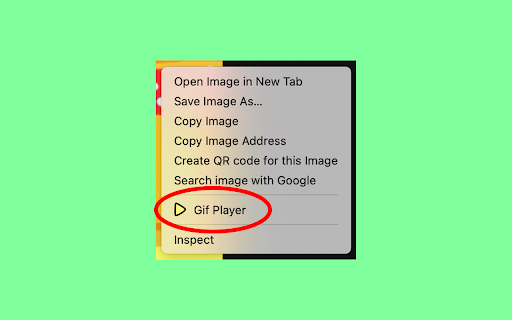
Just make right mouse click on the GIF, select "Gif Player" and magic happens.
| 分类 | 💻开发者工具 |
| 插件标识 | hkppkincliogkmamcddjhodnkkdlccfo |
| 平台 | Chrome |
| 评分 |
★☆☆☆☆
1
|
| 评分人数 | 1 |
| 插件主页 | https://chromewebstore.google.com/detail/gif-player/hkppkincliogkmamcddjhodnkkdlccfo |
| 版本号 | 0.6 |
| 大小 | 1.24MiB |
| 官网下载次数 | 965 |
| 下载地址 | |
| 更新时间 | 2024-09-12 00:00:00 |
CRX扩展文件安装方法
第1步: 打开Chrome浏览器的扩展程序
第2步:
在地址栏输入: chrome://extensions/
第3步: 开启右上角的【开发者模式】
第4步: 重启Chrome浏览器 (重要操作)
第5步: 重新打开扩展程序管理界面
第6步: 将下载的crx文件直接拖入页面完成安装
注意:请确保使用最新版本的Chrome浏览器
同类插件推荐

VK gif autoplay
Automatically starts playing back all gifs on the
GIF Player by nbagifs.com
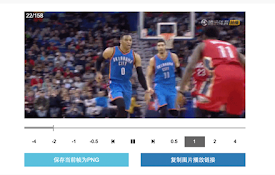
Play online gif frame by frame.Gif在线播放器,主要用于逐帧,倒序,
GIF Player
GIF Player allows you to upload and control the sp

Gifs autoplay for Google™
Autoplays gifs on Google™ Search Images.Gifs on Go
Gif Frames
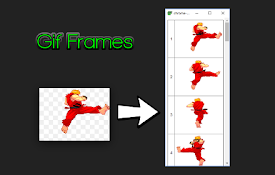
Extract frame images from animated GIFsThis is a c

GIF Scrubber
GIF scrubber is like a movie player for animated G

Show Video Controls by Default
Extension lets you show control buttons by default
GIF the Web
Animate GIFs on Facebook. Show images on gchat. Ma

Save as GIF
Save as GIF is a browser extension designed by Min
Video to Animated GIF
Converts the YouTube, Vimeo, webm, ogv or mp4 vide

Chrome Video To GIF
FREE FOR A LIMITED TIME ONLY This allows you to d

GIF Maker
Create animated GIFs from existing video file(s) o

Load GIFs faster with gfycat
This lightweight extension simply adds a right-cli