
AWS console autofill delete Chrome 插件, crx 扩展下载
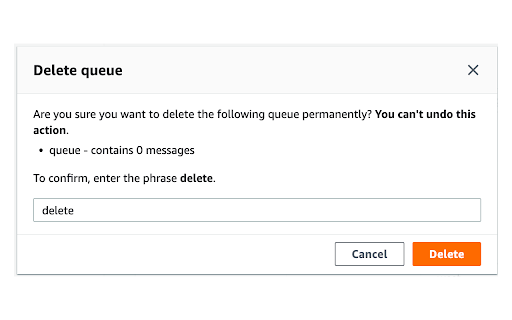

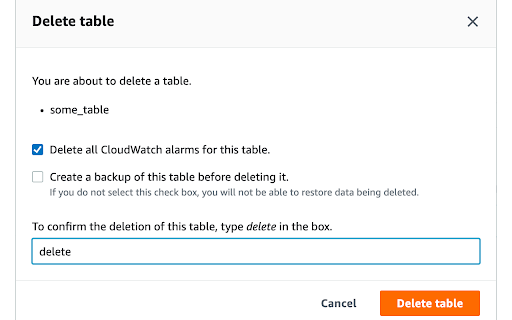
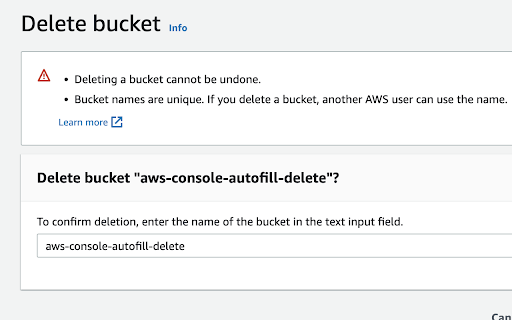
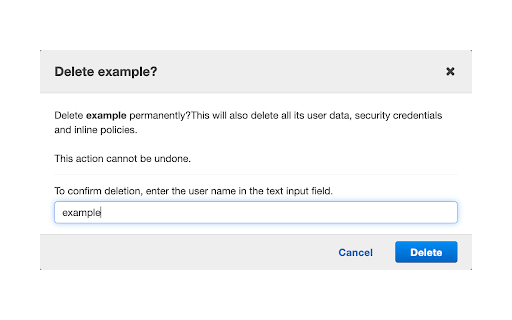
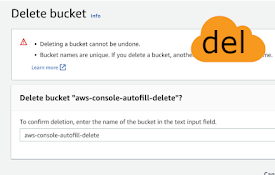
Automatically fills the confirmation message to delete a resource in AWS
Tired of filling the deletion confirmation modal to delete a resource on AWS console ? This extension automatically fills the input for you. And it works in any language.
The automatic filling is implemented for more than 25 services, including:
- Access Analyzer
- ACM
- Api Gateway
- AppFlow
- Athena
- CloudWatch
- Cognito
- Config
- DocumentDB
- DynamoDB
- EC2
- ECR
- EFS
- Elastic Beanstalk
- EventBridge
- IAM
- Kinesis (Firehose & Analytics)
- KMS
- Lambda
- Route53
- S3
- Service Catalog
- Single Sign-On
- SNS
- SQS
- VPC
- QLDB
- WAF
More services are to come. You can open an issue or contribute if you'd like a service to be implemented.
Sometimes AWS updates their interfaces and the extension might stop working for some services. If this is the case, let me know so I can update the extension.
| 分类 | 💻开发者工具 |
| 插件标识 | hmndplgjjgpdbcofbmbiejojppbgdbbg |
| 平台 | Chrome |
| 评分 |
★★★★☆
4.5
|
| 评分人数 | 2 |
| 插件主页 | https://chromewebstore.google.com/detail/aws-console-autofill-dele/hmndplgjjgpdbcofbmbiejojppbgdbbg |
| 版本号 | 2.10 |
| 大小 | 11.8KiB |
| 官网下载次数 | 110 |
| 下载地址 | |
| 更新时间 | 2023-08-25 00:00:00 |
CRX扩展文件安装方法
第1步: 打开Chrome浏览器的扩展程序
第2步:
在地址栏输入: chrome://extensions/
第3步: 开启右上角的【开发者模式】
第4步: 重启Chrome浏览器 (重要操作)
第5步: 重新打开扩展程序管理界面
第6步: 将下载的crx文件直接拖入页面完成安装
注意:请确保使用最新版本的Chrome浏览器
同类插件推荐

AWS Masking
Enhance your security by auto-hiding sensitive inf
AWS console autofill delete
Automatically fills the confirmation message to de
Infinite Campus Autofill
Copy and paste student grades from Google Sheets,

AWS Console Title Bar
Add Additional information to the AWS title bar.AW

AWS Account Identifier
Adds a description with a specific color to the AW

AWS SSO Account Highlight
Display a badge of current AWS Account NameShowing

Rainbow AWS: AWS console header color
Change the color of the AWS console's headers

7plus-responsive-video
Make the 7+ video player wide and more responsiveM

GitHub Confirm It
Quickly add repo name to confirm GitHub repo chang
AWS SSO Colourise
Change the AWS navbar colour based on account (and

AWS SSO Auto-Expand Accounts
Tired of clicking to expand an AWS SSO account to

Gitlab Enhancement Suite
Adds useful enhancements to the Gitlab UI.This ext

Swashbuckle Swagger UI Autofill Helper
Adds name attributes to parameter inputs for Swash