
Instant Medium Analytics - MediumStats.com Chrome 插件, crx 扩展下载
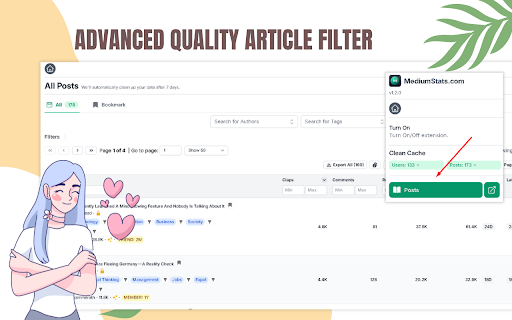
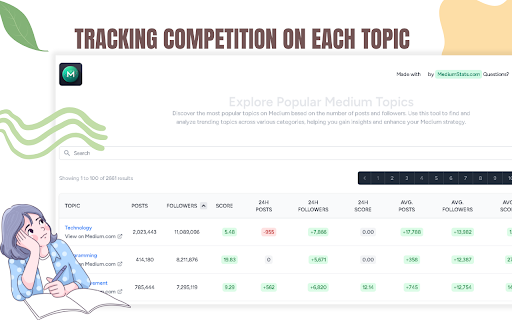

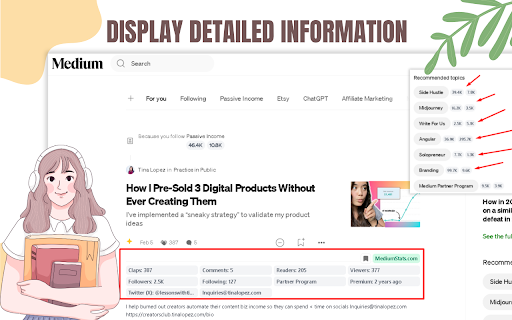
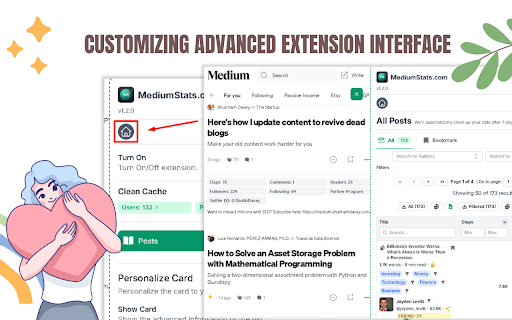
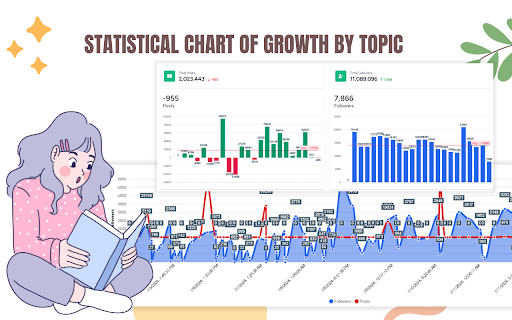
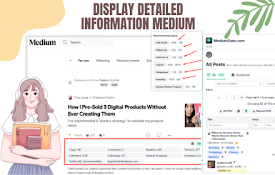
Swiftly track Medium's trending articles & profiles, with data storage for offline viewing.
Elevate your Medium experience with the go-to analytics companion, MediumStats.com, an essential Chrome extension for writers, readers, and content marketers. This powerful tool offers you a seamless and instant insight into the bustling world of Medium articles and authors.
Why should you install MediumStats.com?
Efficient Content Discovery: Uncover the most popular and trending articles on Medium at a glance. Stay ahead of the curve by knowing what topics capture the most attention and engagement from readers. With MediumStats.com, you can effortlessly identify high-performing content that resonates with your interests or your audience's preferences.
Profile Analytics: Gain a deeper understanding of your favorite authors or monitor your own impact on Medium. The extension highlights essential statistics for Medium profiles, helping you to track followers, story performance, and overall reach. Whether you're looking to build your network or find inspiration, MediumStats.com provides the metrics that matter.
Local Data Storage: Ever wanted to access your Medium stats but had no internet connection? MediumStats.com has got you covered with its local data storage feature. Review your previously fetched statistics anytime, anywhere — perfect for offline productivity and analysis.
User-Friendly Interface: With just a click, watch the MediumStats.com extension integrate effortlessly into your browsing experience. Its intuitive design means no learning curve; you'll be navigating and interpreting your stats like a pro from the moment you install.
Time-Saving Tool: No more manual tracking or guesswork. MediumStats.com saves you time by aggregating the data you need in one convenient location, allowing you to make informed decisions on your reading and content strategy without the hassle.
Join the community of savvy Medium users who have transformed the way they interact with content. Install the MediumStats.com Chrome extension today and unlock the full potential of your Medium journey with data-driven insights at your fingertips.
| 分类 | 📝工作流程与规划 |
| 插件标识 | hogkmdhgbpeaoimjbmojggpacjfjcnlo |
| 平台 | Chrome |
| 评分 |
★★★★★
5
|
| 评分人数 | 2 |
| 插件主页 | https://chromewebstore.google.com/detail/instant-medium-analytics/hogkmdhgbpeaoimjbmojggpacjfjcnlo |
| 版本号 | 1.2.1 |
| 大小 | 391KiB |
| 官网下载次数 | 637 |
| 下载地址 | |
| 更新时间 | 2024-09-16 00:00:00 |
CRX扩展文件安装方法
第1步: 打开Chrome浏览器的扩展程序
第2步:
在地址栏输入: chrome://extensions/
第3步: 开启右上角的【开发者模式】
第4步: 重启Chrome浏览器 (重要操作)
第5步: 重新打开扩展程序管理界面
第6步: 将下载的crx文件直接拖入页面完成安装
注意:请确保使用最新版本的Chrome浏览器
同类插件推荐
Instant Medium Analytics - MediumStats.com
Swiftly track Medium's trending articles &

MediumLytics - Awesome Medium Stats
Everything missing from Medium Stats and other Too

Medium Daily Tracker
Daily Stat Tracking for Medium.com BloggersDaily I

Medium Topic Insights
Get insights into the topics for your article; fin

Medium Enchanted Stats & Tags
Medium Enhanced Stats on steroids...little adjustm

Medium Stats
Elevate your Medium experience with our Chrome Ext

PromptSync
Ask ChatGPT, Bard AI, and Bing Chat with one singl

HUB Network Connector
Find the right connections, at the right time, and

WorkStreamer Guide: Craft Screenshot Training Guides Incredibly Fast
Create beautiful training guides in minutes with t

Apiary - Web Highlighter & Annotator
Highlight and take notes directly on what you read

Medium Blog Summarizer - Summr.io
AI Summary for your Medium Blog PostAre you tired

Trello Bug Feature Colors
Sets colors on Trello cardsColors Trello cards tha

Tanuki Utilities
Provide useful utilities for GitLab users.Title ch