
Automize - Testing/Scraping Tool Chrome 插件, crx 扩展下载


Say goodbye to tricky element selection. Simplify scripting, mock network events, export to Puppeteer, Playwright and more.
Automize is your one stop shop for writing web automations. Whether you are testing or writing scripts, Automize has you covered.
Why choose Automize?
What makes Automize unique is that Automize acknowledges the DOM and selects the element for you in an intelligent way. If you aren't satisfied with the selection, Automize allows you to hone it into exactly what you want while checking the validity of the selector. Automize even works with Iframes!
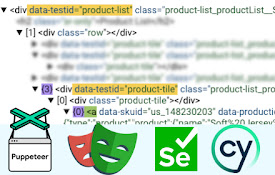
Automize is language agnostic. It will live display your script or test in Playwright JavaScript, Playwright Python, Puppeteer, Cypress, Selenium, vanilla JavaScript, CSS or XPath.
Need to assert or mock network requests? Automize makes it effortless. Mock and assert network requests and export the code to your preferred language. Network requests work with request and response headers, post data, response data, delays and status codes. You can even simulate network requests directly in the browser to ensure everything works before running your script.
Automize also has a built-in script runner so you can replay the actions in order to quickly validate them before exporting to the language of choice.
Key Features
- Intelligent Auto Selection: Save time by instantly creating a robust selector with AI
- Multi-Language Support: Instantly convert your actions to Playwright JavaScript, Playwright Python, Puppeteer, Cypress, Selenium, vanilla JavaScript, CSS or XPath
- Network Support: Mock, assert and export network requests
- Iframe Compatibility: Automize works seamlessly with Iframes
- Test Runner: Try your script before exporting to save time
Customer Support
Automize is eager for feedback. Features are implemented quickly and tested thoroughly. Since release, Automize has gone through 10 major version updates and has more planned.
| 分类 | 💻开发者工具 |
| 插件标识 | iebfoaldapgggcpjialmbnhcendcnkpi |
| 平台 | Chrome |
| 评分 |
☆☆☆☆☆
0
|
| 评分人数 | 4 |
| 插件主页 | https://chromewebstore.google.com/detail/automize-testingscraping/iebfoaldapgggcpjialmbnhcendcnkpi |
| 版本号 | 0.14.3 |
| 大小 | 3.36MiB |
| 官网下载次数 | 915 |
| 下载地址 | |
| 更新时间 | 2024-09-24 00:00:00 |
CRX扩展文件安装方法
第1步: 打开Chrome浏览器的扩展程序
第2步:
在地址栏输入: chrome://extensions/
第3步: 开启右上角的【开发者模式】
第4步: 重启Chrome浏览器 (重要操作)
第5步: 重新打开扩展程序管理界面
第6步: 将下载的crx文件直接拖入页面完成安装
注意:请确保使用最新版本的Chrome浏览器
同类插件推荐

pH - Playwright Helper
Find Playwright UI elements - id, name and custom

Selector Finder
Identifies DOM location, selector and properties o

Element Selectors
Chrome extension to find element selectorsXpath an

Playwright CRX
Playwright as a chrome extension. You can record u

Find My Locator
Description “FindMyLocator” is a powerful and use

Page Modeller (Selenium, Robot Framework etc)
Browser DevTools extension for modelling web pages

Cypress SMART selectors
Cypress SMART selectors is an extension that gener

Selenideium Element Inspector
A handy tool to log attributes and Selenide, Selen

Playwright Chrome Recorder
Playwright extension for DevTools that allows you

E2E Test Helper
A helpful tool for locating UI elements for Cypres

Puppeteer IDE
Develop, test and execute puppeteer scripts from b

AuTomato - Easy E2E tests and web automation
Automate your web tasks or make E2E testing easier
Automize - Testing/Scraping Tool
Say goodbye to tricky element selection. Simplify