
SQLite Reader Chrome 插件, crx 扩展下载
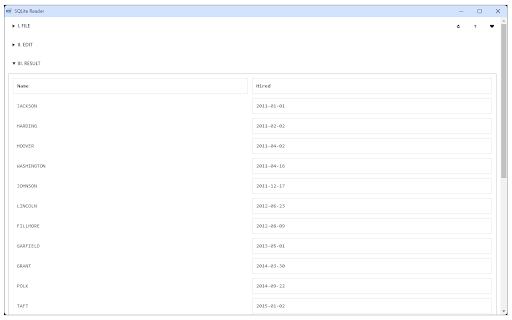
Easily browse, edit and manage SQLite database inside your browser!
SQLite Reader is an extension that helps you easily browse, edit and render SQLite databases.
You can execute any SQLite command that you would like (SQL and SQLite have many differences but SQLite has most of the SQL standard). This add-on uses SQLite library which is compiled from C language to JavaScript with Emscripten compiler. Emscripten is a source-to-source compiler that can compile native C/C++ codes to JavaScript language.
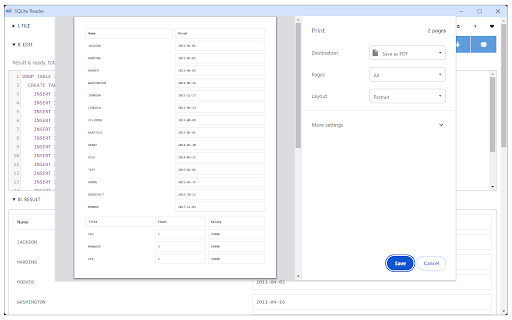
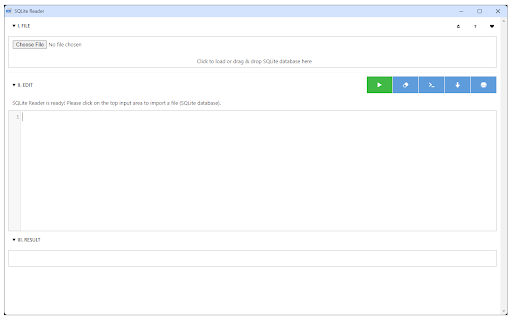
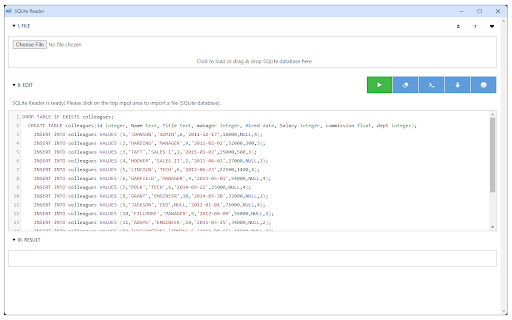
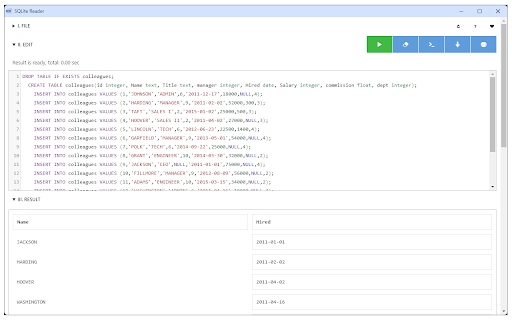
To work with this add-on, just open the app UI and drag an SQLite file to the designated area in the app (top section). Once the SQLite is fully loaded, you will see the commands in the text area (middle section) within the UI. Simply add/edit the code and then click on the - Execute SQLite - button at the top left corner (the green button). Please note that executing any command may take some time depending on the SQLite database size. The result is rendered in the result section (section III) within the app UI. You can also save the database by pressing the - Save Database - button at the top. Moreover, there is also a button to insert a "sample" SQLite code. Simply press this button and then click on the - Execute SQLite - button to see the results.
Note 1: since this add-on runs SQLite commands within the browser, it runs slower than the native SQLite application/library. However, using it is very easy compared to the native SQLite application. Please note that, for a very large SQLite database, you still need the native application. This add-on is only suitable for a reasonable database size.
Note 2: this add-on is still in beta and may work as expected. Please report your bugs or any feature request via addon's homepage (https://mybrowseraddon.com/sql-reader.html), bug report form.
| 分类 | 🛠️工具 |
| 插件标识 | iefihcnlpcaplfbklakcbcbngfangjeg |
| 平台 | Chrome |
| 评分 |
★★★☆☆
3.7
|
| 评分人数 | 3 |
| 插件主页 | https://chromewebstore.google.com/detail/sqlite-reader/iefihcnlpcaplfbklakcbcbngfangjeg |
| 版本号 | 0.1.4 |
| 大小 | 1.04MiB |
| 官网下载次数 | 4000 |
| 下载地址 | |
| 更新时间 | 2024-04-18 00:00:00 |
CRX扩展文件安装方法
第1步: 打开Chrome浏览器的扩展程序
第2步:
在地址栏输入: chrome://extensions/
第3步: 开启右上角的【开发者模式】
第4步: 重启Chrome浏览器 (重要操作)
第5步: 重新打开扩展程序管理界面
第6步: 将下载的crx文件直接拖入页面完成安装
注意:请确保使用最新版本的Chrome浏览器
同类插件推荐

Dev Playground
This extension serves various purposes for web dev

DOM to JSON Selector
The tool extracts element details for highlighted

SQLDelimiter
This extension will convert multiple values to sel

适用于Google Chrome的SQLite Manager。
同时查看或编辑一个或多个SQLite数据库。SQLite Manager允许您直接在Google C

SQL Format
A chrome plugin to format your SQL codeFeatures:

SQLite阅读器
轻松浏览,编辑和管理浏览器内的SQLite数据库!SQLite Reader是一個擴展,可以幫助您輕

SQLite Manager
Manage, manipulate, and plot one or more SQLite da
SQLite Editor and Compiler
Run SQL code for immediate preview of tables, colu

SQLite Viewer
A tabular SQLite viewer and editor that supports o

适用于Google Chrome的SQLite Manager。
同时查看或编辑一个或多个SQLite数据库。适用于Google Chrome™的SQLite Man

SQLite Reader
Easily browse, edit and manage SQLite database ins

SQLite查看器
轻松浏览,编辑和管理浏览器内的SQLite数据库!SQLite Viewer擴展旨在使瀏覽SQLit

Policy Control
Gain complete control over all content settings (c