
EasyVoice Search Chrome 插件, crx 扩展下载
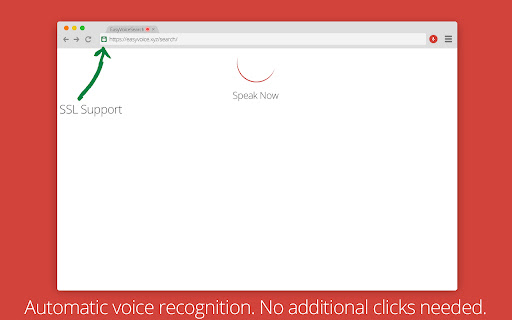
Voice search using any search engine easily!
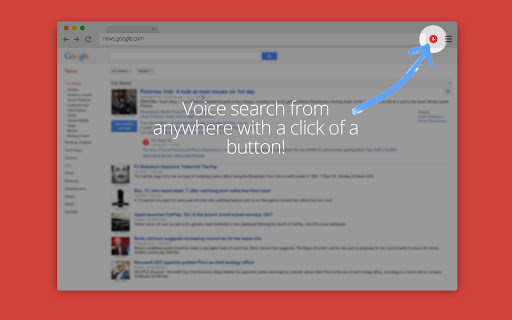
Simply press the red microphone icon in the top bar or assign a chrome hotkey and begin speaking!
Features Include:
• Activate with a single click of a button on every page.
• Can be assigned a keyboard shortcut inside Chrome.
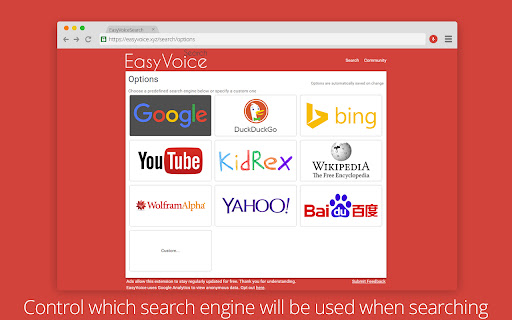
• Set your preferred search page (Google, Bing, DuckDuckGo, etc).
• Use a custom search provider that is not already included by providing a search URL.
• Uses no permissions.
| 分类 | 🛠️工具 |
| 插件标识 | ifabnpjjgbggngmgijikmfjkppdhfpgj |
| 平台 | Chrome |
| 评分 |
★★★☆☆
3.6
|
| 评分人数 | 11 |
| 插件主页 | https://chromewebstore.google.com/detail/easyvoice-search/ifabnpjjgbggngmgijikmfjkppdhfpgj |
| 版本号 | 4.0.2 |
| 大小 | 576KiB |
| 官网下载次数 | 6000 |
| 下载地址 | |
| 更新时间 | 2021-09-09 00:00:00 |
CRX扩展文件安装方法
第1步: 打开Chrome浏览器的扩展程序
第2步:
在地址栏输入: chrome://extensions/
第3步: 开启右上角的【开发者模式】
第4步: 重启Chrome浏览器 (重要操作)
第5步: 重新打开扩展程序管理界面
第6步: 将下载的crx文件直接拖入页面完成安装
注意:请确保使用最新版本的Chrome浏览器
同类插件推荐

Multilingual Voice Search
Google voice search in languages different from yo

Google Voice (by Google)
Make calls with Google Voice with a click.Extensio

Click by Voice
This Chrome browser extension provides support for

EasyVoice Search
Voice search using any search engine easily!Simply

Voice Search
It is very easy! Just say what you want to find.Ma

Voice Search in new Tab
On click, launches voice input, and opens your sea

声音搜索
用您的声音搜索网络Audate 语音搜索使您能够使用语音搜索网络 ?️,只需单击浏览器图标 ? 即可

Voice To Search
Search via VoiceAllows you to quickly do a Google

语音识别无处不在 365
使用语音识别填写任何表格,并用语音和文字口述电子邮件。使用自定义语音命令控制互联网!语音识别无处不在

Voice Actions for Chrome
Control your browser just by talking to it.― ⚠ Goo

Handsfree for Web - Voice Control
Browse the web using just your voiceThis app is us

Voice Search
Search by speaking.Voice Search uses the power of

语音识别无处不在
使用语音识别填写任何表格,并用语音和文字口述电子邮件。使用自定义语音命令控制互联网!语音识别无处不在