
Tabs-To-Bookmarks Chrome 插件, crx 扩展下载
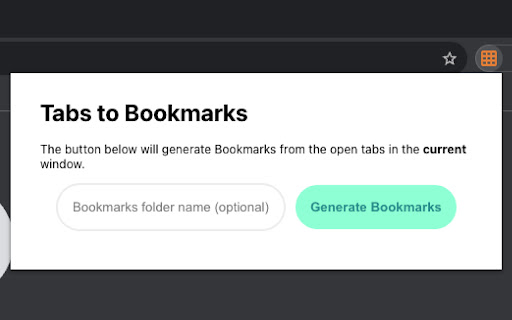
Quickly convert your open tabs to bookmarks. Automatically detects tab groups and creates subfolders in bookmarks.
This is a small utility I built to quickly convert open tabs & tab groups into bookmarks as a way of saving tabs between devices. Chrome's built-in tab-syncing is great, but tabs need to be open and active to show up, and then opened individually on the second device. This extension quickly creates a bookmark folder with bookmarks or subfolders for tabs and tab groups, respectively.
| 分类 | 📝工作流程与规划 |
| 插件标识 | iipngjhpmclpmihallabbellkobhllok |
| 平台 | Chrome |
| 评分 |
★★★★★
5
|
| 评分人数 | 4 |
| 插件主页 | https://chromewebstore.google.com/detail/tabs-to-bookmarks/iipngjhpmclpmihallabbellkobhllok |
| 版本号 | 1.0 |
| 大小 | 183KiB |
| 官网下载次数 | 31 |
| 下载地址 | |
| 更新时间 | 2023-07-28 00:00:00 |
CRX扩展文件安装方法
第1步: 打开Chrome浏览器的扩展程序
第2步:
在地址栏输入: chrome://extensions/
第3步: 开启右上角的【开发者模式】
第4步: 重启Chrome浏览器 (重要操作)
第5步: 重新打开扩展程序管理界面
第6步: 将下载的crx文件直接拖入页面完成安装
注意:请确保使用最新版本的Chrome浏览器
同类插件推荐

yesterpage
Branching browsing history.yesterpage is an extens

Pretty Good Bookmarks
Bookmark websites on pretty-good-bookmarks.com.The
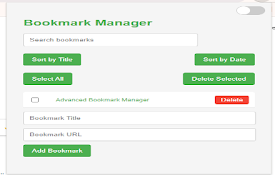
Advanced Bookmark Manager
Manage and organize your bookmarks with advanced f
Tabs-To-Bookmarks
Quickly convert your open tabs to bookmarks. Autom

Bookmark group tabs
Bookmark in a folder all the tabs of a groupIf you

Tab Groups to Bookmarks
Manage and Save Your Tab GroupsTab Groups to Bookm

Bookmark Buddy (with sidebar)
A clean & simple bookmark viewer and manager w

Markie
Markie is an intelligent bookmarking tool with aut

Stationian Bookmark Manager
An all-in-one bookmark companion to better curate

TabMagic - Bookmark & Tab Manager
Manage your tabs, bookmark the web, and share reso

Tab Manager - sort, group and more
Tab Manager - sort, group and moreIntroducing Tab

Tabit
Manage your browser tabs in groups and archives.Ta

Tabsets.net
Use tabsets.net to safely keep track of all your t