
Save Link Chrome 插件, crx 扩展下载
Save Link
you save your important link or important tab.
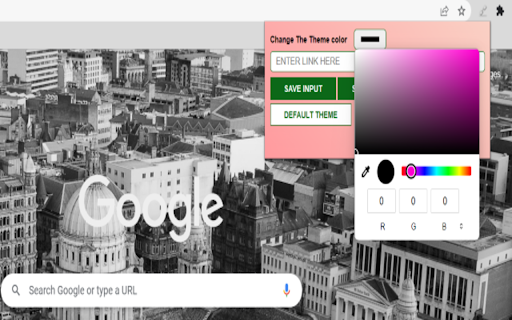
you can customize theme of extensions by your selves.
why Save Link…
Save Link
you save your important link or important tab.
you can customize theme of extensions by your selves.
why Save Link
Extension "Save Link" is a simple yet useful tool that allows you to save and organize links of tabs and also you can save the link by giving input by user.
With this extension, you can easily save any important Tab Or important link, making it easy to find and access the item later.
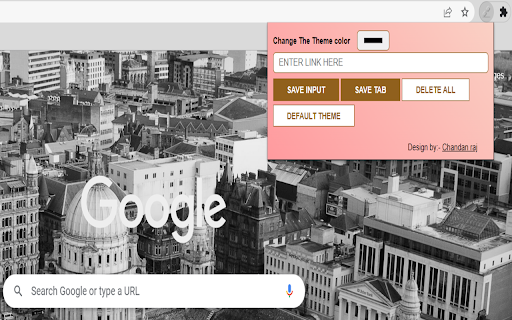
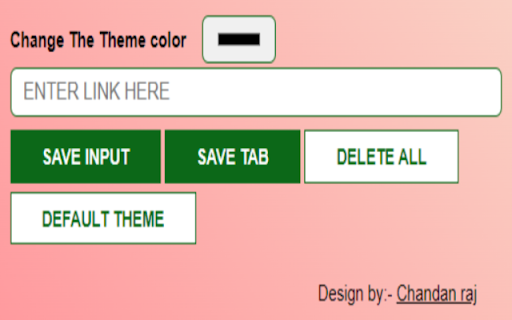
To use the extension, simply navigate to the Website item you want to save and click the "SAVE TAB" button in your Chrome extension "Save Link" for Save current tab. and add a custom link or description to help you remember why you saved it.
by clicking on "SAVE INPUT" button.
you can delete save link or tab by clicking "DELETE ALL" button.
you can change the theme to default by clicking "DEFAULT THEME" button.
The extension provides a clean and user-friendly interface for managing your saved links, allowing you to easily view, edit, or delete them as needed. Additionally, you can search for specific saved items by title or description, making it easy to find what you need quickly.
| 分类 | 🛠️工具 |
| 插件标识 | ilnignejhkdolncbhpebpdnedknddgfp |
| 平台 | Chrome |
| 评分 |
★★★★★
5
|
| 评分人数 | 1 |
| 插件主页 | https://chromewebstore.google.com/detail/save-link/ilnignejhkdolncbhpebpdnedknddgfp |
| 版本号 | 1.03 |
| 大小 | 17.06KiB |
| 官网下载次数 | 275 |
| 下载地址 | |
| 更新时间 | 2023-05-05 00:00:00 |
CRX扩展文件安装方法
第1步: 打开Chrome浏览器的扩展程序
第2步:
在地址栏输入: chrome://extensions/
第3步: 开启右上角的【开发者模式】
第4步: 重启Chrome浏览器 (重要操作)
第5步: 重新打开扩展程序管理界面
第6步: 将下载的crx文件直接拖入页面完成安装
注意:请确保使用最新版本的Chrome浏览器
同类插件推荐

Froggymarks
Make your bookmarks usefulUPDATE 0.0.26: Fixed sev

Save Link
Save LinkSave link with a single click. Copy or re

SaveMyTabs Manager
SaveMyTabs Manager can be used to save URL from cu

Link Saver
‘Link Saver’ is an extension that is a quick and e

Link Saver & Organizer
This link saver helps you save time by storing you

URL Saver
Conveniently saves any links you may want to use l
Save Link
Save Link you save your important link or importan

Link Saver
Save your links which you paste everywhere.While a

URL Saver
A simple and fashionable way to save and manage yo

Link Save
An extension to save the links of all all open tab

Save Link to Highlight
Save and share multiple highlights on any page fas

URL SAVER
This extension saves the pages where you atWith th

Link Saver - Link Managment
Save and get quick access to your linksLink Saver