
SaveMyTabs Manager Chrome 插件, crx 扩展下载
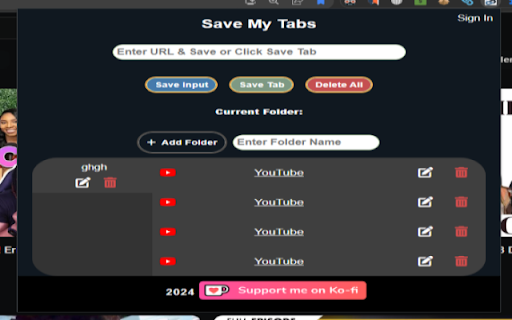

SaveMyTabs Manager can be used to save URL from current tab. Build a list of targeted leads to keep track of.
SaveMyTabs Manager can be used to save URLs from any website. Build a list of targeted leads to keep track of. You can enter a URL or any website and click the 'Save Input' button, or just visit any URL that is in your current tab and save it by clicking on the ‘Save Tab’ button.
What you can do with this app:
Fetch and save URLs from any site.
100% of the URLs are saved on the URL Saver.
Updated: August 7th, 2024 - Version v0.0.0.7 2024
User will be able to add, edit, and delete folders one by one
User will be able to add, save custom, edit, delete any URL and delete all URLs.
User will be able to edit the title of any URL.
Subscription Features
- Add more folders
- Search saved URLS
Want better features? Subscribe now to add more than one folder and search through your saved URLs. Unlock the full potential of SaveMyTabs Manager!
Upcoming Subscription Features.
- Delete all folders
- Copy a link
- Download Links as Text Document, PDF, Word Document, CSV file
- Save Folder with links as a bookmark
| 分类 | 📝工作流程与规划 |
| 插件标识 | jpndjejkgdndefekojliilkmhgjncpgk |
| 平台 | Chrome |
| 评分 |
★★★★☆
4.5
|
| 评分人数 | 2 |
| 插件主页 | https://chromewebstore.google.com/detail/savemytabs-manager/jpndjejkgdndefekojliilkmhgjncpgk |
| 版本号 | 0.0.0.7 |
| 大小 | 36.94KiB |
| 官网下载次数 | 25 |
| 下载地址 | |
| 更新时间 | 2024-08-08 00:00:00 |
CRX扩展文件安装方法
第1步: 打开Chrome浏览器的扩展程序
第2步:
在地址栏输入: chrome://extensions/
第3步: 开启右上角的【开发者模式】
第4步: 重启Chrome浏览器 (重要操作)
第5步: 重新打开扩展程序管理界面
第6步: 将下载的crx文件直接拖入页面完成安装
注意:请确保使用最新版本的Chrome浏览器
同类插件推荐

标签页暂存
一键暂存当前标签页一键暂存当前标签页 ## 普通模式 打开扩展窗口,查看暂存历史和暂存当前标签页
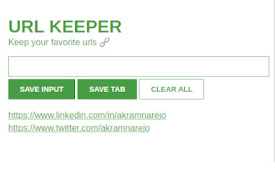
url keeper
URL keeper is a productive extension to keep your

Url tracker
Url tracker is an extension that will allow you to
SaveMyTabs Manager
SaveMyTabs Manager can be used to save URL from cu

URL Saver
Conveniently saves any links you may want to use l

Save Link
Save Link you save your important link or importan

Link Saver
Save your links which you paste everywhere.While a

URL Saver
A simple and fashionable way to save and manage yo
Chrome Url Saver
Save and Load currectly opened sitesThis app saves

URL phrases appender
Define a set of phrases you frequently need to add

Tab Manager
Manage your tabs in groupsTab Group Manager is a p

Study tracker
Introducing Study Tracker, the Chrome extension de

Link Extractor
Easily export all links from web pages with a sing