
Tally counter Chrome 插件, crx 扩展下载
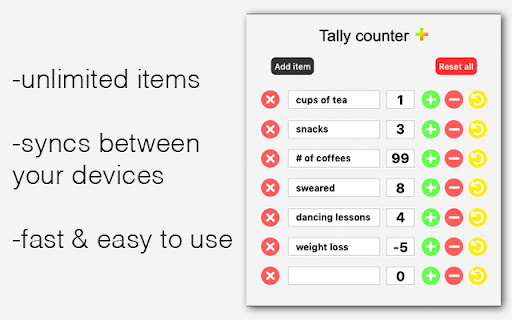
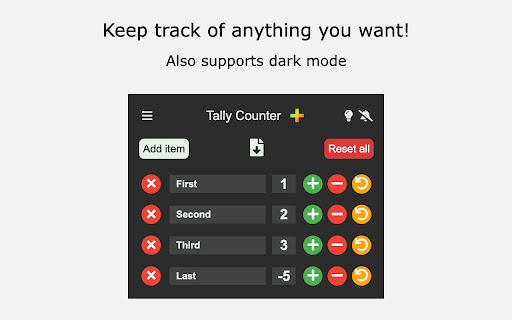
Easy & intuitive tally counter for keeping track of anything you want.
- lightweight
- syncs between all your devices
- super easy to use
- ability to export data to .csv
- reorder items
- toggle dark mode
- keyboard shortcuts so you don't have to click :-)
To set hotkeys / keyboard shortcuts, copy this link into the address bar: chrome://extensions/shortcuts
If you want any features added, you find a bug or something is behaving unexpectedly, please contact me at [email protected].
Donations are welcome at https://ko-fi.com/davidcap. <3
| 分类 | 📝工作流程与规划 |
| 插件标识 | innllipkgdpgnnhmbhjfminingfjmlgl |
| 平台 | Chrome |
| 评分 |
★★★★☆
4.4
|
| 评分人数 | 218 |
| 插件主页 | https://chromewebstore.google.com/detail/tally-counter/innllipkgdpgnnhmbhjfminingfjmlgl |
| 版本号 | 1.3.1 |
| 大小 | 2.9MiB |
| 官网下载次数 | 10000 |
| 下载地址 | |
| 更新时间 | 2024-10-22 00:00:00 |
CRX扩展文件安装方法
第1步: 打开Chrome浏览器的扩展程序
第2步:
在地址栏输入: chrome://extensions/
第3步: 开启右上角的【开发者模式】
第4步: 重启Chrome浏览器 (重要操作)
第5步: 重新打开扩展程序管理界面
第6步: 将下载的crx文件直接拖入页面完成安装
注意:请确保使用最新版本的Chrome浏览器
同类插件推荐

Click Counter
Count Mouse Button Clicks.Click Counter – Clicker

Simple Tally Counter
A simple tally counter Chrome extension.A simple t

ProKeys
Save time and effort in emails, etc. with ProKeys!

Kixie PowerCall
Kixie PowerCall enhances your Kixie experience by

Magical: AI Agent for Autofill Automation
Magical 是一个用于自动填充自动化的 AI 代理。自动填充表单、电子表格和消息。?加入750,
Button Counter
Increments number based on the button clickIncreas

Counter
A helpful, counting trio. Includes a tally counter

Simple Click Counter
Simple counter for clicks!A simple extension that
Tally counter
Easy & intuitive tally counter for keeping tra

MiCounter
A simple counter to keep track of what matters in

PlusOne 计数器按钮
PlusOne 计数器按钮:只需单击按钮即可跟踪您需要的一切将由按钮控制的计数器添加到您的工具栏

Button Counter G
Increments number based on the button click-------

计数器按钮
点击按钮来计算如果你需要一个简单的计数器,可以通过点击按钮进行增量,这个扩展是为你准备的。 该计数