
Dataverse REST Builder Chrome 插件, crx 扩展下载

Create and Execute requests against the Dataverse Web API endpoint.
Dataverse REST Builder allows to create and execute requests against the Dataverse Web API endpoint. After obtaining the token from the authentication process (a Dataverse instance is required and a URL must be provided) the tool is loaded and a new collection of requests can be created.
Each request matches a capability of Dataverse, in addition to the standard CRUD it supports specific Dataverse requests like Associate/Disassociate, Execute Workflow and Manage Image and File Data. For each request the tool generates the code for different syntaxes, like Xrm.WebApi (if the code is for a model-driven app), Fetch API, jQuery and Power Apps Portals, some requests generate the code for Power Automate and Power BI.
Another capability of the tool is to export the collection in different formats: Postman, Thunder Client (VS Code) and REST Client (VS Code).
| 分类 | 📝工作流程与规划 |
| 插件标识 | ioajdaokkkgjehbpiogakecdifaeaeho |
| 平台 | Chrome |
| 评分 |
★★★★★
5
|
| 评分人数 | 1 |
| 插件主页 | https://chromewebstore.google.com/detail/dataverse-rest-builder/ioajdaokkkgjehbpiogakecdifaeaeho |
| 版本号 | 1.0.0.44 |
| 大小 | 1.24MiB |
| 官网下载次数 | 7000 |
| 下载地址 | |
| 更新时间 | 2023-06-08 00:00:00 |
CRX扩展文件安装方法
第1步: 打开Chrome浏览器的扩展程序
第2步:
在地址栏输入: chrome://extensions/
第3步: 开启右上角的【开发者模式】
第4步: 重启Chrome浏览器 (重要操作)
第5步: 重新打开扩展程序管理界面
第6步: 将下载的crx文件直接拖入页面完成安装
注意:请确保使用最新版本的Chrome浏览器
同类插件推荐

Power Roles
Extension that allows you to record user actions a
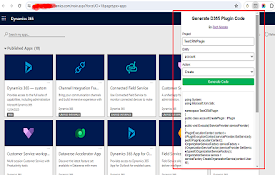
D365 Plugin Code Generator
Generate plugin code based on entity name and acti

Power DevBox Shortcut
Shortcuts to your Power Platform EnvironmentsCreat

Level up for Dynamics 365/Power Apps
Quickly perform advanced/hidden actions in Dynamic

PrettifyMyWebApi for Microsoft Dataverse
Open any row in the Dataverse Web Api and supercha
Dataverse REST Builder
Create and Execute requests against the Dataverse

D365-UI-Test-Designer
A browser extension for designing and capturing D3

XrmWebTools
Only for *.dynamics.com/*Welcome to XrmWebTools!

XRM World
Customize Dynamics365 with consistent metadata nam

Dynamics 365 Record Counter
Dynamics 365 Web Api based counter for both OData

D365 SidePanel Dev Tools
The Dynamics 365 SidePanel Tools extension is a po
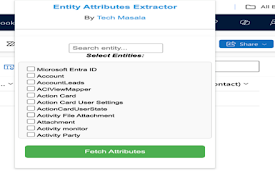
Dynamics CRM Entity Attributes Extractor
Extract and view entity attributes from Dynamics C

AutoReview for Power Automate
Create Automated Review of Power Automate Cloud Fl