
Codeanywhere Chrome 插件, crx 扩展下载
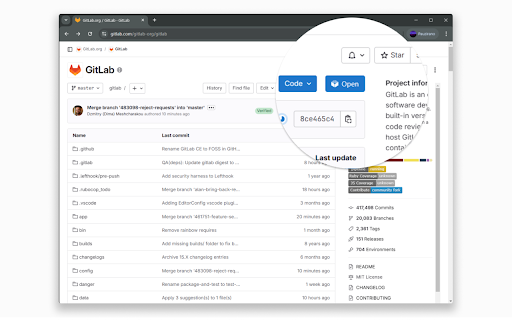
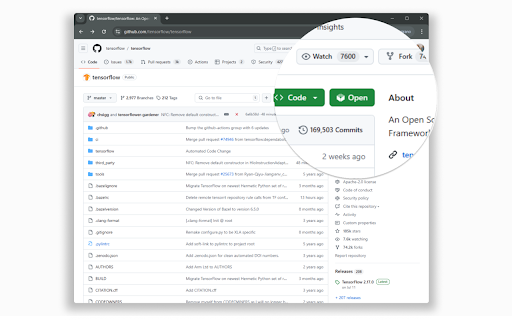
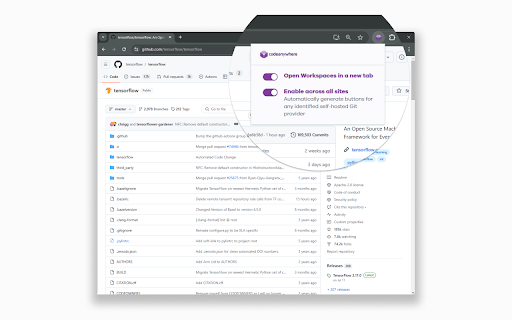
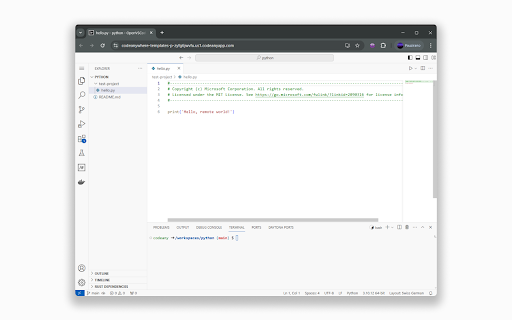
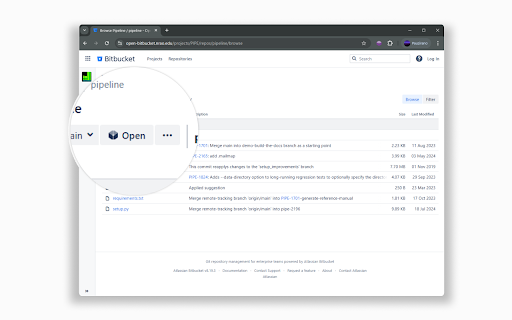
Cloud IDE · Online Code Editor · Codeanywhere - this extension enables opening Codeanywhere workspaces from Git provider sites.
Codeanywhere is a AI Cloud IDE.
Our AI Cloud IDE saves you time by deploying a development environment in seconds, enabling you to code, learn, build, and collaborate on your projects.
With this extension, you can easily launch a development environment directly from your GitHub, GitLab, or Bitbucket projects with a single click.
## How it works:
1. **Install the browser extension.**
2. **Navigate to your project** on GitHub, GitLab, or Bitbucket.
3. **Click the Open in Codeanywhere button** to instantly launch a fully configured development environment for your project.
Codeanywhere makes developers forget what device they are working on and let them concentrate on getting work done - all you need is a web browser.
Key Features:
• Syntax highlighting of more than 100 languages
• Autocomplete for HTML, XML, CSS, JavaScript, Python and PHP
• Cloud based FTP and SFTP Client
• Web based Terminal, connect to remote servers via SSH
• Git Client
• Tools - Pre-installed language runtimes and tools for all popular programming languages.
• Share your projects with other developers in real-time
• Live Collaboration - Team up with your fellow developers and collaborate on your projects
• Linter analyses your code constantly during the coding process.using pair programming or live terminal sessions.
• Debug -With integrated debugger add break points, inspect call stacks, and see output using interactive console
Access from anywhere at https://codeanywhere.com
The extension requires scripting, contextMenus, and activeTab permissions to add quick repository opening functionality (a button to open in Codeanywhere next to the clone button) from git provider pages to CodeAnywhere IDE, streamlining the development workflow by providing one-click access from repository pages.
Remote Code Use:
The extension contains all code locally and does not execute remote code.
Storage Use:
No user data or preferences are stored locally or remotely.
Data & Privacy:
No personal information is collected. The extension only reads repository URLs when activated and only connects to CodeAnywhere when explicitly opening a repository. No analytics or tracking is implemented.
| 分类 | 💻开发者工具 |
| 插件标识 | jdofbmaiblhheoneemdjccjeeihbiabl |
| 平台 | Chrome |
| 评分 |
★★★★☆
4.4
|
| 评分人数 | 23 |
| 插件主页 | https://chromewebstore.google.com/detail/codeanywhere/jdofbmaiblhheoneemdjccjeeihbiabl |
| 版本号 | 8.0.2 |
| 大小 | 627KiB |
| 官网下载次数 | 8000 |
| 下载地址 | |
| 更新时间 | 2025-02-04 00:00:00 |
CRX扩展文件安装方法
第1步: 打开Chrome浏览器的扩展程序
第2步:
在地址栏输入: chrome://extensions/
第3步: 开启右上角的【开发者模式】
第4步: 重启Chrome浏览器 (重要操作)
第5步: 重新打开扩展程序管理界面
第6步: 将下载的crx文件直接拖入页面完成安装
注意:请确保使用最新版本的Chrome浏览器
同类插件推荐

Codeanywhere
Cloud IDE · Online Code Editor · Codeanywhere - th

DevTools Theme: Zero Dark Matrix
A highly customized dark theme for Devtools.This i

Git Cheat Sheet
Handy Git cheat sheet for easy access to common Gi

JaSON
A simple, easy to use HTTP client to send API requ

Python Shell
Python shell for your browser.A Python shell for C

PHP shell
Brings PHP to browserPHP Statements directly from

Web Maker
Blazing fast & offline playground for your web

Emmet LiveStyle
LiveStyle — the first bi-directional real-time edi

Code Cola
Code Cola是一个可视化编辑在线页面css样式的chrome插件。English Versio

CSS Shapes Editor
Interactive editor for CSS Shapes.Create and adjus

CSS3 Generator
A handy generator for all of your CSS3 needs from

Live CSS Editor
Live Write CSS onto any pageThis extension provide

Web Developer Checklist
Analyses any web page for violations of best pract