
Meet Planning Poker Chrome 插件, crx 扩展下载
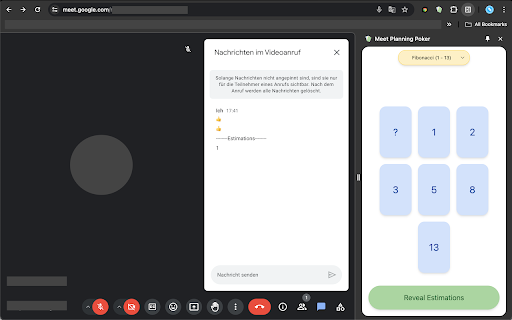
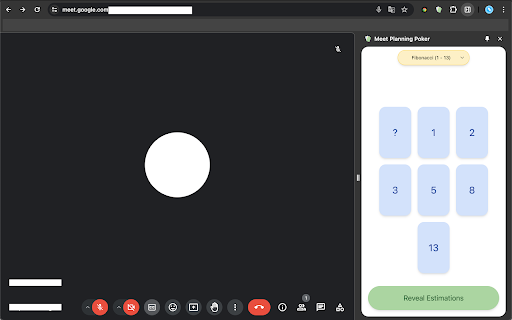
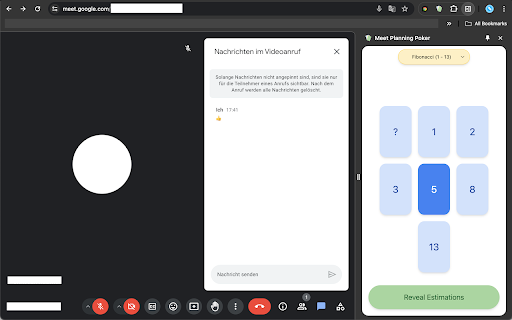
Level up your game and use Planning Poker for Google Meet:
Planning Poker for Agile Teams on Google Meet is designed for making estimation straightforward, collaborative and intuitive. This Agile technique allows you and your team to estimate the effort required for tasks or user stories. Use Planning Poker directly within Google Meet without switching platforms so you can engage in real-time discussions and estimations.
Let the game begin:
1. Open Planning Poker by clicking on the extension.
2. Open the Chat Window in your meeting.
3. Choose your estimate; a thumbs-up emoji will appear, signaling to other players that you have 4. selected your estimate.
4. Click 'Reveal Estimations' to synchronously display all players' estimates.
Share your experience and leave a review!
The application is exclusively available on http://meet.google.com.
| 分类 | 🛠️工具 |
| 插件标识 | jebjhiicedbkjhpgidcldmhboakeolhb |
| 平台 | Chrome |
| 评分 |
★★★★★
5
|
| 评分人数 | 2 |
| 插件主页 | https://chromewebstore.google.com/detail/meet-planning-poker/jebjhiicedbkjhpgidcldmhboakeolhb |
| 版本号 | 1.1.1.5 |
| 大小 | 31.0KiB |
| 官网下载次数 | 228 |
| 下载地址 | |
| 更新时间 | 2025-01-17 00:00:00 |
CRX扩展文件安装方法
第1步: 打开Chrome浏览器的扩展程序
第2步:
在地址栏输入: chrome://extensions/
第3步: 开启右上角的【开发者模式】
第4步: 重启Chrome浏览器 (重要操作)
第5步: 重新打开扩展程序管理界面
第6步: 将下载的crx文件直接拖入页面完成安装
注意:请确保使用最新版本的Chrome浏览器
同类插件推荐

Meet Planning Poker
Level up your game and use Planning Poker for Goog

Scrum Poker App
Chrome Extension to open the Scrum Poker App side-

Zypher
Your AI companion.Picture this: It's Monday mo

The Business Community
The community for connections & contacts, busi

Michael's Upgrade for TrakED
Upgraded features for TrakED in the THS. (This ext

HUB Network Connector
Find the right connections, at the right time, and

WorkStreamer Guide: Craft Screenshot Training Guides Incredibly Fast
Create beautiful training guides in minutes with t

ARGOS DOM
Xpath extraction extension for ARGOS STU (HTML Act

Quick Image Saving via CSS Selector
This Chrome extension is designed to facilitate th

ChatGPT Search Bar & Send With Command Enter
ChatGPT Search Bar & Send With Command Enter M

Left Unread
Show only unread conversations on Facebook, Messen

Suspend tabs
Free up your device's memory and speed up your

Tanuki Utilities
Provide useful utilities for GitLab users.Title ch