
Canvas To Do List Chrome 插件, crx 扩展下载
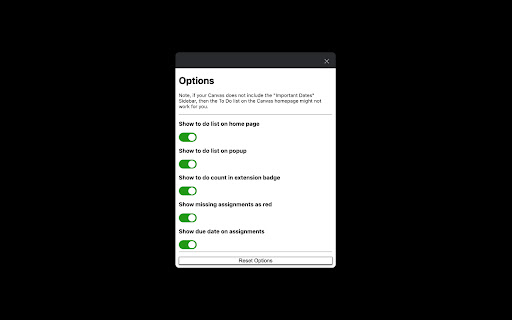
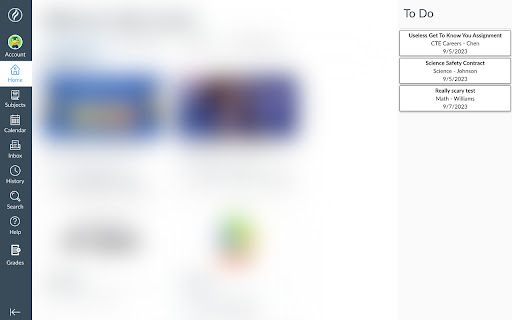
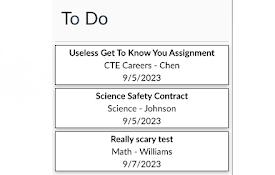
Adds the To Do list from the mobile Canvas app to the side of the Canvas homepage.
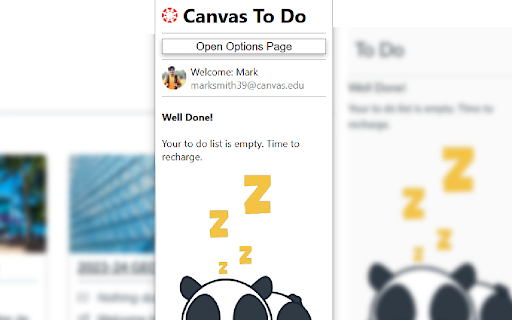
Adds the To Do List from the Canvas mobile app to the web app, and has a neat popup with quick access to grades, announcements, inbox, and to-do items.
Note: Every school's Canvas instance is a little different. If you don't have the Important Dates sidebar normally, this extension will only partly work. It will still function via the popup but the list won't show up on your home page.
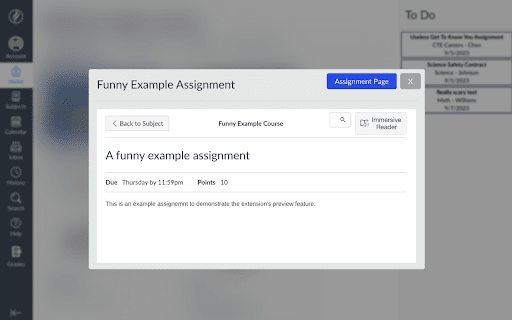
Click an assignment to open a preview window, or right click it to go straight to it's page. Assignments due today will show up in orange and missing assignments will show up in red.
| 分类 | 📚教育 |
| 插件标识 | jelbgncjaecogiccpfojlbldbgfmkgae |
| 平台 | Chrome |
| 评分 |
★★★★★
5
|
| 评分人数 | 2 |
| 插件主页 | https://chromewebstore.google.com/detail/canvas-to-do-list/jelbgncjaecogiccpfojlbldbgfmkgae |
| 版本号 | 1.2.0 |
| 大小 | 31.22KiB |
| 官网下载次数 | 108 |
| 下载地址 | |
| 更新时间 | 2023-10-31 00:00:00 |
CRX扩展文件安装方法
第1步: 打开Chrome浏览器的扩展程序
第2步:
在地址栏输入: chrome://extensions/
第3步: 开启右上角的【开发者模式】
第4步: 重启Chrome浏览器 (重要操作)
第5步: 重新打开扩展程序管理界面
第6步: 将下载的crx文件直接拖入页面完成安装
注意:请确保使用最新版本的Chrome浏览器
同类插件推荐

Copy Domain Name
Copies the domain name from the URL to your clipbo

Tab+
A customizable new tab replacement.Tab+ is an exte

Attribute Reporter
Dev Tools Extension to report on elements attribut
Canvas To Do List
Adds the To Do list from the mobile Canvas app to

Canvas Reminder
Canvas Reminder helps keep track of all your Canva

Canvas Assistant
Stay on top of your Canvas assignments and find ne

Canvas Page Folders
Organises Pages into folders in Canvas LMSAllows o

Canvas Sidebar Adjustment
Sets the Canvas sidebar back to the default colorT

Swish QR-code generator
Generates Swish QR-codes from selectionsEasily gen

Jira Gantt
a solution to flatten all Jira tickets and allow a

New Reddit comment faces
Renders comment faces, spoiler codes, and other ol

Trello minimal UI toggle
Hide unused elements from Trello boardThis extensi

reveddit language fix
Allows reveddit.com to work properly when the brow