
Crystal Ball - Automated Annotations and Insights Chrome 插件, crx 扩展下载
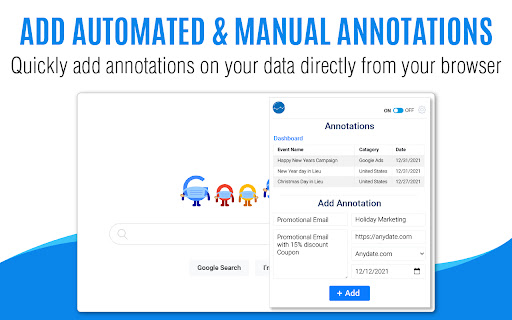
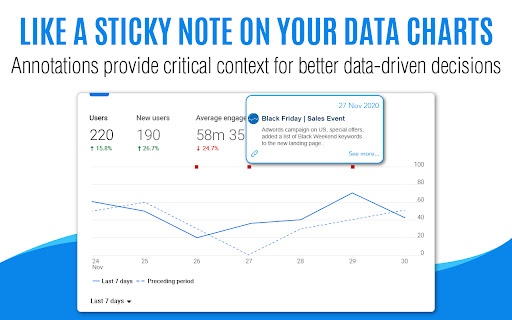
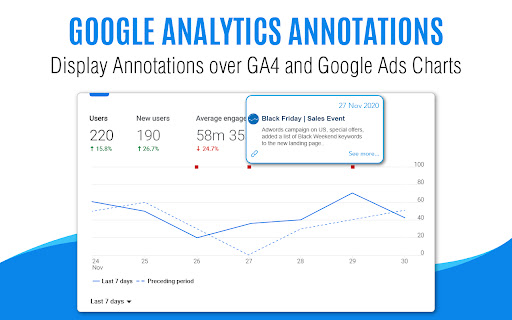
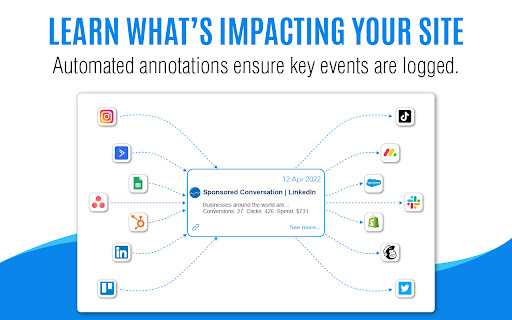
Automated Google Analytics Annotations directly from your ad accounts, project management platforms, newsletters and more..
Discover the power of automated annotations for Google Analytics 4, Google Ads, Youtube, Wix Analytics, and more directly from your ad accounts, UX/UI changes, blog post updates, project management platforms, newsletters, and more. The extension is free to install, and by registering on our platform, you unlock a wealth of features and benefits. Start with a 7-day free trial and experience the full capabilities of Crystal Ball. At the end of the trial, simply choose a plan that best fits your needs.
Our Chrome Extension empowers you to add both automated and manual annotations swiftly and conveniently to your Google Analytics 4, Google Ads, Wix, and YouTube charts. Plus, you can easily do a bulk upload of events or annotations from Excel or Google Sheets, making your data management even more efficient. Installation of the Chrome Extension is a breeze. Register on our platform, start your free trial today, and elevate your Google Analytics experience with Crystal Ball!
Key Features:
UX & Page Designs Comparison: Automatic track design changes
Blog Updates Tracking: Create a new note when is a new blog post
Price Changes Alert: Track price changes
Competitors Comparison & Monitoring: Keep an eye on your competitor's websites and updates.
Facebook: Track and optimize your Facebook post/Ads performance.
Instagram: Gain valuable insights into your Instagram account.
TikTok: Unlock the power of TikTok analytics.
YouTube: Get real-time insights into your YouTube channel's performance.
GTM (Google Tag Manager): Effortlessly track your GTM updates.
Google Algorithm Updates: Stay ahead with automated annotations for Google updates.
Weather Alerts: Harness the power of automated weather alerts.
News Alerts: Stay informed with real-time content updates.
Retail Marketing Dates: Streamline your retail marketing strategy with automated annotations.
Website Monitoring: Ensure your website's uptime.
Holidays: Gain valuable insights into the impact of holidays on your sales.
WordPress Site Changes: Supercharge your WordPress site with our plugin.
WordPress Core Updates: Stay in the loop with automated annotations for WordPress updates.
Apple Podcasts: Stay on top of the latest content and track changes to Apple podcasts.
Shopify: Track updates to product pricing and descriptions.
Github: Track and monitor your Github projects effortlessly.
Bitbucket: Track and monitor your Bitbucket projects effortlessly.
Rank Tracking (SERP): Monitor the daily fluctuations of your target keywords.
And if that's not enough, you can enjoy thousands of integrations with our Zapier app. Connect it to your CRM, Google Sheets, or anything that is available on Zapier for a truly seamless and automated analytics experience.
| 分类 | 📝工作流程与规划 |
| 插件标识 | jfkimpgkmamkdhamnhabohpeaplbpmom |
| 平台 | Chrome |
| 评分 |
★★★★☆
4.2
|
| 评分人数 | 533 |
| 插件主页 | https://chromewebstore.google.com/detail/crystal-ball-automated-an/jfkimpgkmamkdhamnhabohpeaplbpmom |
| 版本号 | 2.0.37 |
| 大小 | 537KiB |
| 官网下载次数 | 4000 |
| 下载地址 | |
| 更新时间 | 2024-11-08 00:00:00 |
CRX扩展文件安装方法
第1步: 打开Chrome浏览器的扩展程序
第2步:
在地址栏输入: chrome://extensions/
第3步: 开启右上角的【开发者模式】
第4步: 重启Chrome浏览器 (重要操作)
第5步: 重新打开扩展程序管理界面
第6步: 将下载的crx文件直接拖入页面完成安装
注意:请确保使用最新版本的Chrome浏览器
同类插件推荐
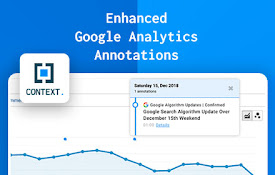
Enhanced Google Analytics Annotations
See Google Algorithm Updates and Global Holidays i
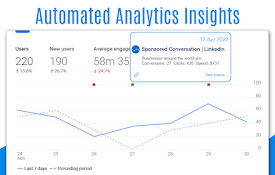
Crystal Ball - Automated Annotations and Insights
Automated Google Analytics Annotations directly fr

GA4BQ™ - GA4 BigQuery SQL Generator
GA4BQ™ - SQL generator for Google Analytics 4 on G

Google Analytics UTILS
Modify GA4 IDs, enable GA4 debug, block analytics/
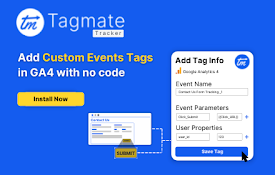
Tagmate Tracker for GA/GA4 Events
Tagmate tracker"Tagmate Chrome Extension for

GA4 Enhanced DebugView by Luratic
Prints on console all the params and their values

GA4 Fixer
Patch holes in GA4 for better reporting. Adds '

Debugger for Google Analytics 4 (GA4)
Browser DevTools extension for debugging Google An

Datalayer Checker
The easiest way to debug and check the dataLayer i

dataslayer
Debug and test tag management (Google Tag Manager,

GTM Copy Paste
Copy your Tags, Triggers and Variables and Paste t

Google Analytics Debugger
Prints useful information to the JavaScript consol

Analytics Debugger
Your Single Source of Truth (SSOT) for debugging a