
PearHack Chrome 插件, crx 扩展下载
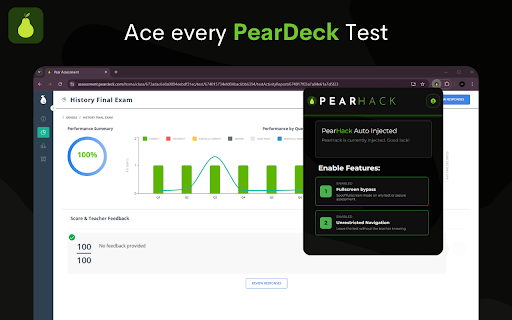

Easily get answers to all PearDeck/Edulastic tests and navigate freely undetected.
? NEW 3 DAY FREE TRIAL! ?
Effortlessly cheat on tests and assignments without getting caught.
Introducing PearHack, the brand new Chrome extension designed to allow you to leave full-screen without your teacher being notified and use internet resources like Google or ChatGPT to get answers on Pear Assessment/Edulastic tests.
Other Edulastic cheat solutions only let you view answers OUTSIDE of the test or assignment, but PearHack lets you actually leave full screen and visit any website you want WHILE you are taking the test, and it blocks any notification being sent to Edulastic or your teacher.
Exclusive PearHack Features:
- Tab-Switch Detection Bypass: We prevent your teacher and Edulastic from knowing that you switched tabs.
- Fullscreen Freedom: Easily navigate out of a test to a new tab or a different site to get answers.
- Stealth Mode: All your activities are cloaked, remain worry-free that your actions are undetectable while completing tests.
- Auto-Enable Functions: Cheats activate automatically after a subscription is paid. All you have to do is start testing and we handle the rest.
- User-Friendly Controls: Simple, toggle-based features for hassle-free activation.
- Works on EVERY Pear Deck and Edulastic assignment, not just tests!
Everything is activated automatically after installing PearHack and purchasing one of the low-priced subscriptions!
Learn more about PearHack on our website at https://pearhack.com.
Before creating an account or downloading PearHack, please read the following:
Terms of Service: https://pearhack.com/legal/terms
Privacy Policy: https://pearhack.com/legal/privacy
For support and/or any other questions, contact our team at [email protected]!
Legal Disclaimer: PearHack is an independent and unofficial tool and is not affiliated with or endorsed by Pear Assessment, Edulastic, GoGuardian, or Liminex Inc. All trademarks and service marks belong to their respective owners. Pear Assessment is a product of Liminex Inc., doing business as GoGuardian.
| 分类 | 🛠️工具 |
| 插件标识 | jgjmbbalgmkcmojdlhonpljnnjgbmohh |
| 平台 | Chrome |
| 评分 |
★★★☆☆
3.6
|
| 评分人数 | 11 |
| 插件主页 | https://chromewebstore.google.com/detail/pearhack/jgjmbbalgmkcmojdlhonpljnnjgbmohh |
| 版本号 | 1.0 |
| 大小 | 435KiB |
| 官网下载次数 | 259 |
| 下载地址 | |
| 更新时间 | 2025-01-20 00:00:00 |
CRX扩展文件安装方法
第1步: 打开Chrome浏览器的扩展程序
第2步:
在地址栏输入: chrome://extensions/
第3步: 开启右上角的【开发者模式】
第4步: 重启Chrome浏览器 (重要操作)
第5步: 重新打开扩展程序管理界面
第6步: 将下载的crx文件直接拖入页面完成安装
注意:请确保使用最新版本的Chrome浏览器
同类插件推荐
KhanHack
The KhanHack Extension Used To View All Answers Ea
YoGuardian
Spice up the GoGuardian block page!Inspired by the

GuadianGone
Epic Vector replaces GoGuardian block screenMakes
PearHack
Easily get answers to all PearDeck/Edulastic tests

Peardeck Drawing Bot
Drag and drop and image an onto the peardeck canva
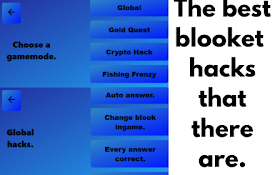
Blooket Hacker
Get hacks in Blooket!Get hacks (cheats) in blooket

Examripper | Hacks for Apex Learning to Google Docs Auto Typers
All in One AI School Cheat for Students with suppo

School Cheats
Side by side scripts to help whilst working with s

Hack This Page
Hack This Page makes webpages editable!This extens
EasyKahoot
Get the answers to any Kahoot quiz in seconds.Easy
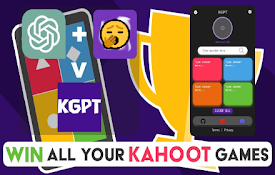
KahootGPT | AI Integration (NEW: ChatGPT 4o)
Not affiliated with Kahoot! or ChatGPT: Use Kahoot
AutoTyper
This extension automatically types on nitrotype.co

Blooket Hacker
Helps you win your Blooket game! Created by Llama