
ZIP Writer Chrome 插件, crx 扩展下载
Create zip files via an easy-to-use UI right in your browser!
ZIP Writer extension helps you easily convert your file(s) to a single compressed file (.zip).
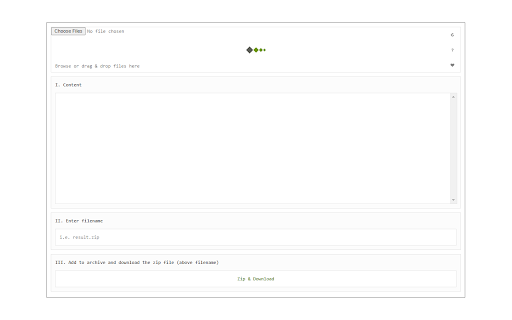
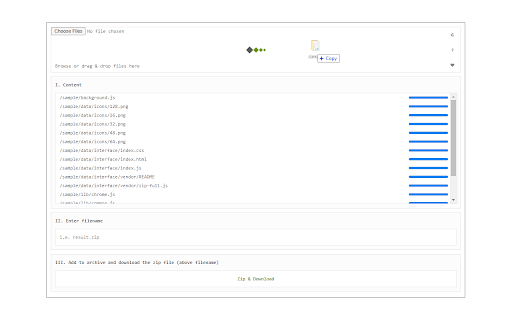
Simply drag & drop files to a designated area in the app UI (top section). All the uploaded files will be listed in the UI. You can now click on the - Zip & Download - button to download the ZIP file to your system (default download location). There is also a reload button at the top-right corner in the app UI. Clicking on this button will reload the app and reset all active operations. If you want to zip multiple files, please drag & drop them altogether in the app (top section). It is also recommended to reload the UI after each zip operation.
Note 1: this add-on is only designed to make compressed zip files. If you want to extract a zip folder (unzip), please install my other add-on: ZIP Reader (https://chrome.google.com/webstore/detail/zip-reader/hppjaadfhhgadeokjndmbnjnegagcadd)
Note 2: this add-on is using an open-source JavaScript library for the zip operation. You can get more info about this library here: https://github.com/gildas-lormeau/zip.js
If you found a bug to report, or have a feature request, please fill the bug report form on the addon's homepage (https://mybrowseraddon.com/zip-maker.html).
| 分类 | 🛠️工具 |
| 插件标识 | jgomnenddgimfbmbhoggoodhpdciaedd |
| 平台 | Chrome |
| 评分 |
★★★★☆
4.6
|
| 评分人数 | 10 |
| 插件主页 | https://chromewebstore.google.com/detail/zip-writer/jgomnenddgimfbmbhoggoodhpdciaedd |
| 版本号 | 0.1.7 |
| 大小 | 110KiB |
| 官网下载次数 | 362 |
| 下载地址 | |
| 更新时间 | 2024-05-20 00:00:00 |
CRX扩展文件安装方法
第1步: 打开Chrome浏览器的扩展程序
第2步:
在地址栏输入: chrome://extensions/
第3步: 开启右上角的【开发者模式】
第4步: 重启Chrome浏览器 (重要操作)
第5步: 重新打开扩展程序管理界面
第6步: 将下载的crx文件直接拖入页面完成安装
注意:请确保使用最新版本的Chrome浏览器
同类插件推荐

ZIP Maker
You may use an easy-to-use interface right in your

Zip & Unzip Files
Extract zipped files and compress files with ease!

ZipWeb
压缩干净的web内容,在手机上离线阅读Zip clean web pages to read off

ZIP Manager (zip, rar, 7z)
打开本地和远程ZIP档案,提取所有文件或选定的文件,没有任何依赖性这个扩展是一个 ZIP 格式的查看

ZIP Writer
Create zip files via an easy-to-use UI right in yo

Uncompress Archive Files
Extract multi-format archive files with ease! It h

Emoji Finder
Easily find & copy any emoji(s) from your brow

PDF Tools - Convert, Resize & Merge
Manipulate PDF documents via Ghostscript interpret

Ping Blocker
Prevents sites from tracking you by blocking the P

Link Revealer
See the true URL for all links and improve your se

File Guard (Encryptor | Decryptor)
Encrypt or decrypt any file with just one click in

Policy Control
Gain complete control over all content settings (c

Package Hub
Display dependencies for many package managers on