
Your favorite apps in a sidebar - TabBuddy Chrome 插件, crx 扩展下载
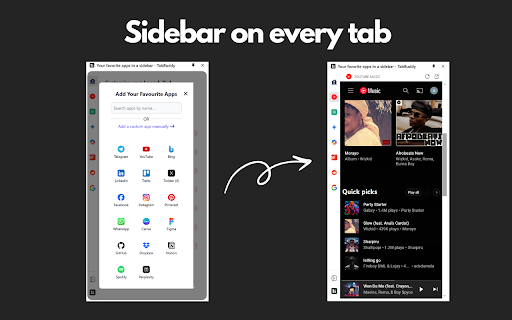
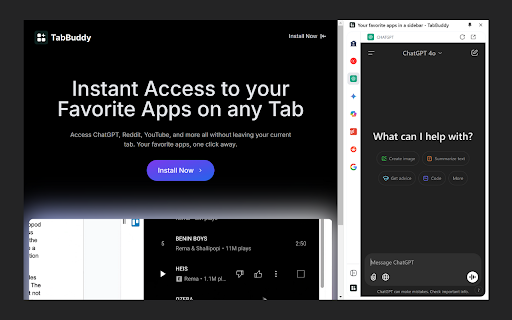
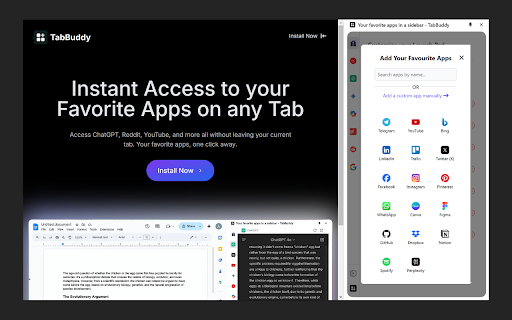
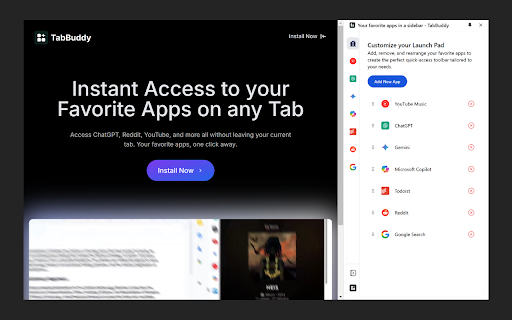
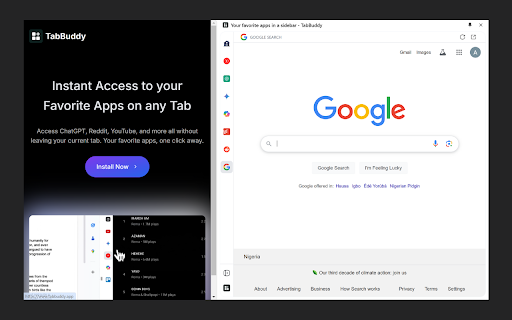
Access your favorite apps (ChatGPT, Reddit, YouTube and many more) instantly from a convenient sidebar on any tab
TabBuddy brings your favorite apps right to your fingertips with a handy sidebar accessible from any tab. Whether you're chatting with ChatGPT, browsing Reddit, or watching YouTube, TabBuddy makes multitasking a breeze. Choose from a list of popular apps or add your own custom apps to the sidebar. Boost your productivity and streamline your browsing experience with TabBuddy!
? Open Apps in a Sidebar: Use your favorite apps without leaving your current tab.
? Choose from Popular Apps: Select from a wide variety of popular apps available in TabBuddy.
✨ Create Custom Apps: Add any app you want by creating a custom entry.
? Available on Every Tab: Enjoy seamless access to the sidebar on every tab you open.
Here are some of the apps you can access directly from the TabBuddy sidebar:
ChatGPT – AI-driven conversations and problem-solving at your fingertips.
YouTube Music – Enjoy your favorite tunes while staying productive.
Telegram – Keep in touch with friends and communities effortlessly.
YouTube – Watch videos, learn, and be entertained in just one click.
Reddit – Dive into discussions, news, and trends across countless topics.
Todoist – Organize your tasks and boost your productivity.
Bing – Explore the web and find what you need with ease.
Gemini – Stay on top of your finances with Google Gemini.
Microsoft Copilot – AI-powered productivity for your workflow.
LinkedIn – Connect with professionals and grow your network.
Trello – Manage projects and collaborate seamlessly.
Twitter (X) – Stay updated with what's trending in real time.
Facebook – Engage with your community and friends.
Instagram – Share moments and explore creativity.
Pinterest – Get inspired with ideas and designs.
Google Search – Find answers, information, and everything else.
WhatsApp – Stay connected through messages, calls, and more.
Canva – Design stunning visuals for work and social media.
Figma – Collaborate on design projects in real time.
GitHub – Manage and collaborate on coding projects.
Dropbox – Store and share files securely.
Notion – Organize your notes, projects, and tasks.
Spotify – Listen to your favorite music as you work.
Perplexity – Dive into AI-powered search and knowledge.
With TabBuddy, everything you need is just a click away. Start exploring and streamline your workflow today!
| 分类 | ⚙️功能性 |
| 插件标识 | jhipemdbpmfjjlmpniolbphkbnhgamco |
| 平台 | Chrome |
| 评分 |
★★★★☆
4.3
|
| 评分人数 | 27 |
| 插件主页 | https://chromewebstore.google.com/detail/your-favorite-apps-in-a-s/jhipemdbpmfjjlmpniolbphkbnhgamco |
| 版本号 | 1.0.0 |
| 大小 | 344KiB |
| 官网下载次数 | 190 |
| 下载地址 | |
| 更新时间 | 2024-11-30 00:00:00 |
CRX扩展文件安装方法
第1步: 打开Chrome浏览器的扩展程序
第2步:
在地址栏输入: chrome://extensions/
第3步: 开启右上角的【开发者模式】
第4步: 重启Chrome浏览器 (重要操作)
第5步: 重新打开扩展程序管理界面
第6步: 将下载的crx文件直接拖入页面完成安装
注意:请确保使用最新版本的Chrome浏览器
同类插件推荐
Manganum:带有 Mail 和 Calendar 的侧边栏 - 与 Google Calendar 和 Gmail 同步
通过 Gmail、Google Calendar、Drive、Keep 等访问 mail、calen
Your favorite apps in a sidebar - TabBuddy
Access your favorite apps (ChatGPT, Reddit, YouTub

NaviTab-侧边栏树状Tab管理
标签管理1.3.2 版本修复标签页读取失败的问题 增加快捷键: Windows Art+x 呼出

Page Sidebar | Open any page in side panel
Effortlessly open any website in your web browser&

Note Sidebar
Simple note sidebar which can be used to write a n

Sidebar: ChatGPT, 书签, GPT-4o | Meomni
终极侧边栏ChatGPT助理,人工智能书签,日历和任务Meomni: Definitive Chat
Open in Sidebar
Drop any link to the sidebar for dual-pane accessT

Page to Sidebar
See your desired website in the browser side panel

Sidebar Tab - pin Chat GPT-4o Gemini Claude in side bar
pin ChatGPT-4o Gemini Claude in side barSidebar Ta

Side Space - Vertical Tab Manager
Your vertical tabs manager located in the side pan

Dashy New Tab Dashboard and Side Panel
New Tab Dashboard and Side Panel that integrates w

Anything Copilot - 更强大的侧边栏,分屏,AI 助手
随时解锁AI洞察:在弹出窗口或侧边栏中打开任何AI网站,实现即时访问与效率提升!这是一款不一样的AI

Fabric web clipper – save anything from the web
? All your stuff in one place. ? Collaborate on an