
Printix Chrome 插件, crx 扩展下载
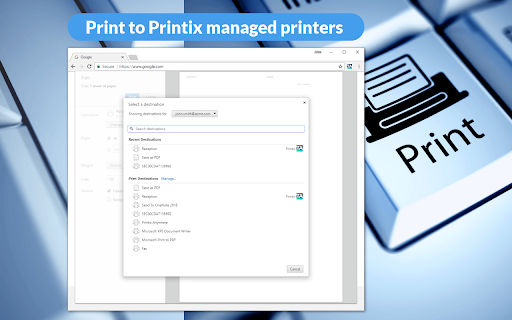
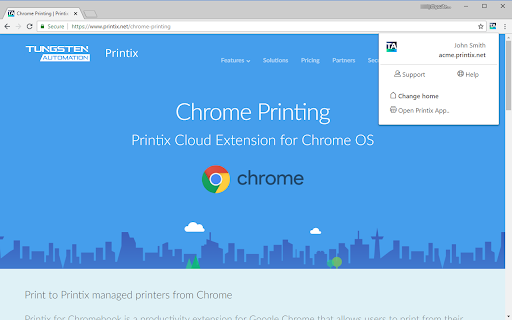
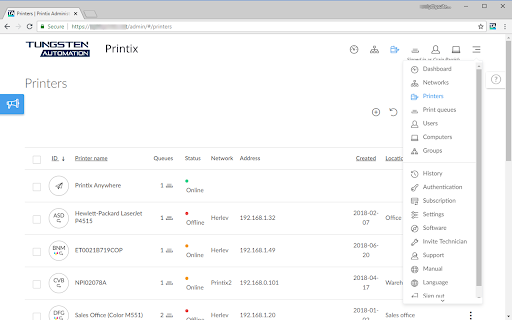
Chromebook printing from Printix cloud print management service.
Print from Chromebook by using your Printix account.
Printing from Chrome and Chromebook is made easy to any network printer managed by Printix.
If you are at an organization that already has Printix installed just add the extension and deploy to start printing.
FEATURES:
• Gives users Single Sign-On (SSO) to Printix with their Google Workspace account.
• Use Google groups to deploy and control access to printers based on users' group membership.
REQUIREMENTS:
The Printix extension requires Tungsten Printix Cloud Print Management which enables an IT admin to easily deploy and manage printing with Printix. See the Printix website for details.
| 分类 | 📝工作流程与规划 |
| 插件标识 | jnhgefjoahogmkkekdnafldkdgppfehd |
| 平台 | Chrome |
| 评分 |
★★☆☆☆
2.5
|
| 评分人数 | 14 |
| 插件主页 | https://chromewebstore.google.com/detail/printix/jnhgefjoahogmkkekdnafldkdgppfehd |
| 版本号 | 2.5.0.10 |
| 大小 | 413KiB |
| 官网下载次数 | 50000 |
| 下载地址 | |
| 更新时间 | 2025-01-27 00:00:00 |
CRX扩展文件安装方法
第1步: 打开Chrome浏览器的扩展程序
第2步:
在地址栏输入: chrome://extensions/
第3步: 开启右上角的【开发者模式】
第4步: 重启Chrome浏览器 (重要操作)
第5步: 重新打开扩展程序管理界面
第6步: 将下载的crx文件直接拖入页面完成安装
注意:请确保使用最新版本的Chrome浏览器
同类插件推荐

ePRINTit for Chromebooks
Print your favourite content to any participating

Pharos Chrome Print
Chrome Extension for Pharos Print Management Syste
Printix
Chromebook printing from Printix cloud print manag

Cloud Print and Scan Chrome Extension
Send a print job to Cloud Print and ScanAllows Clo

UniPrint for Chromebooks (Enterprise)
Print to your corporate printers without going thr

Celiveo Secure Documents Pull-Print
With Celiveo.me, pull-print documents from Chrome

IPP/CUPS printing for G Suite admins
Local network printing administered through the G

Chrome Direct Print
Print HTML/PDF directly to printerEnable silent pr

Print your current page.Adds a shortcut to print y

打印 for Google Chrome
打印当前网页Print 是一款功能强大且轻量级的浏览器扩展程序,旨在让网页、电子邮件内容、照片、PD

云打印
云打印可让您在跳过广告和其他垃圾邮件的同时打印任何网页的大部分内容。我们的免费云打印可让您修改任何网

Make the page printer friendly with customizable o