
Chessvision.ai Chess Position Scanner Chrome 插件, crx 扩展下载
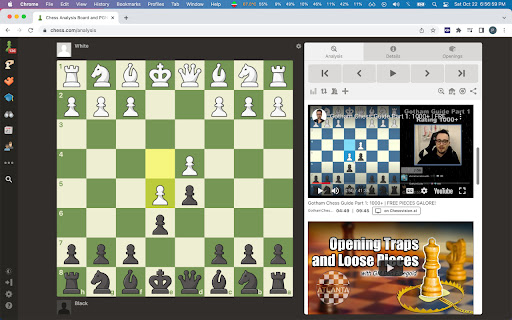
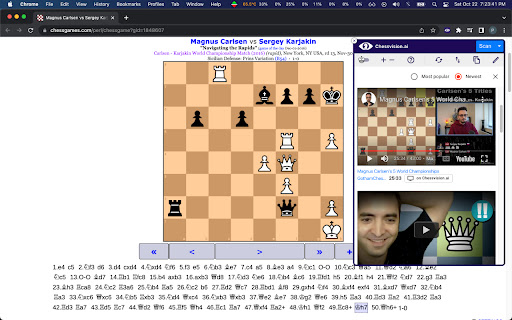

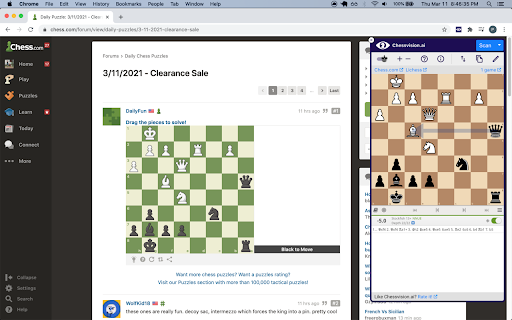
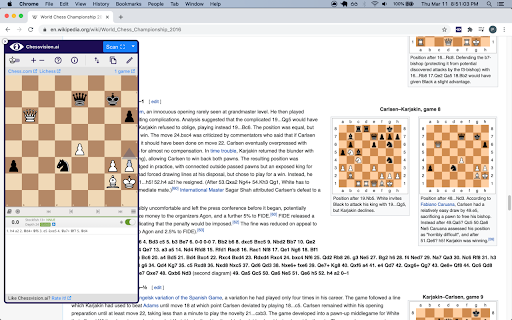
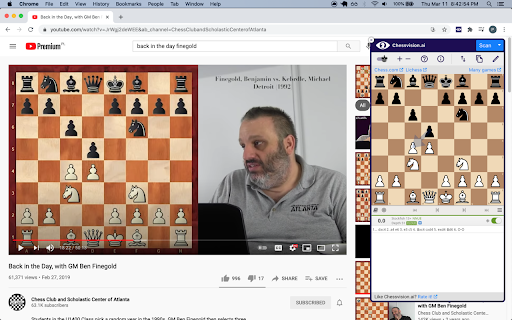
Analyze chess positions from any website, book, and video in Chrome
Automatically analyze chess positions on any website and video you want.
Do you like watching chess videos from Ben Finegold, Agadmator, PowerPlayChess, and others? Now you can analyze their moves and understand the reasoning behind them, all while watching the video!
Need a tip while solving chess puzzles or analyzing a chess diagram? Chessvision.ai is here to help!
Click on the extension button to open it. Select the options you want and click Scan! The position will open in the Lichess analysis board where you can enable the engine, see the evaluation, and even play. You can also open an external analysis on either Chess.com or lichess.org.
Open the extension on the Chess.com Analysis page or Lichess Analysis or Study pages and watch videos explaining the position on the board.
Enable chess notation hiding behind spoiler tags, ensuring you're never spoiled while solving puzzles.
Help us make Chessvision.ai the most accurate chess board image detector. If you have any suggestions or spotted any issues, email me at [email protected]
Cheers,
Pawel
UPDATES:
version 3.6.1
- fixes issue where the Analysis Board was not displayed on some websites after a turn change
version 3.6.0
- adds ability to select from multiple analysis boards, providing greater flexibility
- adds fallback mechanism that defaults to the most promising analysis board if the selected one is unavailable, providing better usability
version 3.5.0
- enhances option to hide chess moves behind spoiler tags on Twitter
- improves Video Search on Chess.com
version 3.4.0
- adds option to hide chess moves behind spoiler tags on selected pages
version 3.3.0
- adds Options page, including settings for Video Search
version 3.2.0
- adds Video Search to Lichess Analysis and Study pages
version 3.0.0
The update introduces new major features, including:
- searching for YouTube chess videos matching the scanned positions
- adds Video Search to Chess.com analysis pages
version 2.1.0
This update introduces quality of life updates, including:
- new rotate board button - now you can rotate the board using the new button in the toolbar
- improved initial board rotation detection - now the position will always load in the same rotation as the scanned diagram
- updated Help and About sections
version 2.0.0
The update introduces many new features and improvements, including:
- "Select area" mode to scan manually selected area
- finding games matching the scanned position
- smart turn detection using the last move squares
- modern design
- improved scanning speed
- quick FEN copying
- diagram editor
- resizable window
| 分类 | ♿无障碍访问 |
| 插件标识 | johejpedmdkeiffkdaodgoipdjodhlld |
| 平台 | Chrome |
| 评分 |
★★★★☆
4.2
|
| 评分人数 | 33 |
| 插件主页 | https://chromewebstore.google.com/detail/chessvisionai-chess-posit/johejpedmdkeiffkdaodgoipdjodhlld |
| 版本号 | 3.6.2 |
| 大小 | 410KiB |
| 官网下载次数 | 100000 |
| 下载地址 | |
| 更新时间 | 2025-02-05 00:00:00 |
CRX扩展文件安装方法
第1步: 打开Chrome浏览器的扩展程序
第2步:
在地址栏输入: chrome://extensions/
第3步: 开启右上角的【开发者模式】
第4步: 重启Chrome浏览器 (重要操作)
第5步: 重新打开扩展程序管理界面
第6步: 将下载的crx文件直接拖入页面完成安装
注意:请确保使用最新版本的Chrome浏览器
同类插件推荐

Chess.com Booster - chess game analysis
Add dynamic analysis to chess.com to boost your tr

Chess.com Insights
Shows Win/Lose/Draw and average accuracy for playe

ChessBuddy AI
An AI Chat interface for chessChessBuddy AI - Your

Turbo Lichess AI - 最佳走棋查找器
利用AI在游戏中计算并找到Lichess的最佳走棋Turbo Lichess AI 是每位国际象棋爱

Only move
Chrome extension that plays only moves for you on

Chess.com Analysis at Lichess
Opens PGN of a game from chess.com or chessgames.c

Arrow Painter for Chess.com
Change the arrow colors on chess.com website.Chang
Chess Compass - Free Online Chess Analysis
Analyze games using Chess Compass from popular che

Chess.com Keyboard
This browser extension allows you to make moves on

AI Memory Match Game
用AI提升记忆力!在网格中用最少的步骤匹配卡片对。一款用于大脑训练的AI益智游戏。发现 AI 记忆配

Chessvision.ai Chess Position Scanner
Analyze chess positions from any website, book, an

Chess Pro
A Chrome chess extensionSuggesting the best move (