
KOMU PBX Cloud Extension Chrome 插件, crx 扩展下载
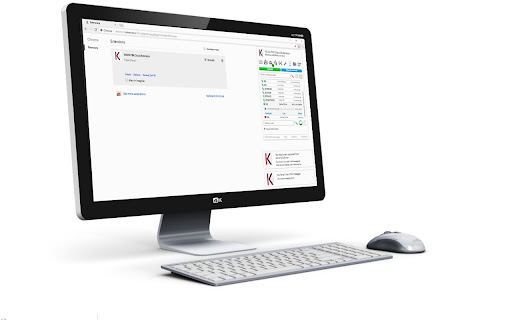
Used with your Amiba Cloud PBX to receive call-, voicemail- and chat messages, and Click2Dial from any webpage.
Utilisé avec votre PBX Cloud KOMU pour recevoir des appels, des tchats, des messages vocaux, et Click2Dial depuis des pages Web.
Notifications
- Appels entrants, cliquer pour répondre ou rejeter
- Tchat, cliquer pour ouvrir
- Messages vocaux, cliquer pour ouvrir
Menu
En cliquant sur l'icône de l’extension Chrome, le menu vous permet de :
- Ouvrir votre portail web personnel sur le PBX Cloud KOMU
- Composer un numéro sur le clavier ou sur l’écran et appeler
- Cherchez dans la liste des utilisateurs internes et appeler ou lancer un tchat
- Appeler un numéro préprogrammé dans une touche
- Consulter la liste des appels récents
- Cliquer le lien vers le support KOMU
- Programmer les options
Cliquez to dial
- Indiquez un numéro de téléphone sur un page web avec la souris et cliquez.
- Ou sélectionnez un numéro et cliquez le bouton droit de la souris.
- Il existe également des touches de raccourci pour appeler un numéro dans le presse-papier.
Options
- Activer/désactiver des notifications.
- Rejeter automatiquement les appelants qui ne montrent pas CLI.
- Répondre automatiquement à tout appel entrant.
- Renvoi vers la messagerie vocale ou activer une mode ne pas déranger lorsque le PC est en veille.
- Programmer les touches de numérotation rapide.
What's New:
5.0
Bug fixes for, showing chat, showing correct portal frame and opening new tab on specified frames.
Fix for diversion speed dials (now have # added in storage) new speed dial layout in local storage.
Fix for dial from clipboard.
5.5.1
Bug fixes to not run click to dial on "text area" html elements
Update to: Make video calls, removed storage permission and allow phase O and N to work
5.5.2
call/chat/video call notifications fixes
5.5.3
Improved click to dial number formatting
5.5.4
Fix for compatibility for phase O and N to work
6.0.0
manifest version 3
6.0.1
fix for default options on install
6.0.2
fix for default options on install
6.0.3
options page, url pattern and dial from Prompt
6.0.4
open portal on icon click as active, go to portal on answer(via notify), show recent list in popup by default
6.0.5
context menu dial number.
6.0.6
Fix: phase N used spgIdx not device.
6.0.7
Added click to dial popup.
6.0.8
Fix for dialling numbers not correctly formatting. Add ring back tone and change audio output device.
6.0.9
Can change audio permission with checkbox in options.
6.1.0
make sure software Version has 3 decimal places
6.1.1
Bug Fixes
6.1.2
Fix for implicit call dialling and correct number format.
6.1.3
Bug Fixes
6.1.4
Update saved settings from mv2 to mv3
6.1.5
Fix for logging into phase N code
6.1.6
Added option to set user to DND mode 8 when PC is locked, and return the user to Available when PC is unlocked,
6.1.7
mediaelement-and-player.js, removed plugin stuff
6.1.8
Update comments to remove reference to external web sites
| 分类 | 👥社交 |
| 插件标识 | kajficefjoomdjdcjiimjjoidpolckol |
| 平台 | Chrome |
| 评分 |
☆☆☆☆☆
0
|
| 评分人数 | 2 |
| 插件主页 | https://chromewebstore.google.com/detail/komu-pbx-cloud-extension/kajficefjoomdjdcjiimjjoidpolckol |
| 版本号 | 6.1.8 |
| 大小 | 7.26MiB |
| 官网下载次数 | 85 |
| 下载地址 | |
| 更新时间 | 2024-12-23 00:00:00 |
CRX扩展文件安装方法
第1步: 打开Chrome浏览器的扩展程序
第2步:
在地址栏输入: chrome://extensions/
第3步: 开启右上角的【开发者模式】
第4步: 重启Chrome浏览器 (重要操作)
第5步: 重新打开扩展程序管理界面
第6步: 将下载的crx文件直接拖入页面完成安装
注意:请确保使用最新版本的Chrome浏览器
同类插件推荐

ParsVTCRM Click2Dial
Use context menu to call with ParsVTCRMClick to ca

UA GPU-able Search
Default the united.com website to search for GPU-e
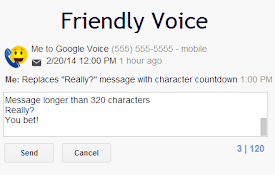
Friendly Voice
Makes Google Voice a little friendlier when you ty

MagnetVoice Cloud Extension
Used with your Amiba Cloud PBX to receive call-, v

Medtel Cloud Extension
Used with your Amiba Cloud PBX to receive call-, v

Vodafone Relate Cloud Extension
Used with your Amiba Cloud PBX to receive call-, v
KOMU PBX Cloud Extension
Used with your Amiba Cloud PBX to receive call-, v

PocketiTel Cloud Extension
Used with your Amiba Cloud PBX to receive call-, v

SIPERB Browser Phone
SIPERB is a SIP to WebRTC Proxy, allowing you to m

SIP Click To Call Phone Extension
It is provide click to call from any web page in b

CRM Integrator for hosted telephony
Control and Monitor your Cisco Broadworks telephon

Click To Call for Internet Phone - Ringover
With the Click To Call for Internet Phone - Ringov

Perceptual image search
Looks for similar images via web-search engines.Se