
網頁全螢幕看影片 Chrome 插件, crx 扩展下载

讓網頁中的影片在視窗中全螢幕或是開啟子母畫面。4xDev(4-x.tw) 持續修正更新。
【 功能說明 】
1. 讓網頁中的影片可以網頁全螢幕觀看。
2. 讓網頁中的影片可以透過子母畫面方式觀看。
3. 這個擴充工具安裝後會自動啟用,僅需透過滑鼠鼠標移動到影片上,影片右上角會顯示「網頁全螢幕」與「子母畫面」的藍色按鈕。點擊即可使用該方式觀看影片。
【 功能快捷鍵 】
1. 網頁全螢幕:使用 F2 開啟或關閉網頁全螢幕模式。
2. 子母畫面:使用 F3 開啟或關閉子母畫面模式。
3. 自動判斷:點擊擴充功能圖示可以將當下的模式復原。
【 請注意 】
1. 網頁全螢幕是指填滿整個瀏覽器畫面,並非螢幕全螢幕。
2. 目前功能快速鍵不支持自訂更改。
3. 針對系統即將停止支援 Manifest V2 擴充功能,將擴充功能更新至 V3。
【 版本更新 】
12.0.3.2 針對 YouTube 影音平台切換網頁全螢幕時會出現黑框的問題進行修正。
【 特別感謝 】
感謝原作者(冻猫)設計的腳本。
本工具由4X提供繁體中文版、修正相關錯誤、微調整CSS以及加入功能快捷鍵。
//
【 Function Description 】
1. Allows videos on webpages to be viewed in full webpage screen.
2. Enables picture-in-picture viewing mode for videos on webpages.
3. This browser extension is activated automatically upon installation. Simply move the mouse cursor over a video, and blue buttons for "Maximize" and "PicInPic" will appear in the top right corner of the video. Click to watch the video in the selected mode.
【 Function Shortcuts 】
1. Webpage Fullscreen: Press F2 to toggle webpage fullscreen mode on or off.
2. Picture-in-Picture: Press F3 to toggle picture-in-picture mode on or off.
3. Auto-Detect: Click the extension icon to reset the current mode to its default.
【 Please Note 】
1. "Webpage Fullscreen" refers to filling the entire browser window, not the full screen of the monitor.
2. Currently, the function shortcuts are not customizable.
3. In response to the upcoming discontinuation of support for Manifest V2 extensions, this extension has been updated to V3.
【 Version Update 】
12.0.3.2 Fixed the issue where a black border appears when switching to full screen on the YouTube video platform.
【 Special Thanks 】
Thanks to the original author (冻猫) for designing the script.
This tool was provided in Traditional Chinese by 4X, with related bugs fixed, CSS fine-tuned, and shortcut keys added.
| 分类 | ♿无障碍访问 |
| 插件标识 | kehgaljpfggbgmljdnblnhcfcnacckih |
| 平台 | Chrome |
| 评分 |
★★★★☆
4.7
|
| 评分人数 | 15 |
| 插件主页 | https://chromewebstore.google.com/detail/網頁全螢幕看影片/kehgaljpfggbgmljdnblnhcfcnacckih |
| 版本号 | 12.0.3.2 |
| 大小 | 55.09KiB |
| 官网下载次数 | 1000 |
| 下载地址 | |
| 更新时间 | 2024-06-11 00:00:00 |
CRX扩展文件安装方法
第1步: 打开Chrome浏览器的扩展程序
第2步:
在地址栏输入: chrome://extensions/
第3步: 开启右上角的【开发者模式】
第4步: 重启Chrome浏览器 (重要操作)
第5步: 重新打开扩展程序管理界面
第6步: 将下载的crx文件直接拖入页面完成安装
注意:请确保使用最新版本的Chrome浏览器
同类插件推荐

视频快捷键
为主流视频网站启用和YouTube相同的播放器键盘快捷键支持。插件功能: 1. B站视频自动播放 2

動畫瘋 Plus
讓巴哈動畫瘋在使用上更方便。 主要功能大部分都擺在右鍵裡 目前功能: - 自動點選年齡分級確認(

Webvideo FullScreen
为网页视频增加网页全屏的功能 简单点击按钮即可为当前网页正在播放的视频赋予网页全屏的功能 开源地
劇院模式看影片
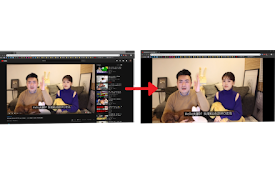
將網頁中的影片填滿整個瀏覽器, 使觀賞體驗提升Let the video fill the brow
網頁全螢幕看影片
讓網頁中的影片在視窗中全螢幕或是開啟子母畫面。4xDev(4-x.tw) 持續修正更新。【 功能說明

Fullscreen Magic
Automagically finds a video, game, frame, or other

Video Fullscreen
Watch video in fullscreenThis extension makes html

劇院模式看影片Pro
觀看影片前, 啟動擴充功能, 再點擊影片全螢幕按鈕, 即可使影片填滿整個瀏覽器功能描述: 使影片

Maximize Video
Maximize HTML5/Flash video and fill current tab.Us

一键全屏
不需额外权限的一键全屏.不需额外权限的一键全屏.

Video Maximizer
Remove visual clutter and maximizes videos for eas

無邊框視窗
使用無邊框視窗開啟目前瀏覽的網頁1.點擊擴充插件圖示->以無邊框視窗開啟目前瀏覽的網頁 2.滑

YouTube 繁体自动翻译修正
修正YouTube 繁体中文自动翻译无法正确显示的错误。字幕设定选单中的选项会在您的YouTube