
Brevis Chrome 插件, crx 扩展下载
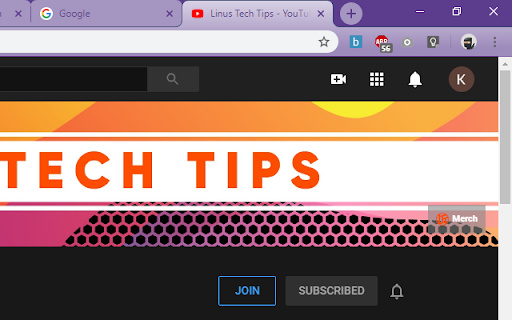
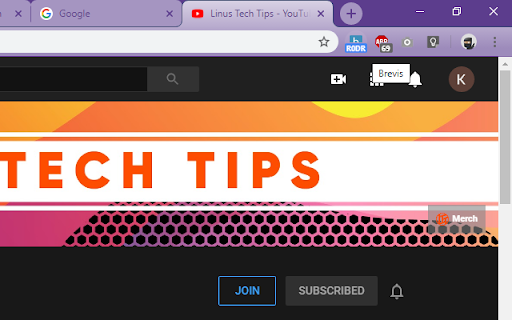
URL shortener with no ads or cookies.
One click URL shortening. Shortens URL and copies it to clipboard by clicking the icon. URLs which have already been shortened will show the 4 character code on the icon upon loading the page.
| 分类 | 👥社交 |
| 插件标识 | khinkohbpjjnhhoidkkmfmopeeloifnj |
| 平台 | Chrome |
| 评分 |
☆☆☆☆☆
0
|
| 评分人数 | 4 |
| 插件主页 | https://chromewebstore.google.com/detail/brevis/khinkohbpjjnhhoidkkmfmopeeloifnj |
| 版本号 | 1.0.7 |
| 大小 | 18.12KiB |
| 官网下载次数 | 26 |
| 下载地址 | |
| 更新时间 | 2024-07-08 00:00:00 |
CRX扩展文件安装方法
第1步: 打开Chrome浏览器的扩展程序
第2步:
在地址栏输入: chrome://extensions/
第3步: 开启右上角的【开发者模式】
第4步: 重启Chrome浏览器 (重要操作)
第5步: 重新打开扩展程序管理界面
第6步: 将下载的crx文件直接拖入页面完成安装
注意:请确保使用最新版本的Chrome浏览器
同类插件推荐

Brevis
URL shortener with no ads or cookies.One click URL

SearchUnify Intranet Extension
Accelerate Employee Engagement, Productivity and O

Boss Hub | Event
BossHub Event | Sidebar, A multi-vendor event tick

Meta-Press.es
Decentralized press meta-search engineExplore the

Generative Prompts
An extension for displaying entries from the Aweso

Chramshoot Image Editor
Edit any image from your computer quickly and effi

Clipp'd .efficiently
Clip and drop finishes and furnishings into your d

Spaceduck Web Clipper
Capture and bookmark web content, organizing it in

Loop8 Privacy Manager
Browser extension for Loop8 Privacy Manager.Loop8

Linqbase - LinkedIn CRM & Outreach
Effortlessly collect, organize, and export detaile

Suspend tabs
Free up your device's memory and speed up your

Stop It Grandpa
Prevents grandpa from lookin' at his favorite

Trello Bug Feature Colors
Sets colors on Trello cardsColors Trello cards tha