
Netflix Keyboard Shortcuts Plus Chrome 插件, crx 扩展下载
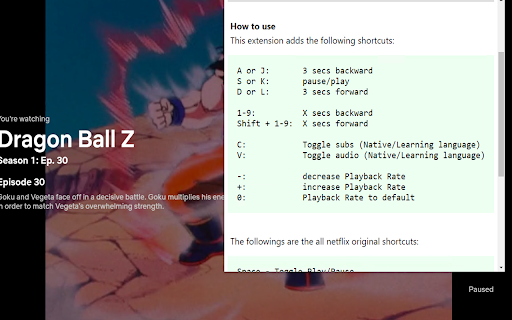
for 3 secs forward/backward
This extension will enable keyboard shortcuts that Netflix doesn't have.
<All the shortcut keys this extension will enable:>
A or J: 3 secs backward
S or K: pause/play
D or L: 3 secs forward
1-9: X secs backward
Shift + 1-9: X secs forward
C: Toggle subs (Native / Learning language)
V: Toggle audio (Native / Learning language)
Shift + C: Toggle subs visibility
H: Toggle subs clipboard copy by mouseover
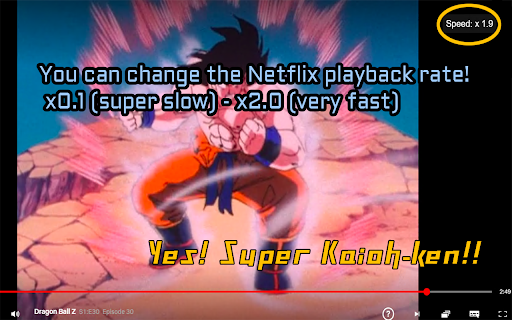
-: decrease Playback Rate
+: increase Playback Rate
0: Playback Rate to default
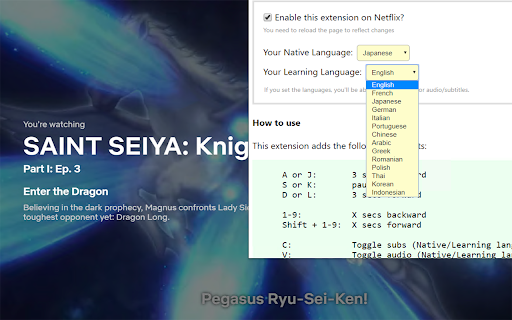
You can set the native language and learning language, and you can toggle audio/subtitles using shortcut keys.
Further more, there are many extremely useful shortcuts especially for language learners and heavy users.
All you need to do from now on is just install it and click the icon! (^o^)
<Languages you can choose in the latest version:>
English, Japanese, French, German, Spanish, Chinese... and so on.
(More than "18" languages!)
| 分类 | ♿无障碍访问 |
| 插件标识 | lcijklobkiddjhhkfkdhlhaabiknoahg |
| 平台 | Chrome |
| 评分 |
★★★★☆
4.3
|
| 评分人数 | 71 |
| 插件主页 | https://chromewebstore.google.com/detail/netflix-keyboard-shortcut/lcijklobkiddjhhkfkdhlhaabiknoahg |
| 版本号 | 2.0.0 |
| 大小 | 62.42KiB |
| 官网下载次数 | 439 |
| 下载地址 | |
| 更新时间 | 2024-01-01 00:00:00 |
CRX扩展文件安装方法
第1步: 打开Chrome浏览器的扩展程序
第2步:
在地址栏输入: chrome://extensions/
第3步: 开启右上角的【开发者模式】
第4步: 重启Chrome浏览器 (重要操作)
第5步: 重新打开扩展程序管理界面
第6步: 将下载的crx文件直接拖入页面完成安装
注意:请确保使用最新版本的Chrome浏览器
同类插件推荐

Netflix Multi-Subtitles
Chrome extension for netflix allowing to turn on s
Netflix Controller
Control Netflix in your browser with a gamepad or

Netflix rewind x seconds
Netflix rewind or skip a parameter secondsRewind /
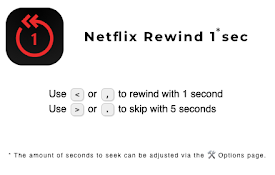
Netflix Rewind 1 sec
Seek through video with an x amount of seconds (ad
Netflix Keyboard Shortcuts Plus
for 3 secs forward/backwardThis extension will ena

Subadub
Enhanced Netflix subtitles for foreign language st

Netflix Subtitle Toggle
Toggle netflix subtitle visibilty by one key press

Netflix Toggle English Subtitles
Press V key to toggle English subtitles on Netflix
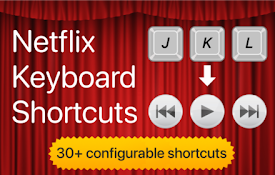
Netflix Keyboard Shortcuts
Use keyboard shortcuts to control video playback a

Prime Video Toggle English Subtitles
Press V key to toggle English subtitles on Amazon
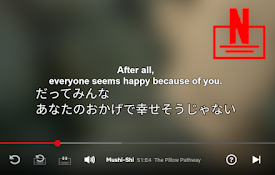
Netflix Dual subtitle for learning languages
Display two subtitle languages at the same time.Re

Netflix™ Extended
Extension for Netflix™ to skip intros, recaps, sta

Better Netflix
Adds various features to Netflix like support for